


Magento 2 Quick Contact Form Extension
Convert store visitors into customers with an advanced floating quick contact form for Magento 2. Easily embed the Contact button on all pages of your website to enable customers to contact you quickly.
- Floating quick contact pop-up for instant communication
- Fully customizable button position, style, text, and icon
- Allow customers to upload attachments with inquiries
- Department-wise inquiry routing with dedicated emails
- Backend department manager grid for easy management
- Manage customer inquiries from the admin grid
- Enable/disable phone number and department fields
- GDPR checkbox with customizable text and link
- Google reCAPTCHA integration for spam protection
- Auto-responder email for customer acknowledgment
- Send inquiry emails directly to the admin with attachments
- Configure inquiry statuses like Pending, Processing, Closed
- Restrict form visibility by CMS pages and customer groups
- Auto-delete old inquiries after configured days
- REST API Available / GraphQL API Available
- Hyvä Addon Available
- Compatible with Hyvä Luma Checkout / Hyvä Checkout


30 DAY
MONEY BACK

1 YEAR
FREE UPGRADE

1 YEAR
FREE SUPPORT
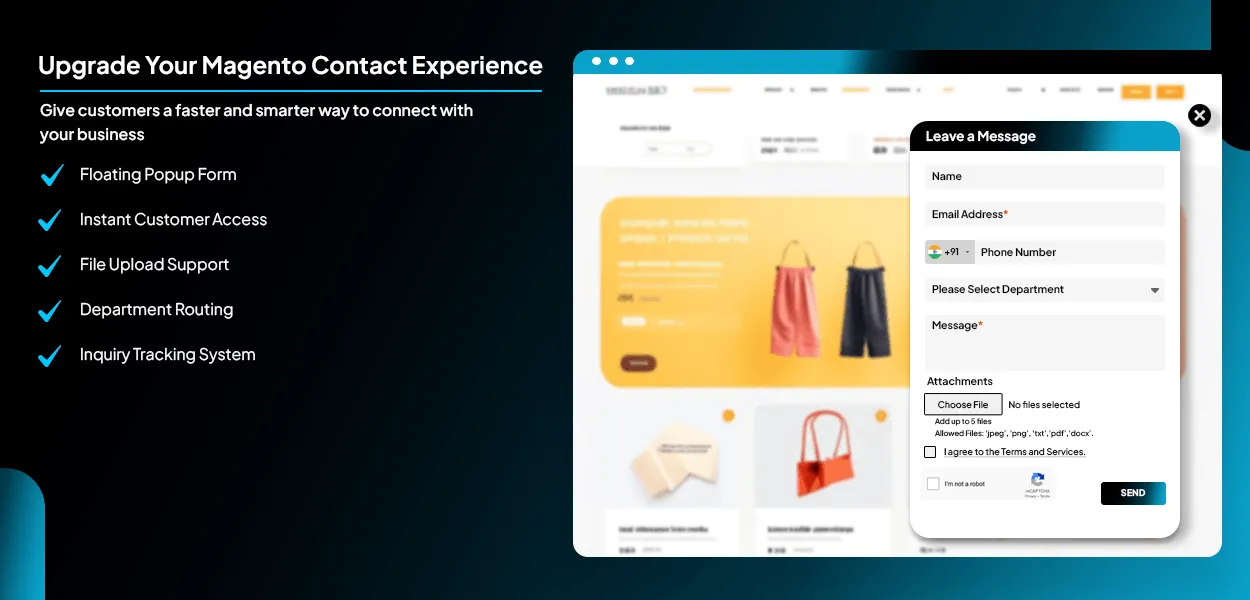
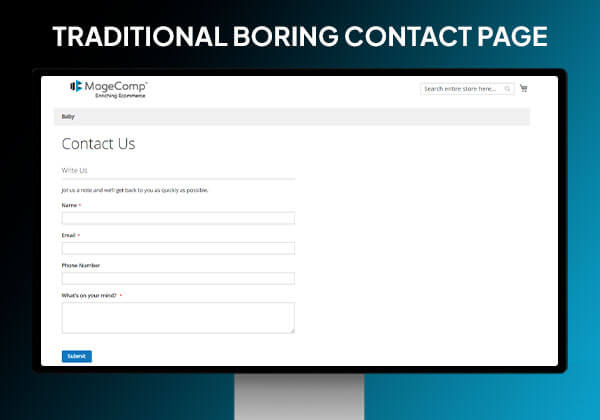
Contact forms are the best way to let customers enquire about products or services. Store owners can collect visitors’ information through contact forms. While shopping or browsing your website, customers can have many questions or doubts about product quality, type, variants, payment, delivery, shipping, etc. Customers often leave a website when they cannot quickly connect with the store owner. The default Magento contact form is basic and lacks modern communication features.
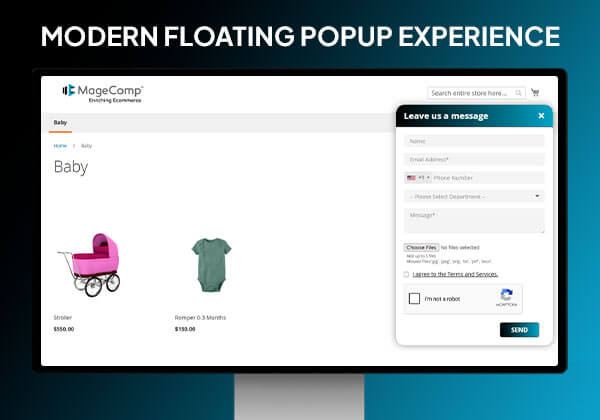
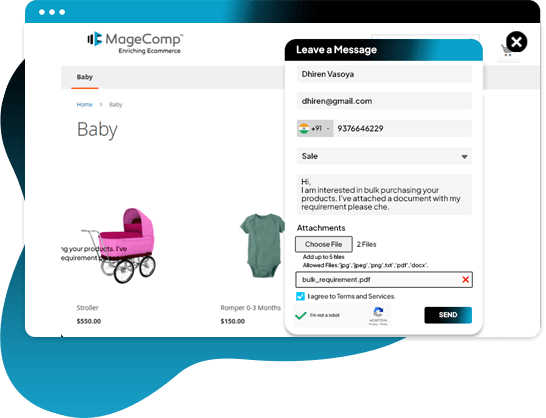
The Magento 2 Quick Contact Form Extension developed by MageComp is an effective way to provide a stylish means for customers to quickly send inquiries without having to leave the current webpage. Customers can send inquiries through a user-friendly pop-up contact method and have the ability to attach documents to their inquiries. It allows you to send inquiries for product information, support, bulk pricing, and/or order-related help while automatically routing inquiries to the appropriate department.
Upon submission of a customer's inquiry, the administrator will receive notification via email. The administrator has the ability to manage the details of each inquiry via the Magento store backend, including customizing the appearance of the quick contact form, as well as setting up a customized email template to be sent to customers.
Advantages of Modern Contact Form for Magento 2

Faster Customer Communication
The floating, quick-contact form allows customers to contact your store from any webpage, which allows for faster and more efficient communication.

More Lead Generation
As the floating contact form can be accessed from any page, you get more visitors who would have left your site to inquire about your products or services.

Better User Experience
Modern, responsive, and easy-to-use quick-contact forms work the same on all types of devices, including desktops, tablets, and mobile devices.

Reduced Bounce Rate
Customers can quickly send messages in just a few clicks without navigating through multiple pages, improving engagement and reducing bounce rates.
Benefits of Magento 2 Quick Contact Form Extension
Customers Can Quickly Contact While Shopping Online
Offer the convenience to customers for reaching out quickly just by entering the name, email address, other details, and a message. They can also attach up to 5 files for a clear understanding.
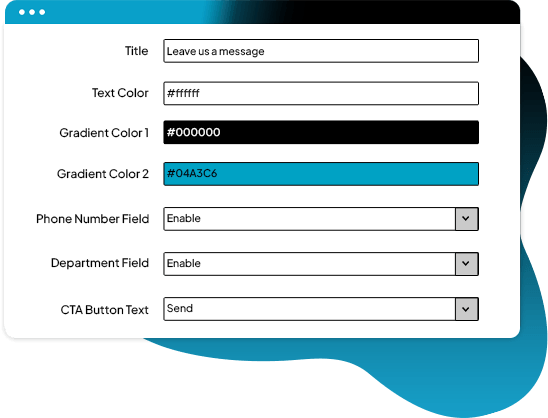
Customize Contact Form
Using the Magento 2 Quick Contact Form module, the admin can set the background color with a gradient effect for the quick contact form. Admin can also determine which fields to display in the form.
Customize Email Template
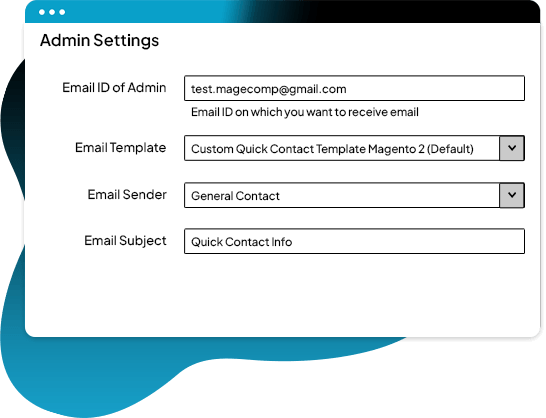
Configure the email ID for receiving messages, email template, sender ID, and subject line from the backend configuration.
Prevent Bots & Spam Inquiries
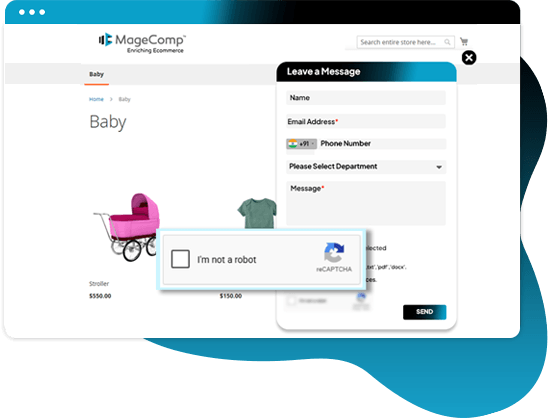
Magento 2 Quick Contact Form includes Google reCAPTCHA integration, which helps to block spam submissions and provide protection to your store.
Collect Legal Customer Consent
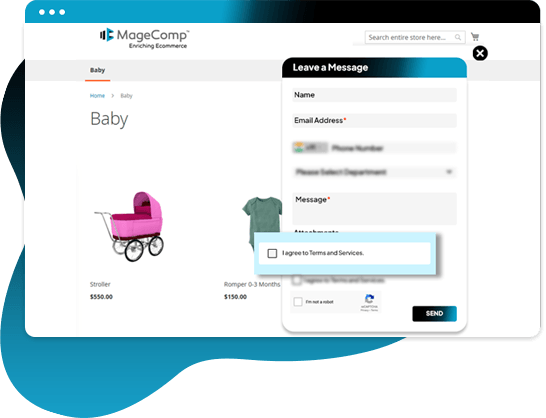
Magento 2 Quick Contact Form extension provides an option to collect customer consent using a customizable GDPR checkbox and link within the contact form popup.
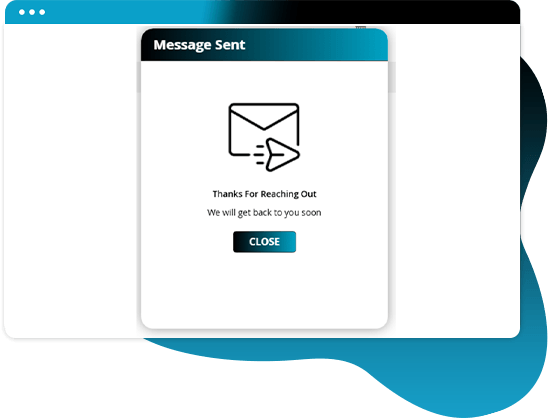
Instant Success Confirmation After Form Submission
Quick Contact Form Extension provides customers with a smooth and professional inquiry submission experience using an attractive success confirmation pop-up immediately after form submission.
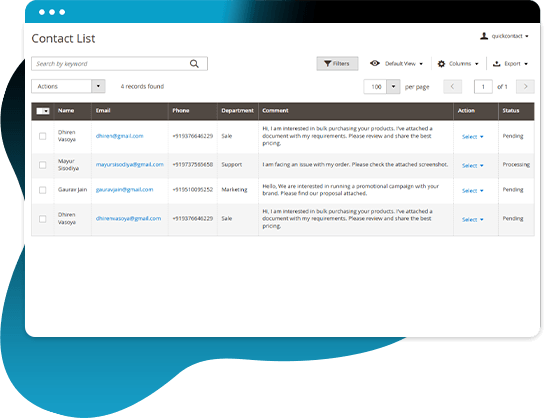
Neat Management of Inquiries by Customers
Accessing the admin panel, the admin can view every inquiry sent by visitors and remove any unnecessary details.
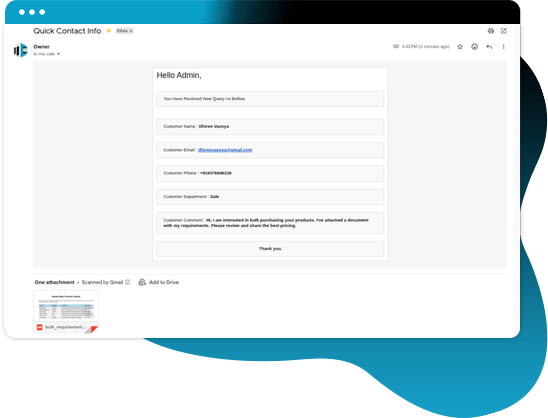
Immediate Receipts of Inquiries & Responses
Admin is notified via email whenever queries are generated by customers through a quick contact form. Moreover, the admin can instantly respond to those queries from the mailbox.
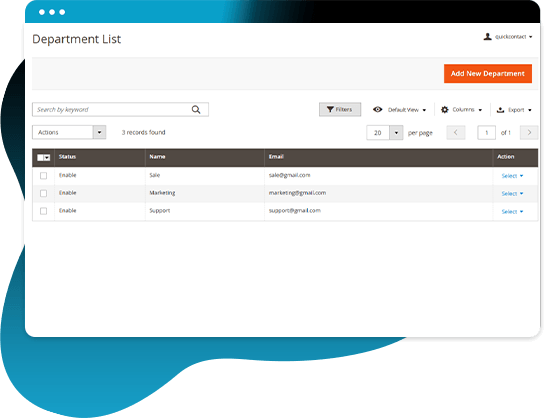
Route Inquiries to the Right Department
Different departments often handle different customer queries. With the Department Manager, store owners can create multiple departments like Sales, Support, Billing, or Wholesale. Each department can have its own email address, ensuring inquiries reach the right team instantly for faster response handling and better organization.
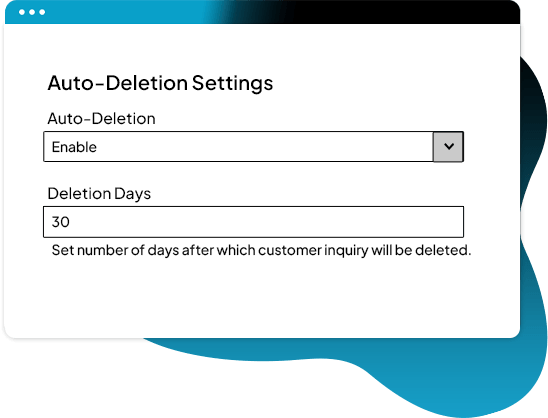
Auto-deletion of Inquiries
The admin can set the number of days from the backend configuration after which the customer inquiries will be automatically deleted from the quick contact manager grid. This helps to keep the inquiries organized and reduces the manual work of the admin.
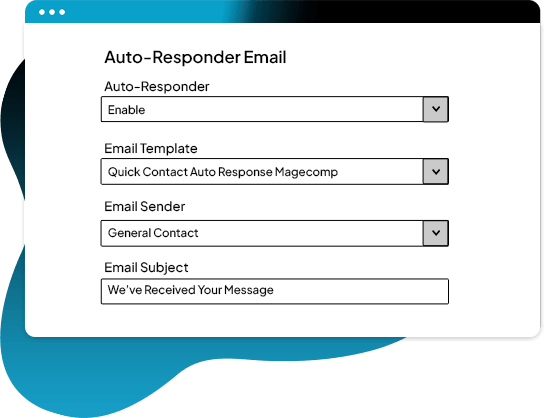
Automatically Acknowledge Customer Inquiries
Configure auto-responder email settings from the backend configuration to send instant acknowledgment emails automatically after form submission.
Why Choose MageComp’s Magento 2 Quick Contact Form Extension?
- Show a modern floating Contact or Help button on any page in the store.
- Allow your customers to contact you instantly from any page in your online store.
- Improve customer engagement with a responsive pop-up quick contact form.
- Let customers upload file attachments such as images, screenshots, PDFs, or documents with inquiries.
- Automatically send inquiries to the proper department using department-level email management.
- The admin receives an instant email notification with all complete customer details, including file attachments.
- Once a customer submits an inquiry, they receive an automatic acknowledgment email.
- The admin easily replies to the customer inquiry from their email inbox.
- Each department can be created and maintained separately with a dedicated email address.
- From the backend inquiry management grid, all customer inquiries are managed/assigned to query records.
- All customer inquiries can be viewed, tracked, and deleted from within the Magento admin area.
- Configure custom inquiry statuses like Pending, Processing, and Closed.
- Set custom email templates, subject lines, sender details, and recipient email addresses.
- Customize popup colors, button text, icons, and popup titles to match store branding.
- By enabling Google reCAPTCHA integration, you will be able to prevent spam submissions to your forms.
- Add a GDPR consent checkbox with customizable privacy policy text and links.
- Restrict the quick contact form for specific customer groups and CMS pages.
- Inquiries that are old will be automatically deleted after the number of configured days in order for your database to remain organized.
- By providing a professional contact experience, you will enhance customer communication and improve conversions on inquiries.
Version 1.0.6 Date : 09-05-2026
- Added reCAPTCHA, Restriction and Auto-deletion Functionality
- Added New Field: Department, Phone Number, GDPR
- Improved Popup Design & Email Settings
- Improved REST API and GraphQL API
- Minor bug fixing
Version 1.0.5 Date : 20-05-2025
- Compatible with Magento 2.4.8 version
- Minor bug fixing
Version 1.0.4 Date : 08-10-2024
- Improved REST API and GraphQL API
- Compatible with Magento 2.4.7 version
Version 1.0.3 Date : 22-02-2024
- Improved REST API and GraphQL API
- Minor bug fixing
Version 1.0.2 Date : 11-03-2023
- Improved REST API and GraphQL API
- Compatible with Magento 2.4.6 version
- Compatible with Magento Coding Standards
- Minor bug fixing
Version 1.0.1 Date : 11-03-2023
- Added REST API and GraphQL API
- Compatible with Magento 2.4.5 version