


Magento 2 Free Shipping Bar Extension
Magento 2 Free Shipping Bar extension automatically tracks cart value, displays real-time messages, and visually guides users toward the free shipping goal, helping you boost conversions and increase average order value.
- Display Free Shipping Bar and Announcement Bar on multiple pages.
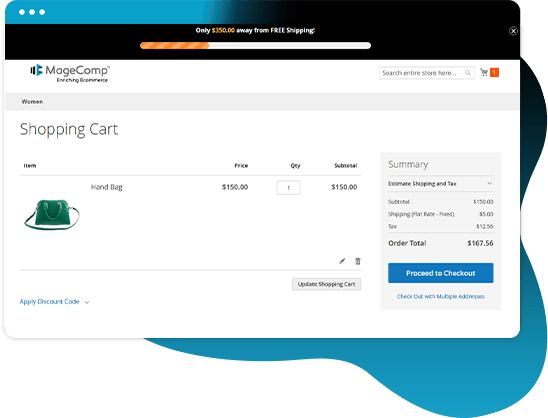
- Show dynamic free shipping progress based on cart value.
- Automatically calculate the balance needed to qualify for free shipping.
- Enable progress bar visualization for better UX.
- Add a countdown timer announcement bar to create urgency.
- Customize colors, fonts, and bar position.
- Show different messages (Initial, In Progress, Achieved).
- Allow specific customer groups for the free shipping facility.
- Show a message for the amount left to get free shipping.
- Set a minimum order amount for free shipping.
- Display the free shipping bar on the specified date and time only.
- Enable a clickable bar with a custom URL.
- Personalize the free shipping bar with stylish options.
- REST API Available / GraphQL API Available.
- Hyvä Addon Available.
- Compatible with Hyvä Luma Checkout / Hyvä Checkout.


30 DAY
MONEY BACK

1 YEAR
FREE UPGRADE

1 YEAR
FREE SUPPORT
According to a survey, 90% of customers make frequent purchases when the admin offers free shipping. Companies offering free shipping options notice 20% higher conversion rates.
The above figures show that providing free shipping is very crucial for any Magento 2 store owner. When the store owners offer free shipping, it's equally important that customers get to know about it. If the message doesn't reach the customers about such an opportunity, it affects customer satisfaction, and there is a loss of sales.
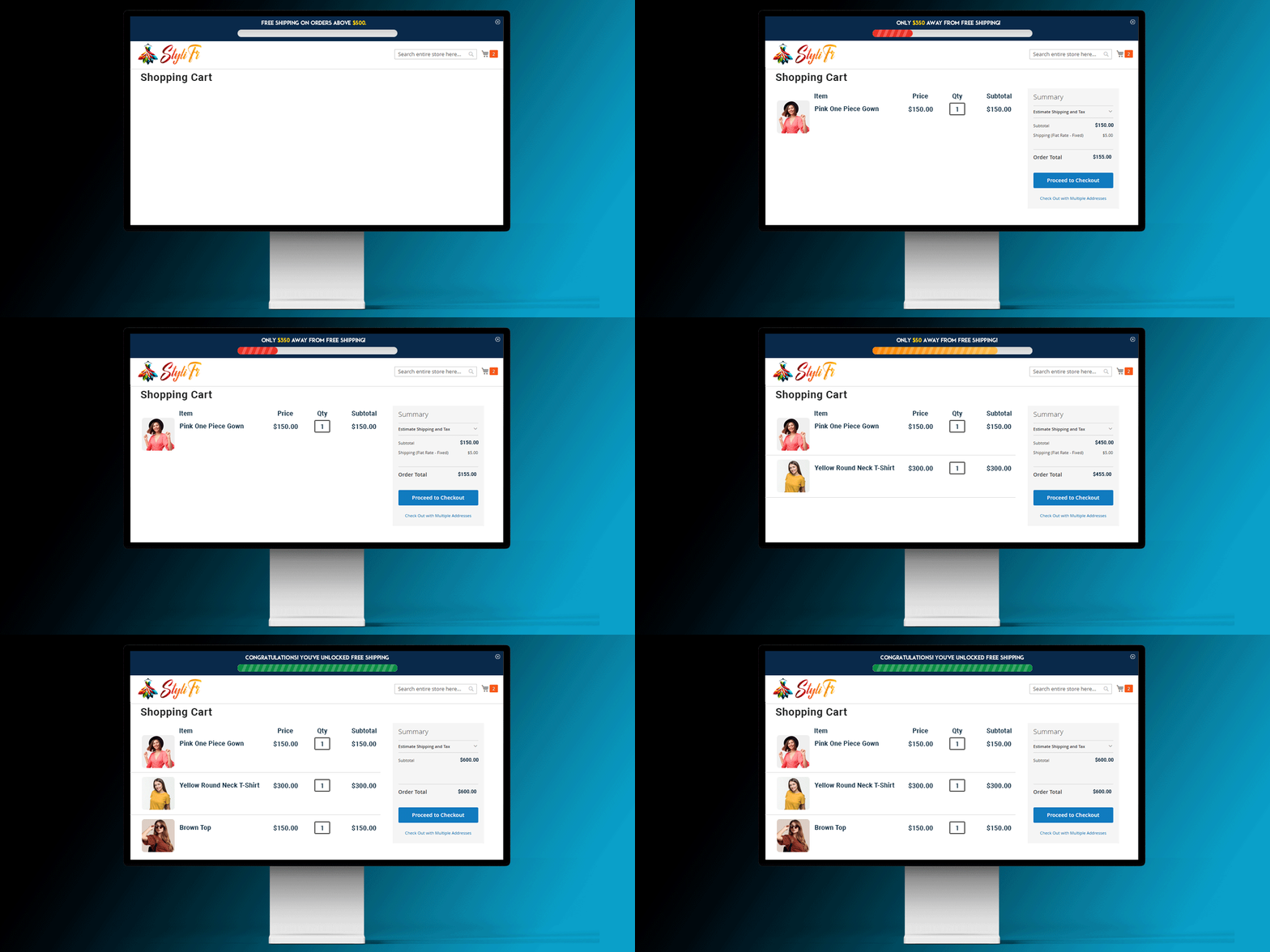
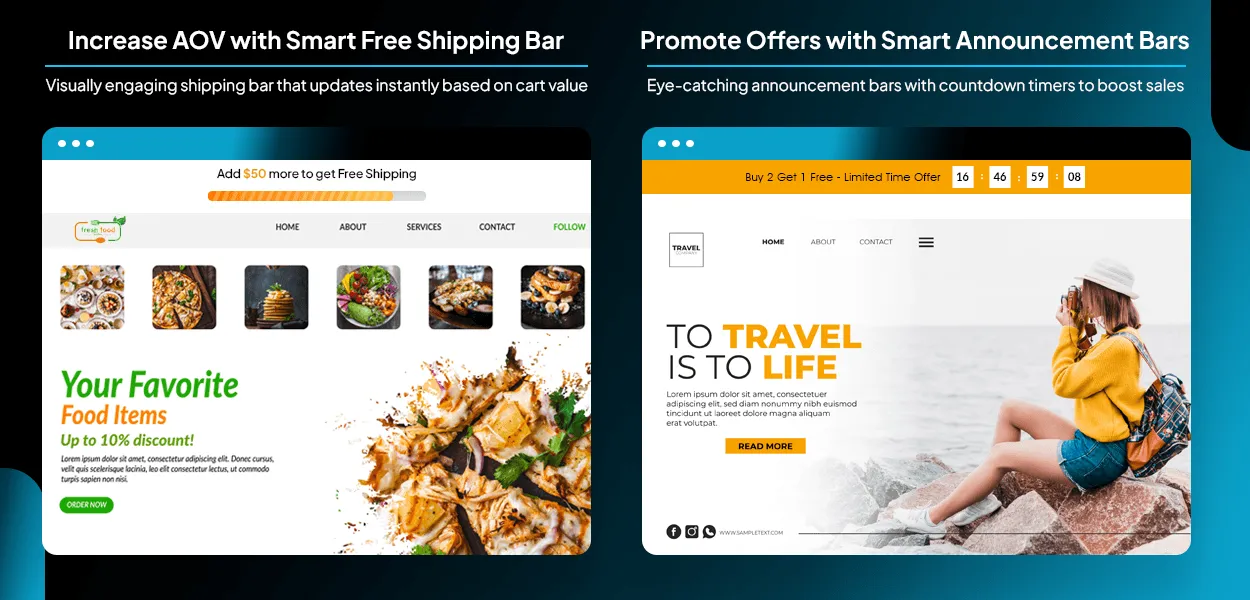
This Free Shipping Bar for Magento 2 extension displays a free shipping bar at the website's top area, along with the minimum cart amount, to encourage customers to buy more. This helps increase AOV (Average Order Value). The module also allows displaying an appropriate message on the basis of the current cart amount. Admin has the right to permit only specific customer groups and set the date or time of the free shipping bar to display on the frontend. Admin can customize the look and feel of the free shipping bar to grab the user’s attention. It also allows adding a progress bar to let customers know how far they are in availing free shipping benefits. Promote offers and flash sales using the announcement bar option. Create urgency with an eye-catching countdown timer.
Benefits of Magento 2 Free Shipping Bar Extension
Show Free Shipping Bar & Announcement Bar on Various Pages
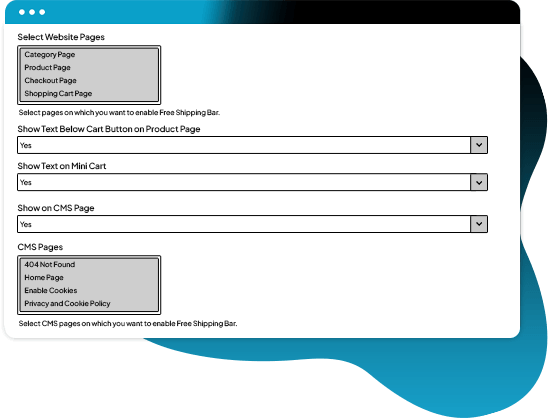
Free Shipping Bar Magento 2 module allows displaying a captivating and fully customizable free shipping bar and announcement bar on the following pages.
- Category & product pages
- Mini cart & main cart pages
- Checkout page
- CMS pages
Set Minimum Order Amount to Facilitate Free Shipping
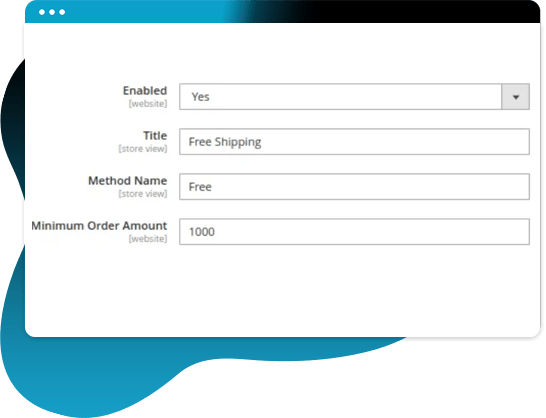
Set a minimum order value to offer free shipping to customers. When the shopping cart amount reaches the set amount, customers can take advantage of free shipping.
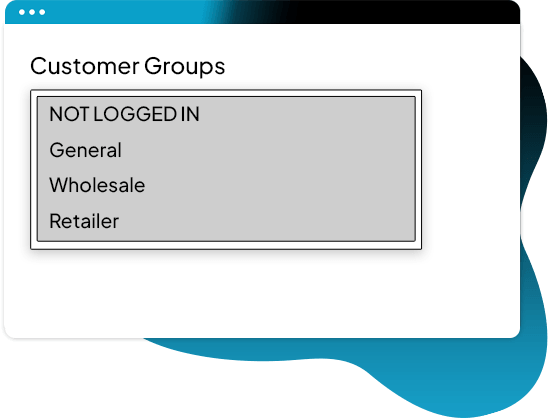
Allow Free Shipping to Specific Customer Groups
It has the option to select particular customer groups to offer them free shipping on products they purchase.
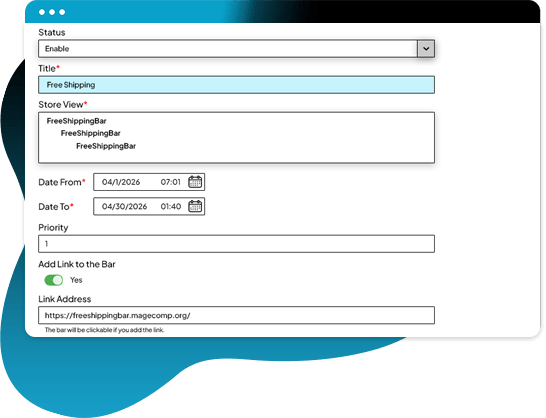
Set Date & Time to Display Free Shipping Bar
Configure the duration for displaying free shipping bar on the store frontend by specifying the start and end date or time.
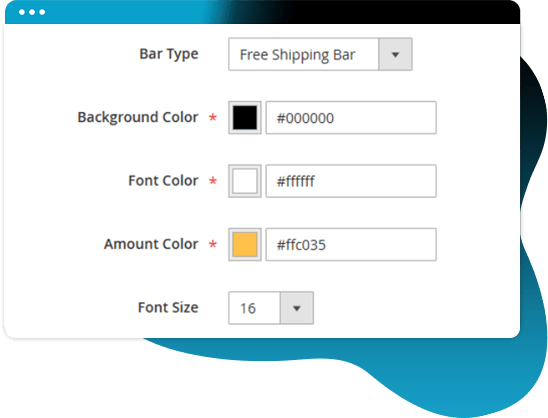
Fully Customized Design to match your Store Branding
Set background color, font color, and highlight color based on your store theme. You can also set the font size and choose the desired template for the free shipping bar.
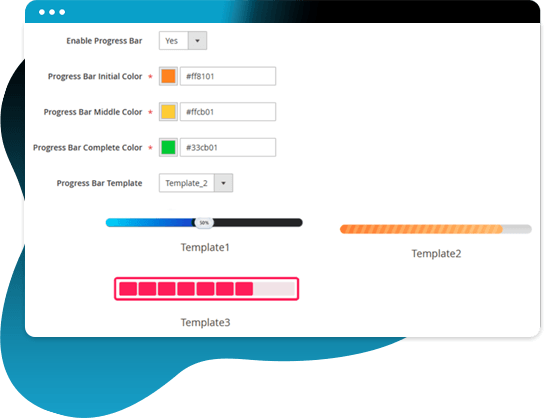
Increase Engagement with a Visually Appealing Progress Bar
Display a progress bar that updates without refreshing the page based on the cart value. Customize the progress bar color based on the status and choose from various templates that match your brand.
Show Relevant Message Based on Cart Total
Customers are notified about the amount left to avail free shipping on the basis of the cart value. They are encouraged to buy more to get the opportunity of free shipping.
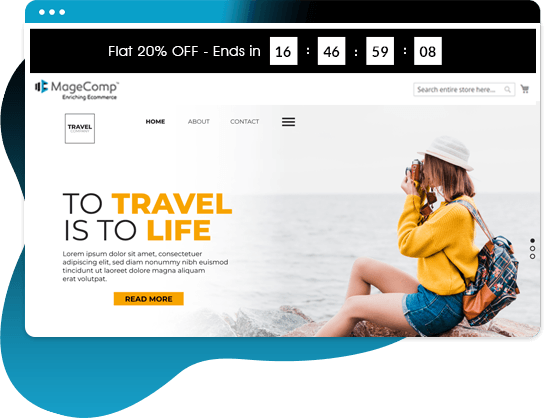
Add Custom Announcement Bar for Promotions & Offers
Apart from the free shipping bar, the admin can also add an announcement bar with a countdown timer to showcase SALE and discounts running in their store.
Why Choose MageComp’s Magento 2 Free Shipping Bar Extension?
- Display a free shipping bar on multiple webpages.
- Product pages (top/bottom and below the Add to Cart button)
- Category pages
- Shopping cart & mini cart
- Checkout page
- CMS pages (Home, Privacy, etc.) - Motivate customers to purchase more to get free shipping.
- Determine which devices to show the free shipping bar.
- Mobile
- Tablet
- Desktop - Set the frontend position of the free shipping bar.
- Top
- Bottom - Customization with styling & formatting options.
- Set a minimum amount to be eligible for free shipping.
- Set the date and time of the free shipping bar to display.
- Designate specific customer groups that are eligible for free shipping benefits.
- Set the redirection link for the bar to redirect customers.
- Provide customers with relevant messages based on their shopping cart value so they know how much more they need to spend to qualify for free shipping.
- Use the progress bar feature to provide customers with visual evidence as to how close they are to achieving free shipping.
- Admin can display the announcement bar to promote offers and sale discounts.
- Customize the announcement bar using colors and styles to match your brand's look.
- Add a countdown timer to the announcement bar to create urgency.
- Manage the free shipping bar and announcement bar from the admin grid.
Version 1.0.6 Date : 24-04-2026
- Added Progress Bar & Announcement Bar Feature
- Improved REST API and GraphQL API
- Minor bug fixing
Version 1.0.5 Date : 10-05-2025
- Compatible with Magento 2.4.8 version
- Minor bug fixing
Version 1.0.4 Date : 03-09-2024
- Improved REST API and GraphQL API
- Compatible with Magento 2.4.7 version
Version 1.0.3 Date : 29-05-2023
- Compatible with Magento 2.4.6 version
- Minor bug fixing
Version 1.0.2 Date : 15-07-2022
- Added functionality to display sidebar text on mini cart and product page
- Added REST API and GraphQL API
Version 1.0.1 Date : 25-01-2022
- Minor bug fixing related to cache