![Magento 2 Request for Quote (RFQ) Extension [PRO]](https://magecomp.com/media/catalog/product/cache/403c76d58d9397581df2dcfeeb9235f0/r/e/request-for-quote-rfq-pro.webp)


Magento 2 Request for Quote (RFQ) Extension [PRO]
Magento 2 Request for Quote (RFQ) Extension [PRO] lets the admin manage customer quotations with PDF file attachments, custom prices, coupon codes, and automatic reminders. Customers can submit quotes and check the quote status from their account.
- Allow guest & logged-in users to request quotes
- Admin can review & send custom price quotes via email
- Auto account creation for guest users with credentials email
- Enable Google reCAPTCHA (v2/v3) for spam protection
- Configure quote expiry & automated reminder emails
- Customers can see the quote list from the My Account
- Allow shoppers to convert quotes into orders
- Manage quotes and their status from the backend
- Attach a PDF file, apply a coupon code, and custom prices
- REST API Available / GraphQL API Available.
- Hyvä Addon Available.


30 DAY
MONEY BACK

1 YEAR
FREE UPGRADE

1 YEAR
FREE SUPPORT

Many times, it happens that your customer is looking for specific products that are available in your Magento 2 store. But they need some kind of customization that fits their requirements. Or they are looking forward to negotiating the price on their bulk purchase. While customizing the product, first you have to collect your customer's requirements, based on which you generate quotes. Once the deal is finalized in both hands, you have to prepare and deliver the product accordingly. But using Magento 2 default configurations, it's not possible to get your customer quotes. Thus, to simplify this process, you need to rely on an extension that fulfills your requirements.
Magento 2 Email Quote PRO Extension or Magento 2 Quotation Manager PRO Extension by MageComp allows store owners to accept customer requirements, prepare the quote accordingly, and send it back to the customer via email. Whenever your customer adds the product to their shopping cart, they will find an option to send their shopping cart to the store owner with all selected custom options and quantities by filling out a short quote form. Once the admin receives the customer's shopping cart, the admin can further discuss customer requirements and customize the product accordingly. This simple process can be achieved through a simple Email Quote Extension.
Using the Magento Quote Extension, you'll be able to prepare a Quote for your Customers with ease by creating an order, entering a custom amount for that order, and using a coupon code. After the admin has prepared the Quote, they can then send it to the Customer for checkout. This extension also provides reminders by email prior to the expiration of a Quote to help users convert lost sales.
Advanced features include: PDF documents attached to quotes, file upload capability, reCAPTCHA security, and flexibility in display options; this extension allows you to build a complete Quotation Management System within your store.
Advantages of Request for Quote for Websites

Increases Sales Opportunities
Many customers prefer to negotiate pricing before making a purchase decision. You can provide customers with the opportunity to negotiate for a Custom Price using RFQ, which will help you convert more visitors into buyers and reduce your chances of losing them.

Reduces Cart Abandonment
Price is often one of the primary reasons for cart abandonment. Many customers would prefer to be able to ask questions, get an answer, and receive a Quote from you, rather than giving up entirely. This turns abandoned carts into sales opportunities.

Captures High-Intent Leads
Users requesting an RFQ from your store are serious about purchasing from you. Upon requesting an RFQ, you will capture the customer's contact information (to send them a Quote), their interest in a specific product, and their intent to purchase that product.
Benefits of Magento 2 Request for Quote (RFQ) PRO Extension
Track All Quotes
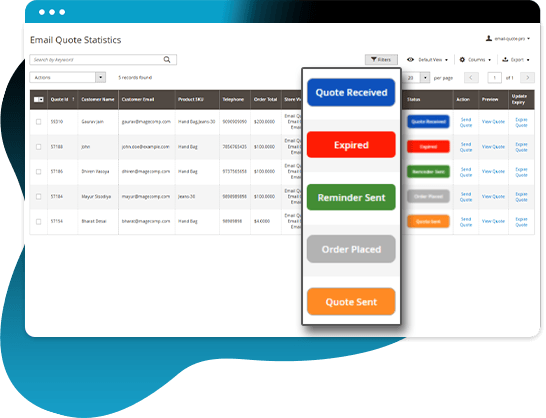
Using this module, the store owner can easily track all the quotes with status (Received, Sent, Expired, Reminder Sent, Order Placed) for analyzing the customer's point of view.
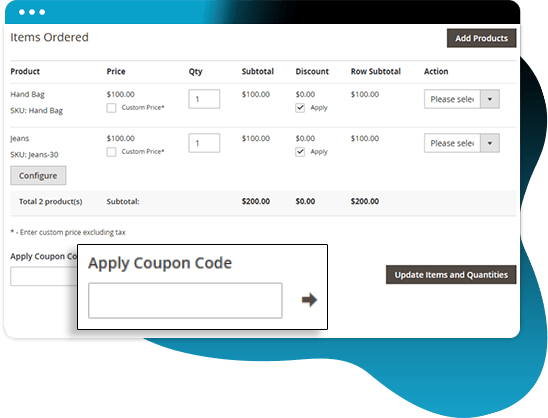
Apply the Coupon Code while Preparing a Quote
From the backend grid, the admin can apply a coupon code to the products to make a quote for the customers with the help of the Magento 2 Email Quote Pro Extension by MageComp.
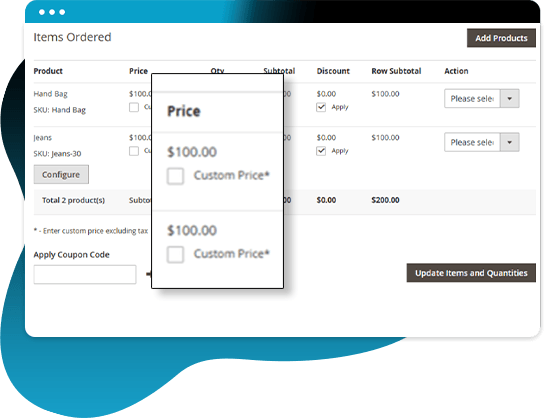
Apply Custom Price for Product & Send Quote
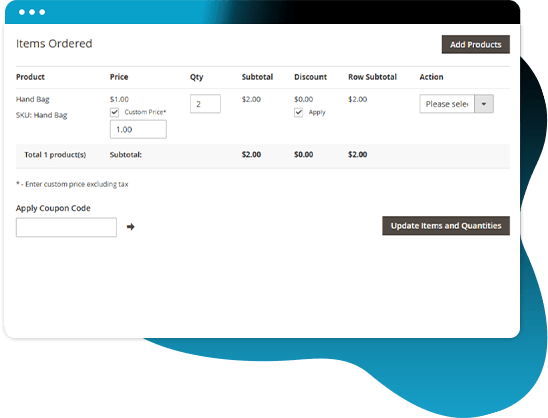
When creating a quote, the extension offers an option to set a custom product price and send the quote to customers.
Change & Resend Already Created Quotes
The admin can make changes to earlier created quotes from “Email Quote Statistics”. Moreover, the admin can again send the quote by updating the price and offering discounts.
Quote PDF will be sent to the Customer as an Attachment
The extension provides the backend option to send a PDF attachment along with an Email Quote sent to customers. The PDF mentions the details of the quote as well as the shipping address of the customers.
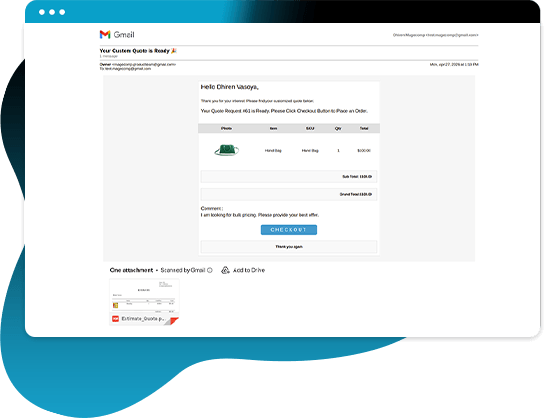
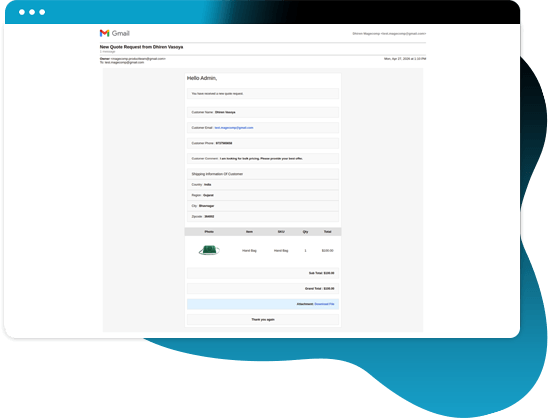
Receive Customer Quote Inquiries via Email
The admin can set an Email ID and a template to receive customers’ emails. The customer just needs to fill in the details of the product and send an Email Quote to the admin. The admin will receive the selected cart and product option. As soon as the customer sends the Email Quote, they will receive a thank-you message.
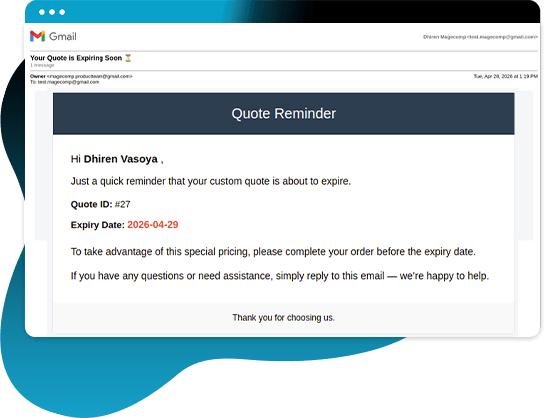
Increase Conversions with Urgency-based Reminders
Admin can establish when the quote will expire and activate automatic reminder emails to customers prior to the quote expiring, generate urgency in reminder notifications and be able to increase conversion rates.
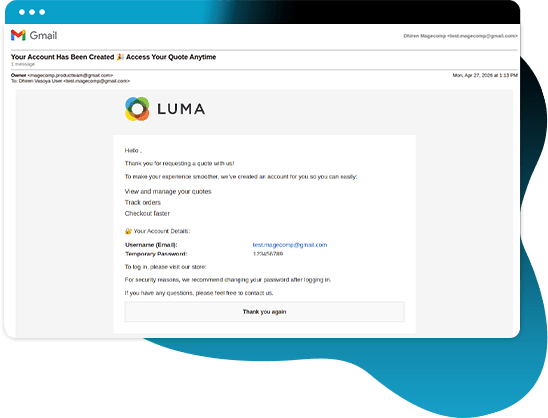
Accept Quotes even from Guest Users
Allow guest users to send quotes. Automatically create an account for any guest user who requests a quote, and provide login credentials via email to that guest.
Access All Quotes in One Place
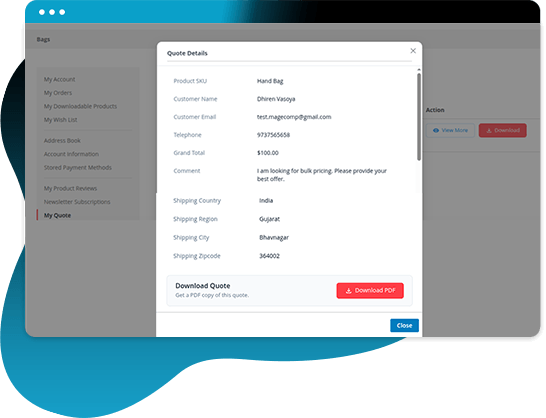
Customers can easily check on their Quotes, download their Quote documents, and see any changes to the Quote from their "My Account" page. No longer will you need to go through your emails to find information regarding a quoted price; instead, all of the information will now be organized and in one spot.
Why Choose MageComp’s Magento 2 Request for Quote (RFQ) PRO Extension?
- Option to set a custom button label for Email Quote in the frontend.
- Set Email ID and select templates to receive the customer’s cart details via email.
- Customers have the ability to submit a request for a quote with their specified product options by clicking the "Send Quote" button.
- You can add a "Send Quote" button to your entire store or specifically for product/category pages.
- Enable/disable the Proceed to Checkout button along with the quote option.
- Allow customers to upload attachments (documents/images) with quote requests.
- Option to show shipping price details in quotes.
- You can add Google reCAPTCHA v2/v3 to the quote request form in order to prevent spam quote requests.
- Admin receives the complete cart with selected product options instantly via email after submission.
- Customers will receive an automatic thank-you email after submitting their request for quotes.
- Create an order from the backend and send order quotes via email to customers.
- Option to apply coupon codes directly while creating quotes from the backend.
- When creating quotes, use Magento's custom pricing functionality.
- You can send PDF quotes as attachments to the email that includes custom footer text to promote your brand.
- Display customer shipping address in both email and PDF quotes.
“Send Quote” option available in Email Quote Statistics grid for quick actions. - Admin can edit and resend quotes anytime.
- Backend option to delete unnecessary quotes from the grid.
- Clicking the Email Quote button from admin allows customers to receive pre-filled cart links and proceed directly to checkout.
- Customers can check the status of their quote request, view the details of their quotation, and download their quotation directly from their My Account section.
- Guest users will be automatically registered when they submit a quote request.
- Configure quote reminders with email notifications before expiry.
- You can choose to use a global expiry date and email reminder options or configure them per quote.
- Fully customizable email templates for admin, customer, reminders, and account creation.
- Manage everything from a centralized Email Quote Statistics grid with status tracking.
Version 1.2.1 Date : 30-04-2026
- Added reCAPTCHA v2 & v3
- Added Quote Reminder & Expiration
- Improved REST API and GraphQL API
Version 1.2.0 Date : 23-12-2025
- Improved REST API and GraphQL API
- Minor bug fixing
Version 1.1.9 Date : 16-05-2025
- Compatible with Magento 2.4.8 version
- Minor bug fixing
Version 1.1.8 Date : 14-08-2024
- Improved REST API and GraphQL API
- Compatible with Magento 2.4.7 version
Version 1.1.7 Date : 18-10-2023
- Updated REST API and GraphQL API
Version 1.1.6 Date : 22-08-2023
- Compatible with Magento 2.4.6 version
- Minor bug fixing
Version 1.1.5 Date : 23-09-2022
- Updated REST API and GraphQL API
- Compatible with the latest Magento 2.4.5 version
- Compatible with Magento Coding Standards
- Minor bug fixing
Version 1.1.4 Date : 07-06-2022
- Added GraphQL API
- Minor bug fixing
Version 1.1.3 Date : 31-05-2022
- Added shipping cost requirement
- Compatible with the latest Magento 2.4.4 version
- Minor bug fixing
Version 1.1.2 Date : 30-03-2022
- Compatible with Magento 2.4.3 latest Magento version
Version 1.1.1 Date : 09-06-2021
- Added Email Quote Button with Minicart & Checkout Cart
Version 1.1.0 Date : 10-03-2021
- Implemented REST API
- Compatible with Multiple store
- Minor bug fixing
Version : 1.0.9 Date : 06-05-2020
- Compatible with Magento 2.3.5
Version 1.0.8 Date : 26-11-2019
- Email attachment issue for magento 2.3.3 resolved
- Send Store wise Email
- Set Email template logo by store-wise
Version 1.0.7 Date : 11-10-2019
- Compatible with Magento 2.3.3 Latest Magento version
Version 1.0.6 Date : 20-05-2019
- Multistore and Multi Currency Supported
Version 1.0.5 Date : 27-10-2018
- Customer can see their sent quote list in account section
- Store admin can delete quote from the backend
- Now shipping address will be display in both Email and PDF
- Minor bug fixing
Version 1.0.4 Date : 02-02-2018
- Send Quote option in backend statistics grid for the inquiries submitted from frontend form
- PDF can be attached with quote sent to customers through Email
- Guest users get auto registered while sending quotes from backend
- Minor bug fixing and major refinements
Version 1.0.3 Date : 24-01-2018
- Minor refinements and bug fixing
Version 1.0.2 Date : 16-10-2017
- Custom options are now sent in Email
- Product grid is now sent in Email
- Created action change from index controller
- Solved the issue with bundle product options in Email
- Create quote and Emails are now sent to customers from admin
Version 1.0.1 Date : 22-05-2017
- Admin can edit Email Quote from Manage Email Quotes section from backend
- Option to send Thanks Mail to Customers for Quote Request
- Minor bug fixing