Have you ever wondered how many customers leave an online store because they are unsure whether a product can be delivered to their location? For eCommerce businesses, unclear delivery availability can create unnecessary hesitation, abandoned carts, and customer support queries.
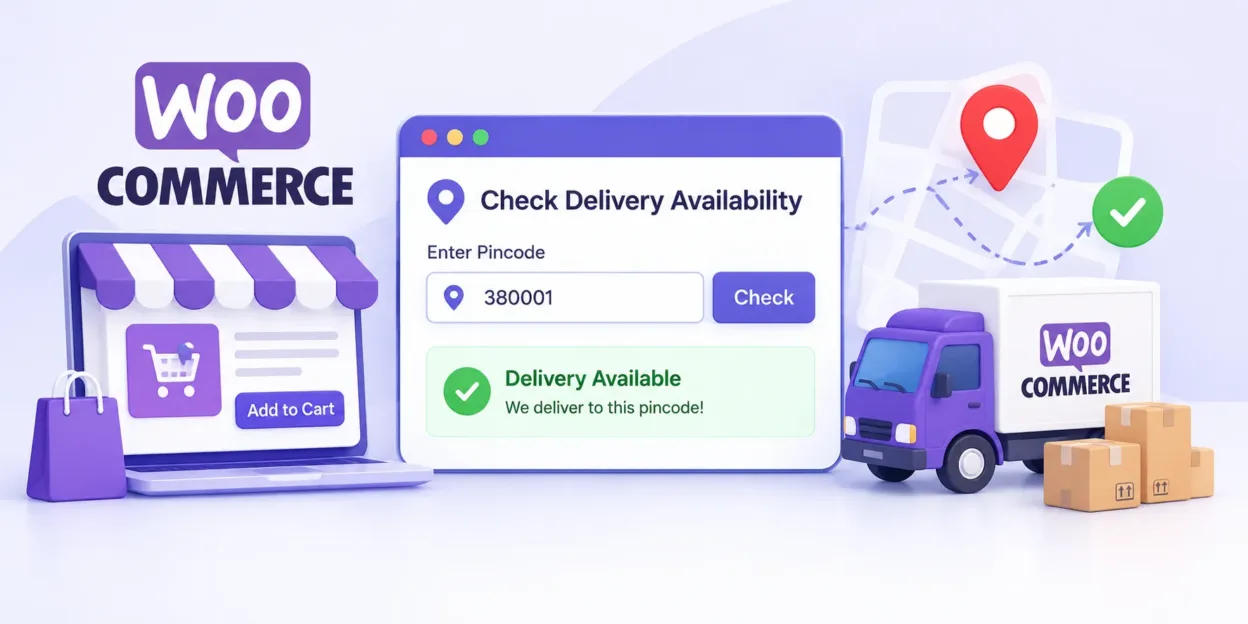
If you run a WooCommerce store, providing delivery information before customers reach checkout can make the shopping experience more convenient. A pincode checker allows shoppers to enter their PIN code or ZIP code on a product page and check whether delivery is available in their area.
MageComp’s Pincode Checker WordPress Plugin helps WooCommerce store owners provide this information directly on product pages. With instant availability checks, bulk PIN code management, shipping zone integration, and customizable messages, the plugin helps simplify delivery communication and improve the customer experience.
In this guide, we will explore how the Pincode Checker plugin works, its key features, its benefits, and how to use it in your WooCommerce store.
What Is a Pincode Checker Plugin for WooCommerce?
A pincode checker is a tool that allows customers to verify whether an online store delivers to their location using a PIN code or ZIP code.
The MageComp Pincode Checker plugin provides this functionality for WooCommerce stores. It also helps administrators manage serviceable PIN codes, import or export code lists in bulk, and connect PIN code information with WooCommerce Shipping Zones.
Why Does Your WooCommerce Store Need a Pincode Checker?
Delivery availability is an important part of the online shopping experience. Customers want to know whether their products can reach their addresses before spending time completing an order.
Without an easy way to check serviceability, shoppers may need to proceed to checkout, contact customer support, or abandon their purchase to avoid uncertainty.
Here is how a pincode checker can help:
- Reduce delivery-related confusion: Customers can check serviceability before adding products to their cart.
- Improve the shopping experience: Shoppers receive delivery information without navigating away from the product page.
- Reduce avoidable support queries: Customers can independently verify whether their location is serviceable.
- Set clearer expectations: Displaying relevant success or error messages helps communicate delivery eligibility.
- Support better purchasing decisions: Customers can make more informed decisions before proceeding to checkout.
A pincode checker does not guarantee higher conversions on its own, but it can remove one common source of uncertainty during the buying journey.
Key Features of MageComp Pincode Checker Plugin
The MageComp Pincode Checker plugin includes features designed to simplify delivery availability checks for both customers and store administrators.
1. Instant Delivery Availability Check
Let customers enter their PIN code or ZIP code directly on the product page to check delivery availability.
Instead of discovering delivery restrictions later in the checkout process, shoppers can get an earlier indication of whether their location is serviceable.
This is particularly useful for stores that deliver to selected cities, regions, or postal code areas.
2. Bulk PIN Code Import and Export
Managing hundreds or thousands of PIN codes individually can be time-consuming.
The plugin supports bulk PIN code import and export through CSV and XLS files. Store administrators can use these file formats to manage larger lists more efficiently and simplify updates or backups.
This feature is helpful for businesses that regularly expand their delivery coverage or update serviceable locations.
3. WooCommerce Shipping Zone Integration
WooCommerce Shipping Zones help store owners organize shipping availability and methods according to customer locations.
MageComp Pincode Checker supports integration between imported PIN codes and WooCommerce Shipping Zones. This helps administrators organize delivery configuration more conveniently.
Before launching, review your shipping zones and PIN code mappings to ensure that the displayed availability matches your actual shipping policy.
4. AJAX-Based Availability Checks
A smooth shopping experience matters, especially when customers are browsing multiple products.
The plugin uses AJAX to check delivery availability without requiring a full product page reload. Customers can enter a PIN code and receive the result while remaining on the same page.
This reduces friction and makes the availability-checking process feel faster and more convenient.
5. Easy PIN Code Management
Store administrators can manage individual PIN codes from the WordPress dashboard.
The plugin supports actions such as:
- Adding new PIN codes
- Editing existing PIN codes
- Deleting PIN codes
- Activating or deactivating PIN codes
These options make it easier to maintain an accurate list of serviceable locations as your shipping coverage changes.
6. Customizable Messages and Form Text
Every online store has its own communication style. The plugin lets administrators customize elements such as the checker title, input placeholder, button text, and success or error messages. Clear and friendly messages help customers understand the result without confusion.
7. Theme-Friendly Form Design
The pincode checker form can be styled to fit the design of your WooCommerce storefront.
This helps maintain a consistent appearance across product pages and avoids making the delivery checker feel disconnected from the rest of your website.
The plugin is also described as compatible with WooCommerce-ready themes and translation-ready, making it useful for a range of store designs and language requirements.
How to Use MageComp Pincode Checker in Your WooCommerce Store
Follow these steps to introduce pincode-based delivery availability checks to your store.
Step 1: Get the Pincode Checker Plugin
Visit the official MageComp Pincode Checker product page:
Review the plugin details and obtain the available plugin package.
Step 2: Install and Activate the Plugin
Log in to your WordPress administration dashboard.
Navigate to Plugins → Add New Plugin.
Select Upload Plugin if you have downloaded the plugin ZIP file.
Upload the package and select Install Now.
After installation, click Activate Plugin.
If your installation method or WordPress version presents different options, follow the instructions provided with the plugin package.
Step 3: Configure Your Serviceable PIN Codes
Open the plugin’s available settings or management section in your WordPress dashboard.
Add the PIN codes for locations where your business can deliver. If you manage a large delivery network, use the supported CSV or XLS import feature instead of entering every code individually.
Review the list carefully before making the checker available to customers.
Step 4: Review WooCommerce Shipping Zones
Check your existing WooCommerce Shipping Zones and ensure that your delivery configuration reflects the areas you serve.
Use the plugin’s shipping zone integration to organize imported PIN code information as supported by your setup.
Remember that a PIN code being marked as serviceable should align with your actual shipping methods and delivery policies.
Step 5: Customize the Checker Form
Adjust the available text fields to suit your store’s branding and communication style.
You can customize the title, placeholder, button label, and success or error messages. Choose simple wording so customers understand exactly what information they need to enter.
Step 6: Test the Customer Experience
Visit a product page on your storefront and test the pincode checker with different PIN codes.
Check at least the following scenarios:
- A PIN code that should be serviceable
- A PIN code that should not be serviceable
- An empty or incorrectly formatted input
- A recently added or updated PIN code
Confirm that the displayed results match your configured delivery coverage. Also check the form on mobile devices to ensure customers can use it comfortably.
Final Thoughts
Delivery uncertainty can make customers hesitate before completing an online purchase. A pincode checker helps address this challenge by bringing delivery availability information directly to the product page.
MageComp Pincode Checker for WooCommerce combines instant serviceability checks, bulk PIN code management, WooCommerce Shipping Zone integration, AJAX functionality, and customizable messages in one plugin.
If you want to make delivery information easier to access and simplify PIN code management, explore the MageComp Pincode Checker Plugin and see how it can fit into your WooCommerce store’s shipping workflow.
FAQ
1. What is the MageComp Pincode Checker plugin?
MageComp Pincode Checker is a WordPress plugin for WooCommerce that allows customers to check delivery availability by entering their PIN code or ZIP code on product pages.
2. Can I import multiple PIN codes at once?
Yes. The plugin supports bulk PIN code import and export using CSV and XLS files, making it easier to manage large lists of serviceable locations.
3. Does the Pincode Checker plugin require a page reload?
No. The plugin uses AJAX-based validation to display delivery availability results without reloading the entire product page.
4. Does the plugin integrate with WooCommerce Shipping Zones?
Yes. The plugin supports integration with WooCommerce Shipping Zones to help organize PIN code-based delivery configuration.
5. Where can I get the MageComp Pincode Checker plugin?
You can visit the official MageComp Pincode Checker page to review the plugin’s features and access the available download options.