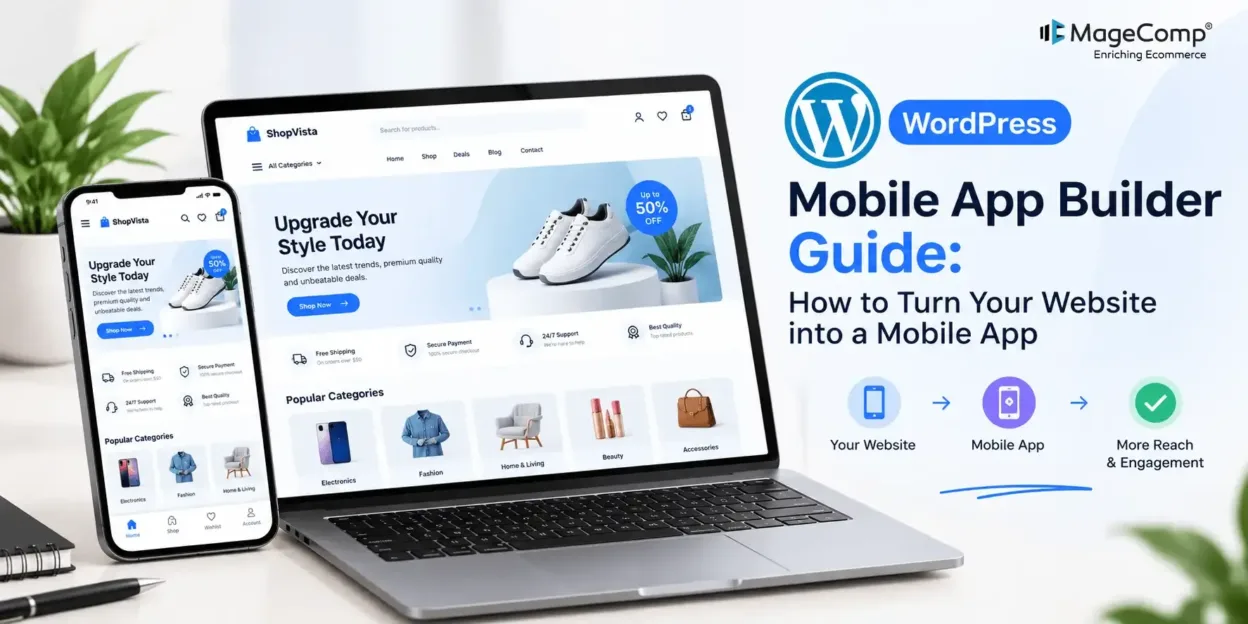
Your WordPress website helps you publish content, promote services, and connect with customers. But you can extend that experience beyond the browser by turning your website into a mobile application.
With MageComp’s WordPress Mobile App Builder, businesses can create a mobile app using their existing WordPress website and provide users with a convenient way to access website content, products, and services.
In this guide, we’ll explore how the plugin works, its key features, and how it can help your business deliver a better mobile experience.
What Is WordPress Mobile App Builder?
WordPress Mobile App Builder is a solution that helps you transform your existing WordPress website into a mobile application without building an entirely separate platform from scratch.
It also supports WooCommerce websites, allowing online stores to extend their shopping experience to mobile users.
Key Features of WordPress Mobile App Builder
- WordPress Integration: Connect your existing website with a mobile app experience.
- WooCommerce Compatibility: Give customers a convenient way to browse products and shop on mobile devices.
- Mobile-Friendly Experience: Make website content accessible through a dedicated mobile application.
- Brand Consistency: Maintain your business identity across your website and mobile app.
- Easy Configuration: Configure the available settings to suit your business requirements.
- Improved Engagement: Offer customers another channel to interact with your brand.
How to Get Started with WordPress Mobile App Builder
Follow these general steps to get started with your mobile app project.
Step 1: Explore the Plugin
Visit the WordPress Mobile App Builder by MageComp product page to review its features and determine whether it suits your website requirements.
Step 2: Connect Your WordPress Website
Provide your website details and coordinate the required setup with MageComp. Ensure your website is functioning correctly and that your content and products are ready for the mobile experience.
Step 3: Configure Your Mobile App
Work through the available configuration and customization options to align the app with your website’s branding and business goals. Review the navigation, content presentation, and user experience before proceeding.
Step 4: Test the App Experience
Test the app on supported mobile devices. Check important pages, product browsing, navigation, and relevant WooCommerce shopping flows if your website operates an online store.
Step 5: Prepare for Launch
Once testing and any required adjustments are complete, coordinate the app delivery and publishing process with MageComp. Confirm the applicable Android and iOS requirements before launch.
Note: The exact configuration and publishing process may depend on your project requirements. Confirm the supported platforms and implementation details with MageComp.
Conclusion
A mobile app can help businesses make their WordPress content and WooCommerce shopping experience more accessible to customers. Instead of starting an entirely separate project, MageComp’s WordPress Mobile App Builder offers a way to extend your existing website to mobile.
Explore the WordPress Mobile App Builder by MageComp to learn more and discuss how it can support your business goals.

FAQ
1. What is WordPress Mobile App Builder?
It is a solution that helps businesses turn their existing WordPress website into a mobile application.
2. Does WordPress Mobile App Builder support WooCommerce?
Yes. MageComp’s product page states that the solution works with WooCommerce websites, allowing businesses to extend their shopping experience to mobile users.
3. Do I need to create a separate website for my mobile app?
No separate website is required as the existing WordPress website serves as the foundation for the mobile app experience.
4. Can I maintain my brand identity in the app?
Yes. The solution provides options to configure the mobile experience and maintain your business identity. Confirm the specific customization options available for your project with MageComp.
5. How can I get started with MageComp WordPress Mobile App Builder?
Visit the official product page to explore the solution, request a demo, or discuss your requirements with the MageComp team.