
Bring Products to Life
Go beyond static product images with video content that demonstrates features, highlights details, and shows products in real-world use.

VDO Product Video Feed is a Shopify app that allows admins to display shoppable video sliders, reels, and stories across your store to enhance user experience, boost engagement, and drive sales, along with giving your store a modern and attractive appeal.
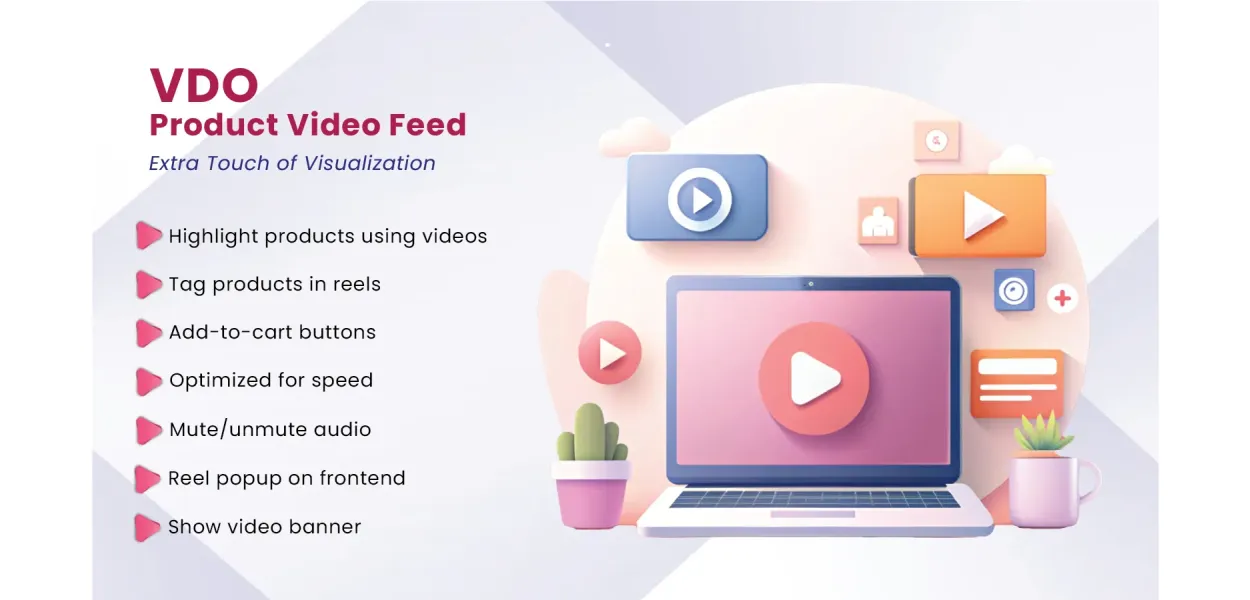
Bring your Shopify store to life with interactive product video reels, sliders, and stories. Showcase products in action, tag products directly in videos, and help shoppers move from product discovery to checkout with fewer steps.
Product videos help shoppers see how items look, work, and fit into everyday life. VDO Product Video Feed lets you bring that visual experience directly into your Shopify storefront, combining engaging content with convenient shopping actions.
Go beyond static product images with video content that demonstrates features, highlights details, and shows products in real-world use.
Present products through engaging reels and stories to help visitors discover new arrivals, popular items, and relevant collections.
Connect video content with product pages and add-to-cart actions so shoppers can take the next step while they are interested.
Create a more interactive storefront with flexible video layouts, product links, and shopping controls designed to complement your brand.
Display product videos in engaging slider, reel, and story-style formats. Choose a presentation that fits your storefront and content strategy.
Associate products with relevant video content to make featured items easier to discover. Give shoppers a direct path to product information.
Allow customers to add featured products to their cart directly from video content, helping reduce unnecessary navigation during shopping.
Keep a floating cart visible as shoppers interact with product videos. Cart quantity updates help customers track their selections.
Add calls to action that complement your store's visual identity and guide visitors toward relevant products or shopping actions.
Place video feeds in suitable storefront locations, including homepages and product pages, to support different browsing experiences.
Give visitors control over video sound so they can browse content in different environments and choose how they interact with videos.
Adapt the video presentation to your store's design with different feed styles and layouts that help your content feel at home.
Showcase videos in a storefront experience designed to work across different screen sizes, including mobile devices and desktop browsers.
Give customers more context before they buy. With shoppable video content, your Shopify store can combine visual storytelling with practical shopping functionality.
Use product highlights, tutorials, demonstrations, and lifestyle videos to make your catalogue more engaging.
Link relevant items to each video so customers can explore the products that catch their attention.
Use product links, CTA buttons, and add-to-cart functionality to support a smoother purchase journey.
Choose suitable feed layouts and button styles to complement your Shopify theme and shopping experience.
Follow these steps to start building a more interactive video shopping experience for your Shopify customers.
Install VDO Product Video Feed from the Shopify App Store and open the app in your Shopify admin.
Configure your video reels, sliders, or stories and prepare the content you want to showcase.
Tag relevant products and configure available shopping actions and CTA button styles.
Place the video feed in your chosen storefront location and test product links, cart actions, and mobile layouts.
Make the most of your existing video content by connecting it to products and shopping actions throughout your store.
Show styling ideas, outfit combinations, accessories, and product details to help customers explore your collections.
Share product demonstrations, application tutorials, and routine ideas that introduce customers to relevant items.
Demonstrate how furniture, decor, kitchenware, and everyday products look and work in real-life settings.
Highlight product features, usage demonstrations, and practical details that help shoppers compare items.
Give recently launched products and popular catalogue items a dedicated space in your video content.
Use suitable brand videos, lifestyle clips, and user-generated content to create a more relatable shopping experience.
Find answers to common questions about adding shoppable product videos to your Shopify store.
VDO Product Video Feed is a Shopify app by MageComp that lets merchants display product videos in reels, sliders, and stories. It supports product tagging, customizable CTA buttons, and shopping actions that help customers discover and purchase featured products.
Install VDO Product Video Feed from the Shopify App Store, configure your video content in the app, and set up the feed for your chosen storefront location. Follow the app's setup instructions to publish and test your video display.
Yes. VDO supports product tagging in video reels and stories, helping shoppers connect the content they are watching with relevant products in your catalogue.
Yes. The app supports direct add-to-cart functionality for featured products. A floating cart with quantity updates helps customers keep track of their selections as they shop.
Yes. VDO offers multiple video feed layouts and customizable CTA buttons, allowing you to tailor the presentation and shopping prompts to your storefront's design.
You can place video content in suitable storefront areas, including your homepage and product pages. Flexible placement options help you feature relevant videos where shoppers are most likely to discover them.
The app is designed to provide a responsive video feed experience across devices. After configuration, preview your storefront on mobile and desktop to verify that your selected layout, buttons, and product links work as expected.
Yes. The app includes mute and unmute controls, giving visitors the option to browse product videos with or without sound.
The app listing states compatibility with all Shopify themes. As theme configurations can vary, it is still a good idea to test the video feed and shopping actions on your live theme before publishing changes broadly.
The app provides configurable video feeds and placement options to help merchants add video shopping experiences without building a custom solution from scratch. Follow the available app setup instructions for your store configuration.
Give customers a more engaging way to discover your products. Bring reels, product tagging, and convenient shopping actions together with VDO Product Video Feed by MageComp.
Problem
eCommerce store admins have to constantly find new ways to amaze their customers with eye-catching and appealing product displays. Steady, boring, and lifeless product displays fail to attract customers’ attention or motivate their speedy decision-making process. Hence, merchants are often challenged by low engagement, high bounce rates, and poor product discoverability, particularly on mobile devices.
Admins would like to be able to improve the dynamism and immersive nature of their product pages affordably without custom-developing a solution. Furthermore, shoppers are articulating a desire for more short-form video content, but the majority of stores don’t have the means to effectively incorporate formats like this in their shopping experience.
Solution
VDO Product Video Feed gives Shopify store owners the ability to effortlessly guide consumers who are passively shopping to become active shoppers. We provide a platform for admins to upload engaging video reels, sliders, or product stories to engage users at the front page of the store, the product page, or any custom setup on the store.
Each of the video feeds can contain products tagged with either a clickable CTA to direct customers to the proper product page or an instant Add To Cart functionality that allows them to add the item and proceed to checkout without ever leaving the video feed. A floating cart icon that displays the total number of items added to the cart will be available, and the quantity of each product can be adjusted without affecting the user's experience with the video feed.
The video feed is fully customizable to fit the aesthetics of the store, with layout options, button options, and autoplay, you can make it fit your brand seamlessly. The VDO Product Video Feed can be used with UGC videos, video reels as per Instagram, and branded stories, combined with being able to customize the video and its functionality, we turn the user experience into lead-generating conversations and increased conversions!
Advantages of VDO Product Video Feed
Static images are often overlooked, but video content naturally draws attention. VDO helps you captivate visitors with immersive reels and video sliders that keep them on your site longer.
Showcase products in action using short-form videos and stories. This visual context helps customers understand product benefits faster, leading to more clicks and deeper browsing.
Let customers shop directly from videos, no need to open new tabs or go through multiple pages. Add-to-cart functionality is built into each reel, removing friction and increasing conversions.
With mobile-first behavior becoming dominant, the app ensures your store feels like a social media feed, interactive, thumb-friendly, and optimized for fast decisions on the go.
Interactive CTAs, floating cart visibility, and in-video product tagging allow shoppers to buy instantly, turning inspiration into action within seconds.
Video feeds act like dynamic product showcases. Reels can highlight new arrivals, bestsellers, or collections, guiding customers naturally to explore more or upgrade their cart.
Feature Highlights of VDO Product Video Feed
Mute/Unmute Audio Toggle in Video Reels
Give your customers control over sound while viewing videos. With a built-in mute/unmute option, users can engage with content discreetly, improving usability and accessibility.
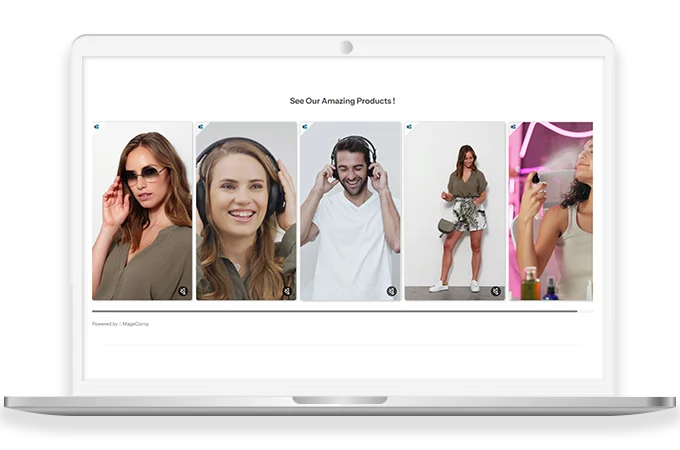
Flexible Placement Across Store Pages
Position the video slider or story widget anywhere, on homepages, product pages, collection pages, or even in a custom block. No coding required and works seamlessly with any layout.
Fully Customizable CTA Buttons
Design call-to-action buttons that reflect your branding. Use specific fonts, shapes, colors, and text to encourage users to view products or add them to the cart directly.
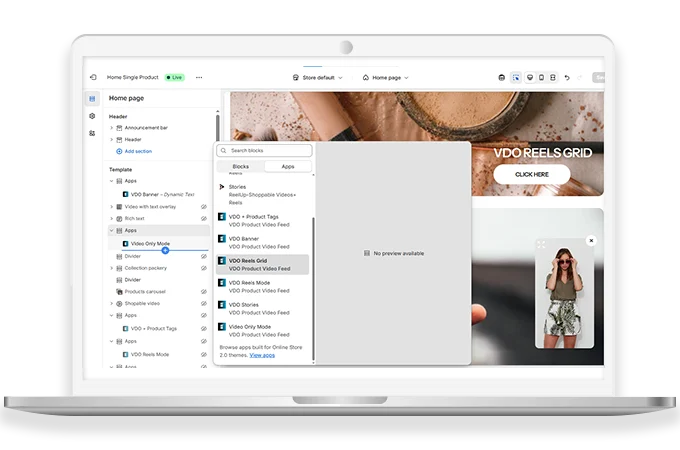
Multiple Layout Styles for Video Feed Display
Choose from carousel, vertical scroll, or full-screen story layouts. Adapt the presentation to match your store’s vibe and the browsing habits of your customers.
Easy Product Tagging within Each Reel or Story
Admins can tag one or more products per video, linking them directly to product pages or adding quick-buy buttons. Customers can explore or purchase with just one tap.
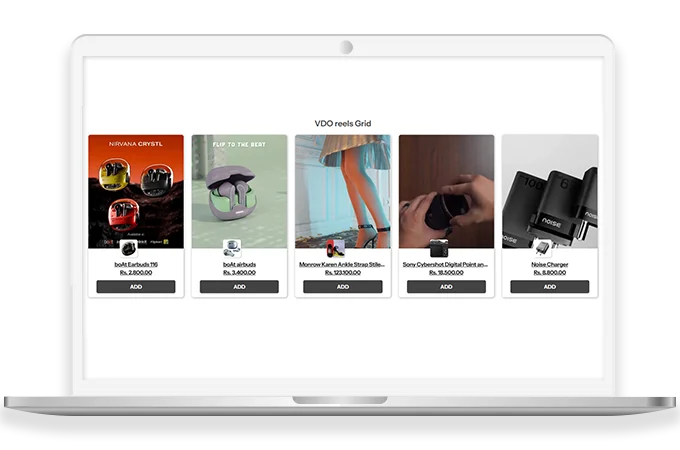
| Product Count | 20 |
|---|