



Magento 2 Checkout Success Page Extension
Transform Magento 2’s default Order Complete page to a branded, high-converting experience for customers by using the Magento 2 Checkout Success Page Extension. Take advantage of the Thank You page by offering promotional banners, social media links, promotional coupon codes, CMS blocks, newsletter sign-ups, product recommendations, etc., to entice customers to buy again or purchase additional products after checkout.
- Create fully customized checkout success pages.
- Choose from multiple ready-made page templates.
- Display promotional CMS blocks anywhere on the page.
- Show order and customer address information.
- Offer discount coupons for future purchases.
- Increase repeat purchases with personalized offers.
- REST API Available / GraphQL API Available.
- Hyvä Addon Available.
- Compatible with Hyvä Luma Checkout / Hyvä Checkout.


30 DAY
MONEY BACK

1 YEAR
FREE UPGRADE

1 YEAR
FREE SUPPORT
Extension Screenshots
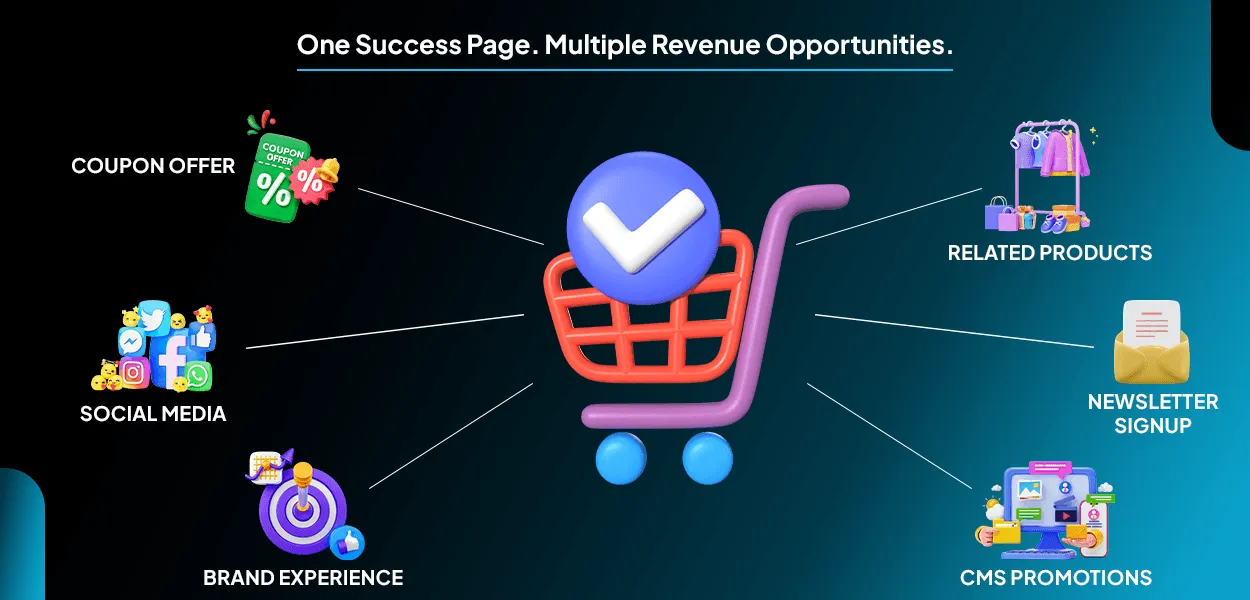
Customers who made a purchase and landed on your Thank You page are the most valuable customers on your Magento 2 store. Because they've trust & faith in your brand. The order success page is one of the most visited pages in your Magento store, yet most stores leave it untouched with a simple "Thank You" message.
Magento 2 Checkout Success Page Extension helps merchants transform this valuable page into a powerful marketing and conversion tool. Instead of ending the customer experience at checkout, keep in touch with customers by providing personalized thank-yous, special offers, encouraging social media engagement, offering easy newsletter sign-ups, and recommending complementary products.
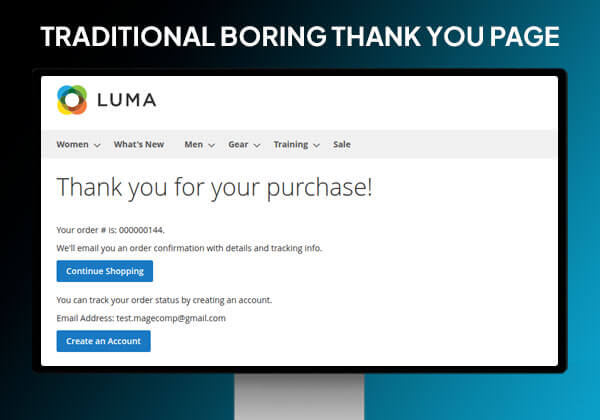
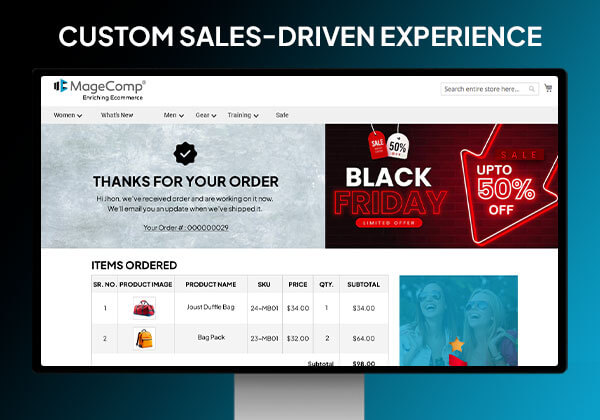
Advantages of Custom Thank You Page for Magento 2

Encourage Repeat Purchases
Immediately after checkout, reward customers with discounts.

Grow Email Newsletter Signups
Capture newsletter signups at the highest engagement point.

Enhance Product Discoverability
Recommend products customers are likely to buy.

Build Stronger Brand Recognition
Display branded banners and social channels.

Promote Marketing Campaigns
Show seasonal offers through CMS blocks.
Benefits of Magento 2 Checkout Success Page Extension
Customize Success Page Banner
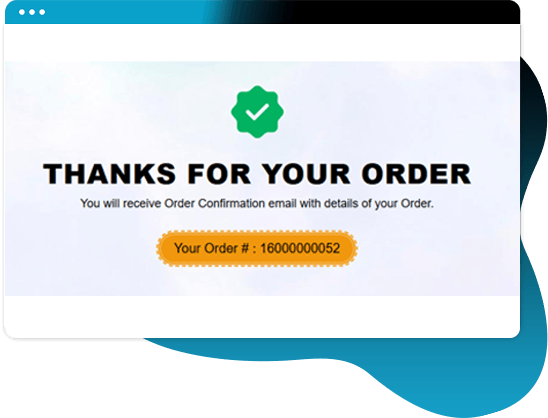
An admin can configure the Checkout Success page banner from the backend and can also manage it. Add a success icon, title, description, and apply color settings to the banner.
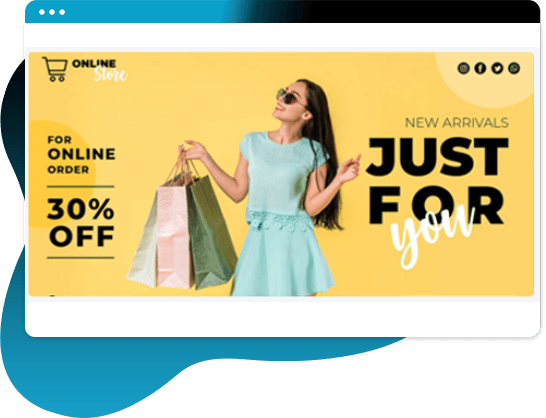
Add Limitless CMS Blocks to Checkout Success Page
Upload eye-catching CMS blocks to the Thank You page where you can advertise bestselling items, discounts, offers & new arrivals. It enhances the look visually.
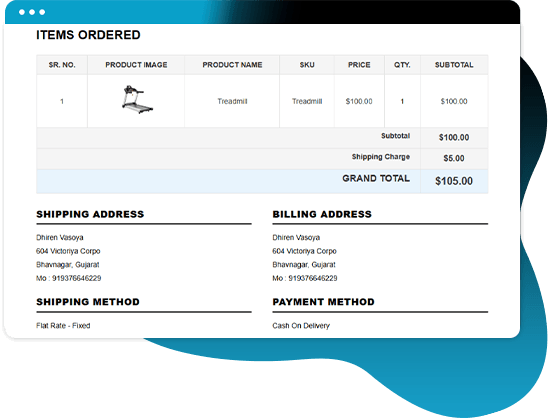
Show a Detailed Order Summary
The Thank You Page extension is able to show details of all ordered products, shipping information, and payment method information in a single view using a table.
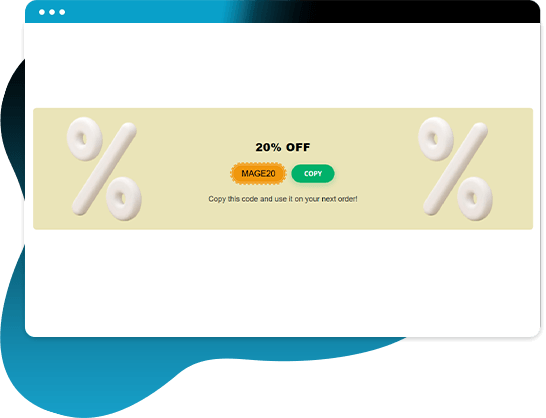
Discount Codes for Future Purchases
Include exclusive discount codes on the success page to provide an incentive for the customer to purchase from you again.
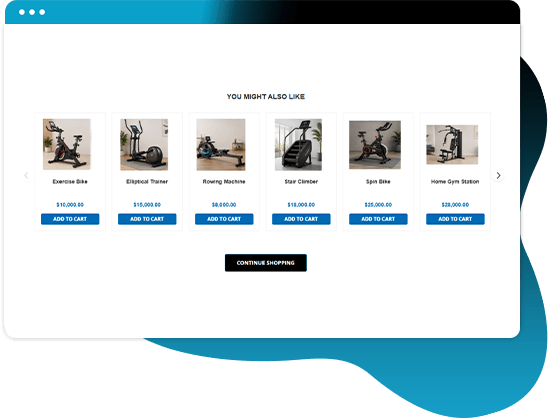
Smart Product Recommendations
Products related to the purchased product, upsell products, or cross-sell products can be suggested to the customer to increase product views and create additional sales opportunities.
Why Choose MageComp’s Magento 2 Checkout Success Page Extension?
- Select from pre-existing templates to create uniquely incredible experiences during your customers' post-purchase journey.
- Place custom banners on your "Thank You" page to re-engage the customer and generate a post-checkout experience.
- Make your "thank you" messages personalized, so the customer remembers their shopping experience with you.
- Utilize custom icons to help build an identity for your brand on your "Thank You" page.
- Provide detailed order confirmation information on the success page so customers can verify their order.
- Use a clear address format on the success page for billing and shipping.
- Include links to your social media accounts on the success page to encourage future customer interaction.
- Provide an option to subscribe to your newsletter via the confirmation page.
- Encourage repeat purchases and retain customers by providing discount codes.
- Set discount coupon visibility based on the subtotal or quantity of an order.
- Limit discount coupons to certain types of customers in order to direct your marketing towards those customer types.
- Create promotional coupon banners to attract customers' attention and entice them to purchase.
- Use CMS blocks to display promotional material, announcements, and trust badges so customers gain trust/credibility in you.
- Encourage people to spend more by suggesting related products after they complete their purchase.
- Show upsell products on the success page to increase the average order value of the purchase.
- Create additional product awareness for customers by displaying cross-sell product options after the customer completes their order.
- Add a Continue Shopping button to keep customers engaged with your store.
Version 1.0.8 Date : 08-06-2026
- Added Multiple Style Template
- Compatible with Magento 2.4.9 version
Version 1.0.7 Date : 30-04-2025
- Compatible with Magento 2.4.8 version
- Improved REST API and GraphQL API
Version 1.0.6 Date : 11-09-2024
- Added REST API and GraphQL API
- Compatible with Magento 2.4.7 version
Version 1.0.5 Date : 09-10-2023
- Minor bug fixing
Version 1.0.4 Date : 03-07-2023
- Compatible with Magento 2.4.6 version
- Minor bug fixing
Version 1.0.3 Date : 29-07-2022
- Compatible with the latest Magento 2.4.4 version
- Minor bug fixing
Version 1.0.2 Date : 30-03-2022
- Compatible with Magento standard
Version 1.0.1 Date : 11-10-2019
- Compatible with Magento 2.3.3 Latest Magento version