Flexible Order Rules
Configure purchasing rules to support the way you sell. Choose the limits and conditions available in your app setup.

Limit Orders Per Day Shopify App by MageComp allows store owners to restrict purchase by customers after the specified limit has reached for a particular product on a particular day.
Set order limits that work for your store. Manage purchasing quantities, create a more consistent shopping experience, and help keep order activity aligned with your business needs.
Build a purchasing experience that aligns with your inventory, sales strategy, and day-to-day store operations.
Configure purchasing rules to support the way you sell. Choose the limits and conditions available in your app setup.
Help customers purchase within the quantity boundaries defined for your store's products and business needs.
Establish purchasing rules that help your team manage demand and handle order activity more consistently.
Align purchase restrictions with your product strategy, where supported by the app's available configuration options.
Communicate purchasing expectations clearly so customers can understand your store's order requirements.
Support your store's operational goals with purchasing rules designed around your selling requirements.
Start with your store's requirements and configure the available settings to support your preferred purchasing workflow.
Open the Shopify App Store listing and review the app details before installing it in your store.
Review the available settings and define order restrictions according to your store's purchasing requirements.
Test the configured rules in your storefront and confirm the purchasing flow works as intended.
Every Shopify business has its own purchasing policies. Use suitable order restrictions to help align customer purchases with your operational requirements.
Consider these examples when planning purchasing policies for your Shopify storefront.
Explore VOX on the Shopify App Store and review the available features to see how they fit your store's requirements.
View App DetailsDiscover more MageComp Shopify apps to support your store's visibility, customer engagement, product presentation, and retention.
Support your store's search optimization workflow with tools designed to help manage important SEO tasks.
Explore SPIDERHighlight selected products with labels that help shoppers notice key items and product attributes.
Explore STARMake product feedback part of your storefront experience and help shoppers learn from customer reviews.
Explore RevioExplore loyalty and rewards features to help build ongoing customer engagement and encourage repeat shopping.
Explore RewardoBring video-led product presentation into your store to showcase items through engaging visual content.
Explore VDOLooking for more tools for your Shopify business?
Discover MageComp AppsFind answers to common questions about order limits and setting up a more structured purchasing experience.
It gives a very bad impression of a store when a customer places an order and the order does not get fulfilled. Several types of E-commerce stores are in need to limit their sales after a certain quantity is sold. Say, for example, you are running an online bakery store. On regular days you can make only 10 cakes per day. At that time you need to limit the order quantity for customers. To easily implement limit order quantity to Shopify stores, MageComp is here with Limit Orders Per Day app.
The Limit Orders Per Day app for Shopify by MageComp can help to limit the purchase of products by customers. The store admin can restrict the purchase quantity of a particular product day-wise. The limit is integrated automatically in the store once the product is selected and the quantity is set for each day.
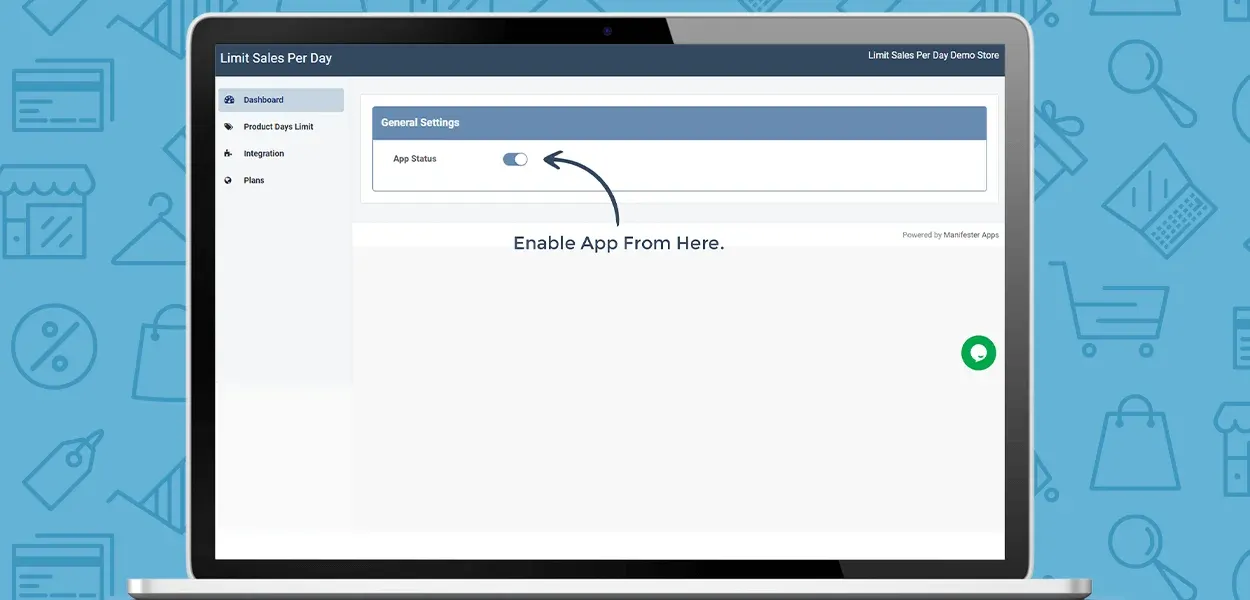
The App is automatically integrated into your store. In case it does not integrate automatically, you just need to press the Integrate Now button.


To apply the order limit of any product, the Shopify store admin can use the search option to find the product by using the Limit Orders Per Day Shopify app.
The Shopify store admin is free to set different order limits for various days of the week using the Limit Orders Per Day app for Shopify.