

IMPEX Collection Import Export
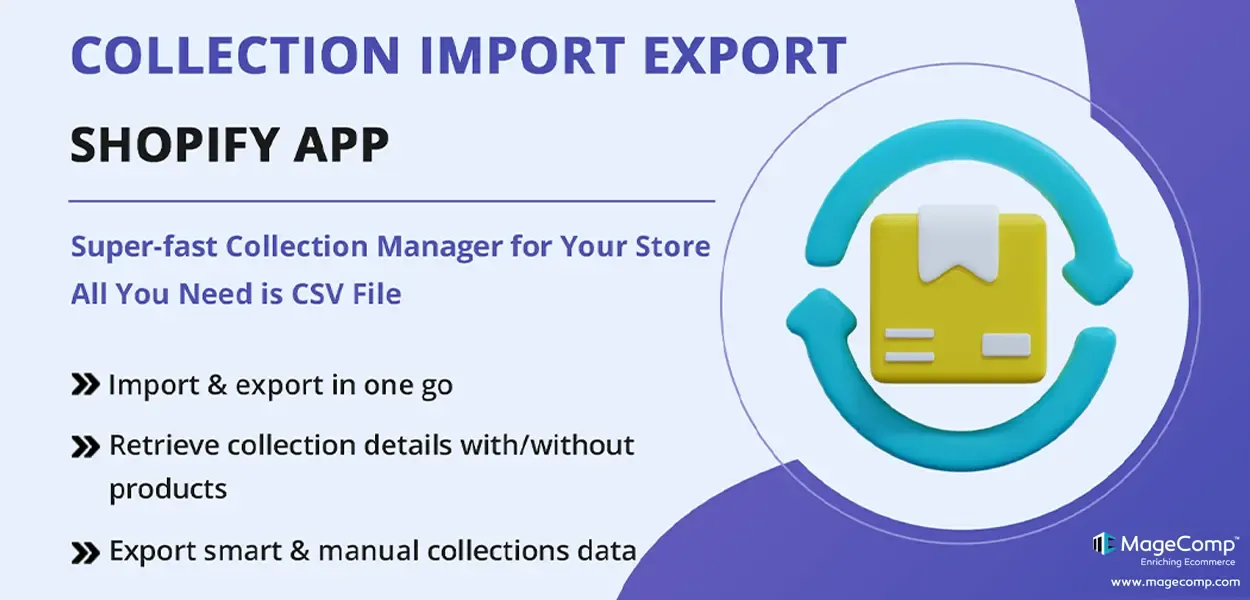
IMPEX Collection Import Export app provides with a streamlined process for bulk importing and exporting collection data via CSV files, making it efficient for merchants to manage their Shopify store collections.
- Import and export collections data in bulk via CSV files.
- Import/export only required product details.
- Ready CSV templates to simplify the process of inputting collection data.
- Streamline the procedure for collections management.
- Abstract data from collections with or without product details.
- Retrieve only the essential and necessary data.
- Import or export data with a click of a button.
Extension Screenshots
Manage Shopify Collections Faster With Bulk Import & Export
Simplify large-scale collection management with CSV-powered import and export. Move collection data, product details, and essential information in bulk without repetitive manual updates.
Stop Managing Collections One by One
Large catalogs and multiple collections can make repetitive Shopify admin work unnecessarily time-consuming. IMPEX gives you a structured way to handle collection data in bulk.
Manual Collection Management
Updating large numbers of collections manually can take considerable time and increase the possibility of inconsistent or incorrect data.
One Streamlined CSV Workflow
Prepare collection data in a CSV file, choose the information you need, and manage bulk collection operations through a more efficient workflow.
Everything You Need for Bulk Collection Management
IMPEX combines CSV-based data handling with flexible collection controls to make catalog management easier for Shopify merchants.
Bulk Import Collections
Import collection information in bulk through CSV files instead of creating and updating collections individually.
Bulk Export Collections
Export existing collection data for backup, migration, analysis, or streamlined catalog management.
Product Data Control
Choose whether collection exports should include associated product details based on the information you actually need.
Ready CSV Template
Start with a prepared CSV structure to organize collection data and make the import process easier.
Advanced Filtering
Filter your collection data and retrieve only the information required for a particular operation.
Smart & Manual Collections
Manage collection data across both smart and manual collection structures from one streamlined workflow.
From CSV File to Organized Collections
Keep your collection workflow simple with a straightforward four-step process.
Prepare
Organize your collection data using the ready CSV template.
Upload
Upload the CSV file containing the collection information.
Filter
Select the required information and control the data included in your operation.
Manage
Import or export collection data with a more efficient bulk workflow.
Export Only What You Need
Not every collection operation requires every piece of data. IMPEX lets you tailor the import and export process so you can work with the information that matters to your store.
- ✓ Include or exclude associated product information.
- ✓ Retrieve only the required collection information.
- ✓ Apply filtering options to your data operations.
- ✓ Use CSV files for easier migration and backup workflows.
Work With Different Collection Structures
Keep your Shopify catalog organized while handling collection data in bulk.
Manual Collections
Manage collections where products are intentionally grouped together according to your store's catalog structure.
Bulk Import Bulk Export Product DetailsSmart Collections
Work with smart collection data and retrieve the associated product list as part of your collection management workflow.
Collection Data Product Lists FilteringBuilt to Make Catalog Work Easier
Spend less time repeating administrative tasks and more time managing the growth of your Shopify store.
Handle multiple collections together instead of repeating the same actions manually.
Use CSV-based workflows to simplify large-scale collection updates.
Choose which collection and product information you want to work with.
Export collection information when preparing catalog migration or restructuring workflows.
Keep collection data available outside the Shopify admin for backup and reference purposes.
A practical solution for merchants working with large catalogs or complex collection structures.
Make Collection Management
Simple, Structured & Scalable.
Import and export Shopify collection data in bulk, work with smart and manual collections, and take control of your catalog workflow with IMPEX.
Get Started With IMPEX →Frequently Asked Questions
Yes. IMPEX lets merchants import collection data in bulk using CSV files, helping reduce repetitive manual collection creation and updates.
Yes. You can export collection information through CSV and use the exported data for backup, analysis, migration, or other catalog management workflows.
Yes. IMPEX provides flexibility to export collection data with or without associated product details, depending on your requirements.
Yes. The app provides a ready-made CSV template that helps merchants structure collection data before importing it.
Yes. IMPEX includes filtering options that help you retrieve only the collection data required for a particular export operation.
IMPEX is designed to work with both smart and manual Shopify collections and can also handle associated product information.
If you're managing multiple stores in Shopify, you need the same collection and products across all stores. When dealing with a large number of collections, manually adding or updating them in the Shopify admin interface can be time-consuming and prone to errors. Also, stores with complex collection hierarchies find it difficult to manage collections and catalogs data. IMPEX Collection Import Export Shopify App can make collection management easy for your Shopify store.
IMPEX Collection Import Export Shopify plugin allows merchants to handle large volumes of collection data in bulk, saving time and effort compared to manual data entry. Flexibly import and export data in bulk using CSV file format. The app also provides with a CSV template to reduce admin work and import data accurately. Tailor the import/export process according to your specific needs. Ensure the accuracy of data by importing collection data through a CSV file rather than manually entering the data. Save admin time and effort in managing collection and products by adding data in bulk with just one click.
: IMPEX Collection Import Export for Shopify Features Highlights :
Upload & Download Collections Data in Bulk
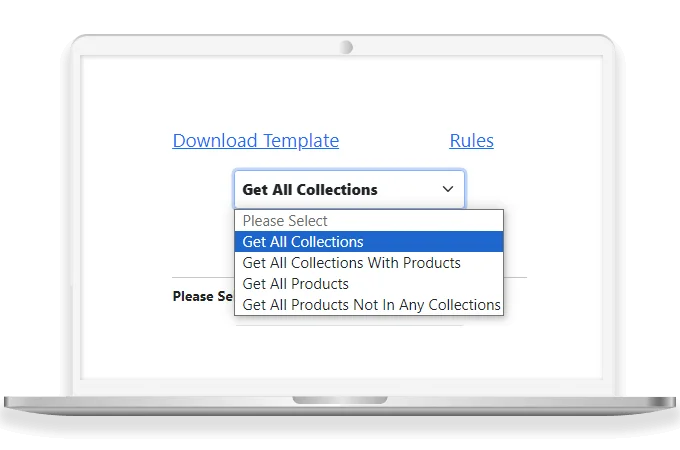
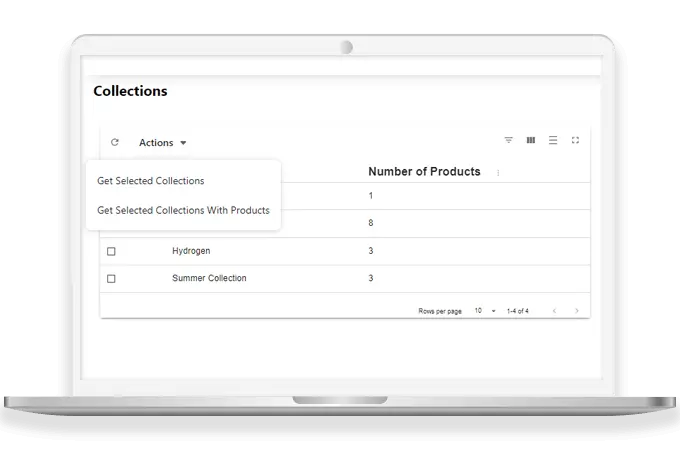
IMPEX Collection Import Export Shopify App supports importing and exporting the Shopify store’s collections data with/without products in bulk quantity using a CSV file.
Flexibility in Product Details
The admin can import/export only the required data. Export collection data with/without products.
Ready-made CSV Template
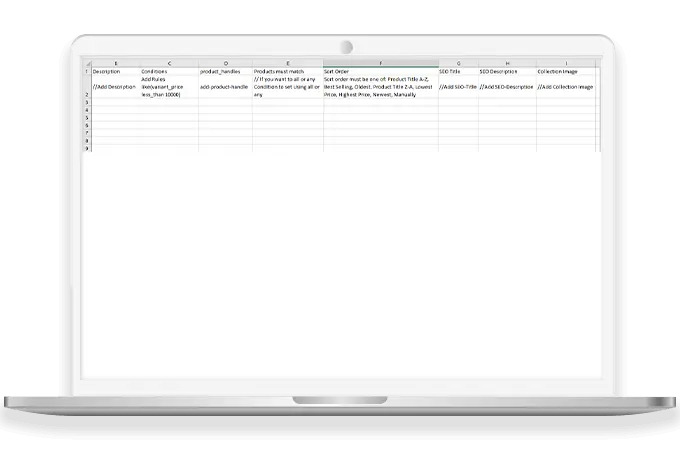
The app provides a CSV template using which the admin can easily prepare a CSV of collection data and import it in just a single click of a button.
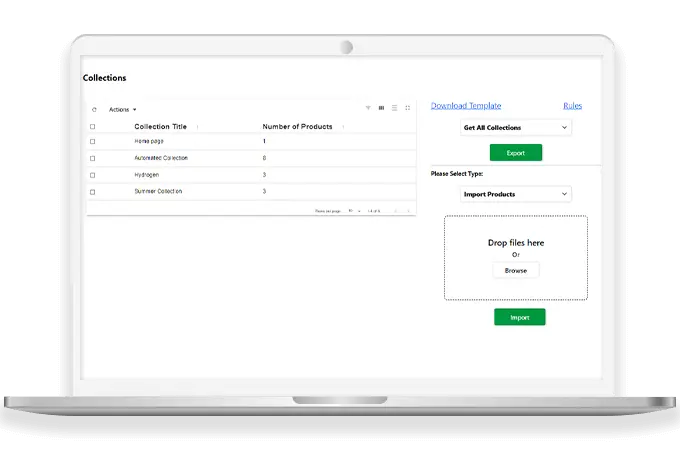
Advanced Filtering Options for Import/Export
IMPEX Collection Import Export app allows the merchants to download only the required data. The app has various backend options to customize the import/export process.
Why Choose IMPEX Collection Import Export Shopify App by MageComp?
- Transfer collections and products data in one go using a CSV file.
- Export existing collections and their associated data for backup, analysis, or migration purposes.
- Filtering options to download only necessary data.
- Make use of the CSV template and quickly upload the CSV file with a single click of a button.
- Export collection data with or without product data.
- Save admin time and effort in managing large catalogs or complex category structures.