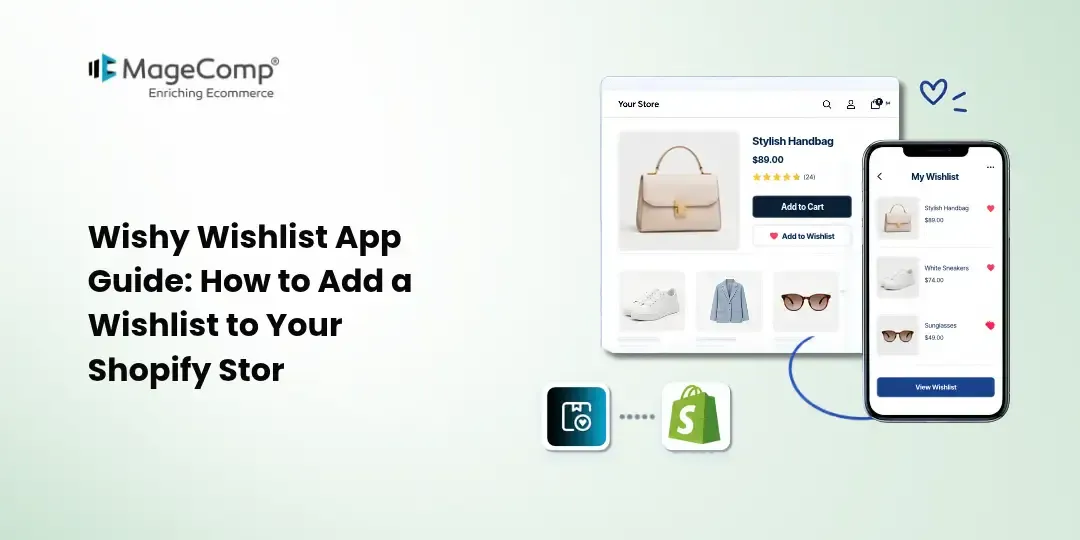
A wishlist gives Shopify customers an easy way to save products they are interested in and return to them later. Instead of searching for the same products again, shoppers can keep their favorite items in one convenient place and decide when they are ready to purchase.
For Shopify merchants, a wishlist can also provide useful insights into customer preferences and product interest.
The Wishy Wishlist App by MageComp helps Shopify stores add a customizable wishlist experience with wishlist buttons, a dedicated wishlist page, Save for Later functionality, floating wishlist access, and wishlist analytics.
In this guide, we will explore the key features of the Wishy Wishlist App and explain how to use it to create a better shopping experience for your customers.

What Is Wishy Wishlist App?
Wishy Wishlist App is a Shopify wishlist solution that lets customers save products they want to purchase later. Merchants can add wishlist functionality to product and collection pages while customizing the appearance to match their store’s design.
The app also provides a dedicated wishlist page where customers can view their saved products and add them to the cart. Merchants can use wishlist analytics to understand customer and product activity.
Key Features of Wishy Wishlist App
- Custom wishlist buttons on product and collection pages
- Floating wishlist with product count
- Dedicated wishlist page
- Save for Later functionality
- Customizable wishlist layouts
- Custom wishlist icons
- Custom branding
- Customer and visitor wishlist tracking
- Customer-wise wishlist insights
- Product-wise wishlist insights
- Wishlist activity timeline
- Activity source tracking
- Add-to-cart functionality from the wishlist
- Wishlist conversion analytics
Why Add a Wishlist to Your Shopify Store?
Customers don’t always purchase a product on their first visit. They may want to compare products, wait for a better time to buy, discuss a purchase with someone, or simply save an item for later.
A wishlist provides a convenient way to keep those products accessible.
For merchants, wishlist activity can also reveal which products are attracting customer interest, even when those products do not immediately result in an order.
With the Wishy Wishlist App, merchants can monitor wishlist activity and use customer and product insights to better understand shopping behaviour.
How to Set Up Wishy Wishlist App on Shopify
Follow these steps to install and configure the Wishy Wishlist App for your Shopify store.
Step 1: Open the Shopify App Store
Log in to your Shopify admin and visit the Shopify App Store. Search for the Wishy Wishlist App and open its app listing.
Step 2: Install the App
Click Install on the Wishy Wishlist App page. Select the Shopify store where you want to add the app and review the permissions requested by the app.
Click Install again to complete the installation.
Step 3: Open Wishy Wishlist App
Once the app is installed, open the Wishy Wishlist App from your Shopify admin. You will be taken to the app dashboard, where you can manage your wishlist settings.
Step 4: Configure Wishlist Settings
Explore the available settings and configure the wishlist according to your store’s requirements. You can customize the wishlist experience and choose how wishlist elements appear on your storefront.
Step 5: Customize the Wishlist Button
Set up the wishlist button that customers will use to save products. Customize its available appearance options, including the icon, layout, and branding, so it fits your store design.
Step 6: Enable Wishlist Access
Configure the wishlist access point for your customers. You can use the available floating wishlist option to make saved products easier to access while customers browse your store.
Step 7: Set Up the Wishlist Page
Configure the dedicated wishlist page where customers can view their saved products. Make sure the page provides an easy way for shoppers to manage their wishlist and move products toward purchase.
Step 8: Configure Save for Later
Enable and configure Save for Later if you want customers to move products from their cart to their wishlist instead of removing them completely.
Step 9: Review Wishlist Analytics
Explore the analytics section to monitor wishlist activity. Review available customer-wise and product-wise insights to understand which products are being saved and how customers interact with the wishlist.
Step 10: Test the Wishlist on Your Store
Visit your storefront and test the complete wishlist experience.
Check that:
- The wishlist button appears correctly.
- Products can be added to the wishlist.
- The wishlist page displays saved products.
- The floating wishlist works as expected, if enabled.
- Products can be moved from the cart using Save for Later.
- Customers can manage their saved products easily.
Once everything is working correctly, your Shopify store is ready to offer customers a convenient wishlist experience.
Final Thoughts
A wishlist can help Shopify customers save products they are interested in and return to them when they are ready to purchase. For merchants, wishlist activity can provide additional insight into customer and product interest.
Wishy Wishlist App combines customizable wishlist functionality with product and collection wishlist buttons, a floating wishlist, a dedicated wishlist page, Save for Later, and wishlist analytics.
If you want to add a flexible wishlist experience to your Shopify store while also tracking wishlist activity, Wishy Wishlist App provides the core tools needed to get started.
Explore Wishy Wishlist App on the Shopify App Store and configure the wishlist experience according to your store’s needs.

FAQ
1. What is Wishy Wishlist App?
Wishy Wishlist App is a Shopify app that allows customers to save products they are interested in for later. It provides wishlist buttons, a dedicated wishlist page, floating wishlist access, Save for Later functionality, and wishlist analytics.
2. What is the floating wishlist feature?
The floating wishlist provides customers with an accessible wishlist entry point while they browse the store. It can also display the number of products saved to the wishlist.
3. What type of wishlist analytics does Wishy provide?
The app offers customer-wise and product-wise wishlist insights, along with activity timelines and source-related information. Merchants can use these insights to understand how customers interact with saved products.
4. Can customers add wishlist products directly to the cart?
Yes. Customers can use the wishlist to move saved products toward purchase, including adding products to their cart.
5. Is Wishy Wishlist App suitable for large Shopify stores?
Wishy can be useful for stores with larger product catalogues where customers frequently browse, compare, and save products before making a purchase.