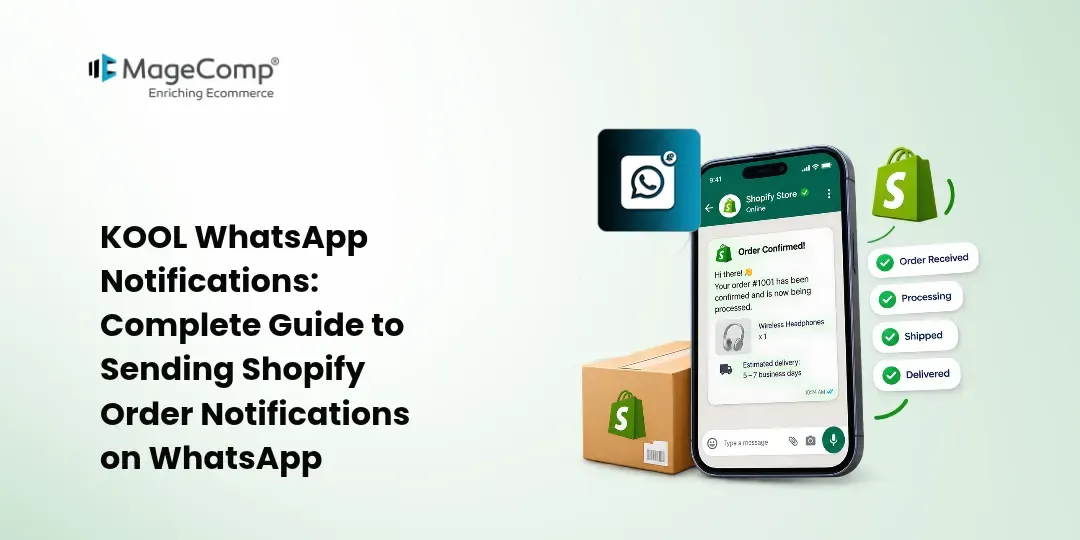
WhatsApp has become an important communication channel for online businesses. Shopify merchants can use it to keep customers updated about their orders, recover abandoned carts, request reviews, and share promotional messages.
However, manually managing WhatsApp messages for every customer can become time-consuming as an online store grows. This is where KOOL WhatsApp Notifications can help.
KOOL WhatsApp Notifications is a Shopify app by MageComp that uses the Official WhatsApp Business API to send automated order-related notifications to customers. It also provides customizable message templates, bulk messaging capabilities, a dedicated chat inbox, and customer management features.
In this guide, we will explore KOOL WhatsApp Notifications, its key features, how it can be used for a Shopify store, and how merchants can get started.

What Is KOOL WhatsApp Notifications?
KOOL WhatsApp Notifications is a Shopify app designed to help merchants communicate with customers through WhatsApp.
The app connects your Shopify store with the Official WhatsApp Business API and allows you to send notifications related to orders, shipments, abandoned carts, reviews, and other customer activities.
Instead of relying only on email notifications, merchants can use WhatsApp to provide customers with timely updates through a communication channel they regularly use.
The app supports automated notifications as well as customized WhatsApp messages and promotional broadcasts.
Why Use WhatsApp Notifications for Your Shopify Store?
Customers want to know what is happening with their orders after completing a purchase. Keeping them informed throughout the order journey can make communication more convenient.
For example, a store may need to communicate:
- Order confirmation
- Order processing updates
- Shipment information
- Delivery updates
- Refund notifications
- Abandoned-cart reminders
- Review requests
- Promotional offers
- New product announcements
Managing these messages manually can take considerable time. An automated WhatsApp notification system can help Shopify merchants organize customer communication and reduce repetitive work.
Key Features of KOOL WhatsApp Notifications
KOOL WhatsApp Notifications provides several features for Shopify merchants.
1. Official WhatsApp Business API
The app uses the Official WhatsApp Business API to send customer notifications.
This provides a structured way for Shopify stores to communicate with customers through WhatsApp while managing business notifications from a centralized system.
2. Automated Order Notifications
Merchants can send automated notifications related to orders and shipments.
This helps customers stay informed about their purchases without requiring the store team to manually send every update.
3. Abandoned Cart Notifications
Abandoned carts can represent potential lost sales for an online store.
KOOL WhatsApp Notifications supports abandoned-cart notifications, allowing merchants to remind customers about products they left in their carts.
Merchants can also use personalized campaigns, discount offers, and time-limited offers as part of their cart-recovery strategy.
4. Review Request Notifications
Customer reviews can provide useful feedback and help shoppers understand products before making a purchase.
The app supports review-request notifications, allowing merchants to follow up with customers after their purchase and invite them to share their feedback.
5. Customizable WhatsApp Templates
Different customer communication scenarios require different messages.
KOOL WhatsApp Notifications allows merchants to create and customize notification templates. Dynamic variables can be used to make messages more relevant to individual customers and orders.
For example, a notification can include information such as the customer’s name or order-related details.
6. Bulk WhatsApp Messaging
The app supports bulk WhatsApp messaging for customer communication and promotional campaigns.
Merchants can use broadcasts to communicate information about:
- Special offers
- Discounts
- New arrivals
- Store events
- Promotional campaigns
This can make WhatsApp useful not only for transactional notifications but also for customer engagement.
7. Multi-Agent Login Panel
Businesses with multiple customer-support representatives can use the app’s multi-agent login panel.
The app supports up to five agents and provides a dedicated chat inbox for interacting with customers.
This can be useful for stores where customer conversations are handled by a support or sales team rather than a single person.
8. CRM Panel
KOOL WhatsApp Notifications also provides a CRM panel for managing prospects and customer communication.
Having customer communication and messaging functionality within a centralized system can help businesses organize their WhatsApp-based interactions.
9. Message Logs
The app provides logs of sent messages, allowing merchants to keep track of WhatsApp communications sent through the system.
This can be useful when reviewing customer communication or checking whether a particular notification was sent.
How to Get Started With KOOL WhatsApp Notifications
Follow these general steps to start using KOOL WhatsApp Notifications with your Shopify store.
Step 1: Open the Shopify App Store
Visit the Shopify App Store and search for KOOL WhatsApp Notifications.
Step 2: Install the App
Click the installation option and add KOOL WhatsApp Notifications to your Shopify store.
Once installed, the app will be available in your Shopify admin.
Step 3: Configure WhatsApp Business API
The next step is to configure the WhatsApp Business API connection required by the app.
Provide the required WhatsApp Business API details and complete the configuration process.
Once the connection is successfully configured, your store can use WhatsApp for customer notifications.
Step 4: Configure Notification Templates
After connecting WhatsApp, configure the notification templates you want to use.
Create appropriate messages for different customer events, such as:
- Order confirmation
- Shipment updates
- Delivery notifications
- Refund notifications
- Abandoned-cart reminders
- Review requests
Use dynamic variables where applicable to personalize the messages.
Step 5: Enable Automated Notifications
Select the notifications that you want to automate for your Shopify store.
Automation allows messages to be triggered based on relevant customer or order activities instead of requiring staff to send them manually.
Step 6: Configure Promotional Messages
If you want to use WhatsApp for marketing communication, prepare suitable promotional templates.
You can create messages for discounts, special offers, new arrivals, and upcoming store events.
Make sure your WhatsApp marketing communication follows applicable WhatsApp and customer-consent requirements.
Step 7: Monitor Sent Messages
Use the available message logs to monitor communications sent through the app.
Reviewing message activity can help your team keep track of customer notifications and troubleshoot communication issues when necessary.
Final Thoughts
WhatsApp can be a valuable communication channel for Shopify stores that want to provide timely customer updates.
KOOL WhatsApp Notifications brings WhatsApp-based order notifications, abandoned-cart reminders, review requests, customizable templates, bulk messaging, and customer communication tools together for Shopify merchants.
By connecting the app with the Official WhatsApp Business API and configuring relevant notification templates, merchants can automate repetitive customer updates while also using WhatsApp for appropriate marketing and engagement campaigns.
If your Shopify store receives a significant number of orders and customer inquiries, KOOL WhatsApp Notifications can help organize WhatsApp communication within your existing Shopify workflow.

FAQ
1. What is KOOL WhatsApp Notifications?
KOOL WhatsApp Notifications is a Shopify app by MageComp that allows merchants to send automated and customized WhatsApp notifications to customers using the Official WhatsApp Business API.
2. What types of notifications can I send?
The app supports notifications related to orders and shipments, abandoned carts, review requests, refunds, delivery, and other customer communication scenarios.
3. Can I send WhatsApp messages in bulk?
Yes. The app supports bulk WhatsApp messaging, which can be used for appropriate promotional communication such as offers, discounts, new arrivals, and store events.
4. Can multiple staff members manage WhatsApp conversations?
Yes. KOOL WhatsApp Notifications provides a multi-agent login panel supporting up to five agents and a dedicated chat inbox.
5. Does the app provide message logs?
Yes. The app provides logs of sent messages so merchants can monitor WhatsApp communications.