When a Shopify store sells limited-stock, exclusive, or high-demand products, letting one customer buy unlimited quantities can quickly deplete inventory. Per-customer purchase limits help merchants control how much an individual customer can buy.
For example, you can allow customers to purchase only one unit of a limited-edition product or set a maximum of five units per customer.
In this guide, we’ll explain how Shopify customer purchase restrictions work and how KOR Order Limits Quantity can help manage them.

What Are Per-Customer Purchase Limits?
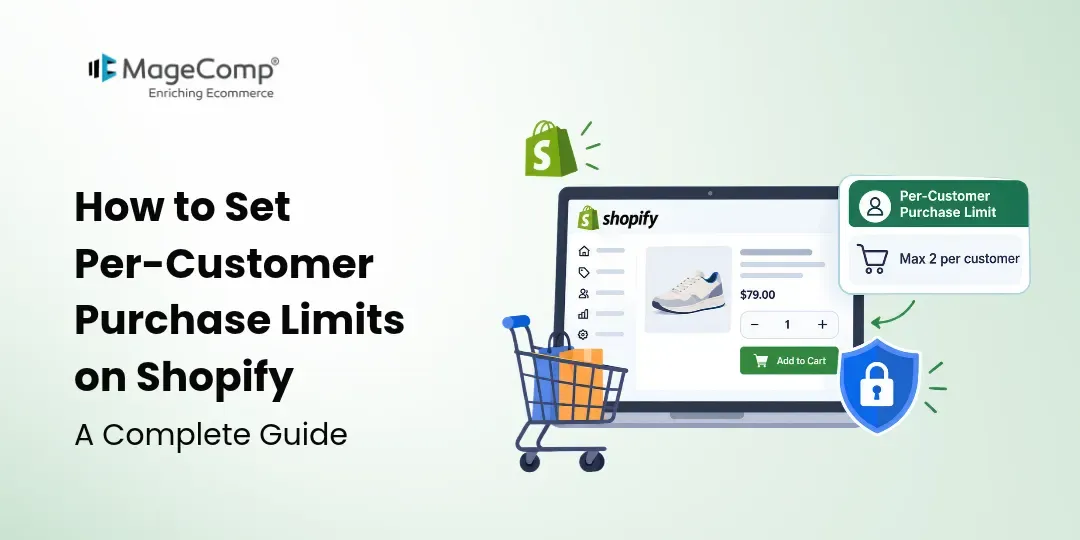
A per-customer purchase limit restricts the quantity a specific customer can purchase according to a defined rule.
For example:
Maximum: 2 units per customer
This can help prevent excessive buying and allow more customers to purchase limited products.
Unlike a basic product quantity limit, a per-customer rule focuses on how much an individual customer is allowed to purchase.
Why Limit Products Per Customer?
Per-customer restrictions can be useful for:
- Limited-edition products: Give more customers a chance to purchase.
- Flash sales: Prevent a few shoppers from taking most of the stock.
- Product launches: Control demand when inventory is limited.
- Promotions: Restrict how many discounted products one customer can buy.
- Wholesale stores: Apply different purchasing rules to specific customer groups.
- High-demand products: Reduce excessive bulk buying.
How to Limit Product Quantity Per Customer on Shopify
Shopify merchants can use a dedicated order-limit app to create advanced purchasing restrictions.
With KOR Order Limits Quantity, you can create rules for products, variants, collections, carts, customers, order value, and weight.
Step 1: Install KOR
Install KOR Order Limits Quantity from the Shopify App Store.
Step 2: Select a Product
Choose the product for which you want to create a purchase restriction.
Step 3: Set the Quantity Limit
Define the maximum quantity a customer can purchase.
For example:
Maximum quantity: 2 units per customer
Step 4: Configure Customer Rules
KOR supports customer tag-based limits, allowing you to apply different restrictions to specific customer groups.
For example:
- Retail customers → Maximum 5 units
- Wholesale customers → Minimum 20 units
- VIP customers → Maximum 10 units
Step 5: Customize the Message
Display a clear message when customers reach the purchase limit, such as:
“You can purchase a maximum of 2 units of this product.”
Step 6: Test the Rule
Try purchasing quantities below and above the limit to ensure the restriction works as expected.
How to Limit a Product to One Per Customer
A one-per-customer rule is useful for extremely limited products, giveaways, promotional items, and exclusive releases.
For example:
Product: Limited Edition Collectible
Limit: 1 unit per customer
This helps prevent individual shoppers from purchasing multiple units and improves product availability for other customers.
Customer Tag-Based Purchase Restrictions
Different customers may require different purchasing rules. KOR’s customer tag-based limits allow merchants to create restrictions based on customer tags.
This is particularly useful for B2B and wholesale stores where purchasing requirements can vary between retail and wholesale customers.
Other KOR Order Limit Features
Per-customer restrictions are only one part of KOR. The app also supports:
- Product and variant quantity limits
- Collection limits
- Minimum order quantity
- Cart quantity limits
- Order amount limits
- Order weight limits
- Lifetime purchase limits
- Future purchase limits
- Checkout validation
- Custom alert messages
- Bulk CSV import
- Low-stock counter
These features allow merchants to manage different purchasing requirements from one Shopify app.
Best Practices for Customer Purchase Limits
Keep Limits Clear
Tell customers about restrictions before they reach checkout.
Set Reasonable Limits
Choose limits according to your inventory, product demand, and sales strategy.
Test Before Launch
Test different customers, products, and quantities before applying the rule to your live store.
Review Rules Regularly
Update limits when inventory levels, promotions, or sales strategies change.
Final Thoughts
Per-customer purchase limits on Shopify give merchants greater control over how much an individual customer can purchase. They are especially useful for limited products, promotions, product launches, and wholesale stores.
With KOR Order Limits Quantity, merchants can create customer-based restrictions along with product, variant, collection, cart, order, and checkout limits.
If you need a flexible way to control customer purchases and manage Shopify order restrictions, KOR can help you create rules that fit your store’s requirements.

FAQ
1. How do I limit product quantity per customer on Shopify?
Use a Shopify order-limit app such as KOR to create customer-based purchase restrictions and define how many units a customer can purchase.
2. Can I limit a product to one per customer?
Yes. You can create a one-unit purchase restriction for limited-edition products, promotions, giveaways, and exclusive items.
3. Can I set different limits for different customers?
Yes. KOR supports customer tag-based limits, allowing different purchasing rules for different customer groups.
4. Can I set minimum and maximum purchase quantities?
Yes. KOR supports minimum and maximum quantity restrictions for products and variants.
5. Is KOR useful for wholesale stores?
Yes. KOR supports features such as minimum order quantities and customer tag-based restrictions that can help manage B2B and wholesale purchasing requirements.