
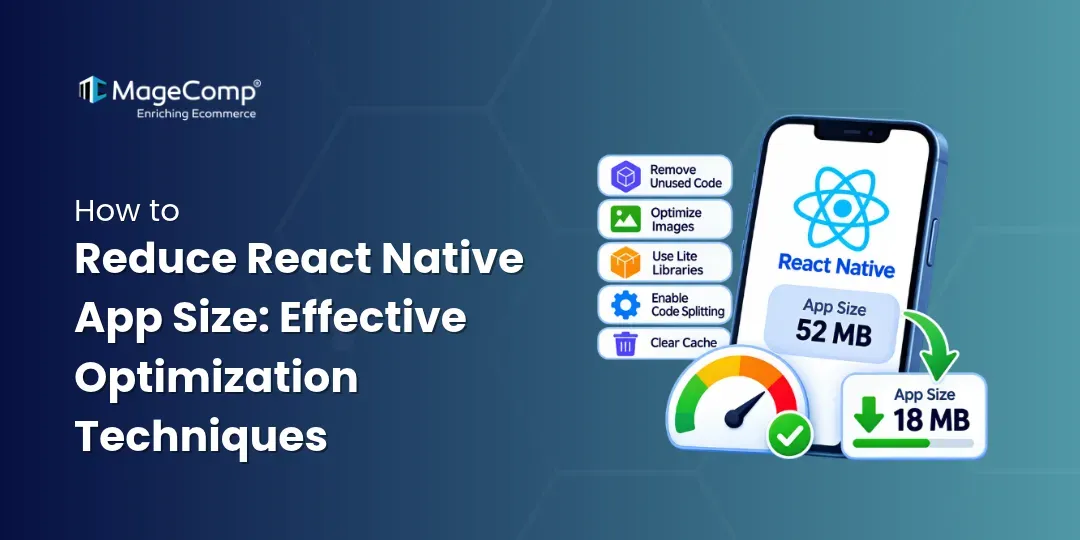
A smaller React Native app improves download speed, reduces storage usage, and provides a better user experience. App size mainly depends on JavaScript code, native dependencies, assets, and supported device architectures.

6 Proven Ways to Reduce React Native App Size
Here are some practical ways to optimize your app size.
1. Enable ProGuard / R8
Android includes unused code and resources in release builds if they are not optimized.
For older React Native Android configurations, you may find:
def enableProguardInReleaseBuilds = true
def enableSeparateBuildPerCPUArchitecture = true
For modern Android builds, enable R8 code shrinking and resource shrinking in your release configuration:
minifyEnabled true
shrinkResources true
Always test your release build after enabling these options.
2. Optimize JavaScript Code
Over time, unused code and unnecessary dependencies increase app size.
- Remove unused packages and components.
- Avoid duplicate libraries.
- Clean up unused code regularly.
- Use Hermes to optimize JavaScript execution and app performance.
3. Optimize Images and Assets
Images can significantly increase your app size.
- Use WebP for suitable image assets.
- Prefer JPEG for photographs and PNG when transparency is required.
- Compress images using tools like TinyPNG or Squoosh.
- Use vector icons instead of large image files where appropriate.
- Download large assets when needed instead of bundling everything.
4. Reduce Native Dependencies
Every native library can add code and resources to your application. Before installing a package, check whether it is necessary. Remove unused native modules and choose lightweight alternatives whenever possible.
5. Optimize Android Architectures
Older Android configurations may generate separate APKs for different CPU architectures. For Google Play releases, prefer Android App Bundles (.aab). Google Play can deliver optimized APKs based on the user’s device.
For example, a universal build might be around 40 MB, while a device-specific download could be approximately 13–17 MB. Actual sizes depend on the app and device.
6. Analyze Your Build Size
Use Android Studio’s APK Analyzer to identify large files, resources, and native libraries.
You can also use Cost of Modules to inspect the approximate size impact of npm dependencies.
Remember that npm package size does not directly represent the final app size.
Conclusion
Reducing React Native app size requires regular optimization. Focus on removing unused dependencies, enabling code shrinking, compressing assets, and using Android App Bundles.
Small improvements across these areas can make your app lighter, faster to download, and easier to maintain.

FAQ
1. Why is my React Native app size so large?
A React Native app can become large due to unnecessary dependencies, unoptimized images, native libraries, JavaScript bundles, and unused resources.
2. How can I reduce the APK size in React Native?
You can reduce APK size by enabling ProGuard/R8, removing unused dependencies, compressing images, enabling resource shrinking, and optimizing native libraries.
3. Which image format is best for reducing React Native app size?
WebP is a good choice for many images because it offers efficient compression. JPEG works well for photographs, while PNG is suitable for images requiring transparency.
4. How can I check the size of a React Native app?
You can use Android Studio’s APK Analyzer to inspect APK or AAB contents and identify large resources, libraries, and other files affecting app size.
5. Should I remove unused React Native packages?
Yes. Removing unnecessary packages reduces dependency overhead and can decrease the amount of JavaScript and native code included in your application.