
Managing an online store is not just about displaying products and attracting customers. Sometimes, Shopify merchants need to control who can access their store, view specific products, or explore selected collections. This is particularly important for wholesale businesses, B2B stores, membership-based shops, and merchants offering exclusive products.
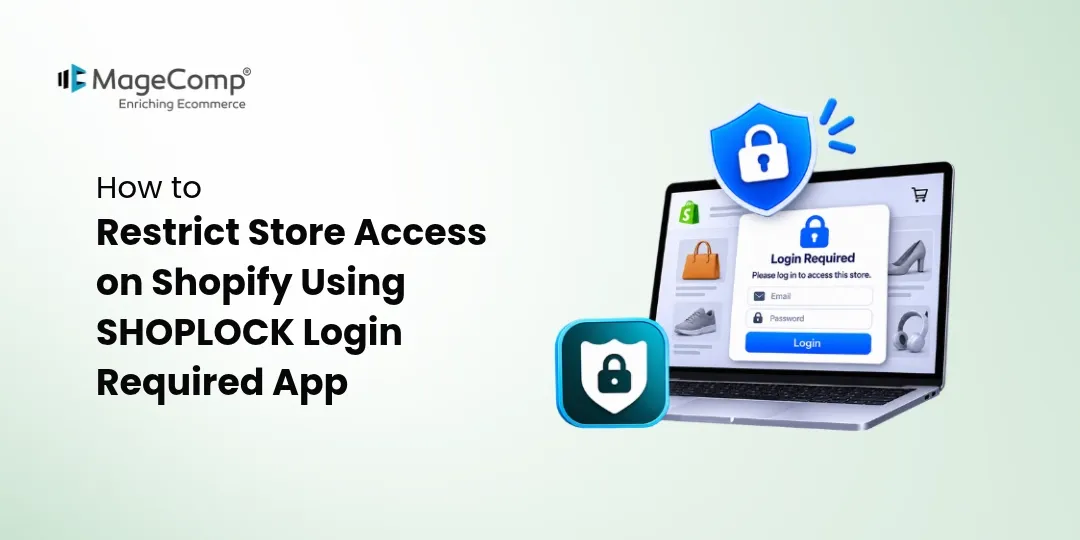
Shopify provides several ways to manage customer accounts, but restricting access to specific store sections may require additional functionality. This is where the SHOPLOCK Login Required Shopify App by MageComp comes in.
SHOPLOCK Login Required helps merchants protect their Shopify stores by restricting access to the entire website or selected products, collections, pages, and URLs. Merchants can use login requirements, passcodes, and customer tags to provide access only to authorized visitors.
Let’s explore the features and benefits of SHOPLOCK Login Required and understand how it helps Shopify merchants manage store accessibility.

What is SHOPLOCK Login Required?
SHOPLOCK Login Required is a Shopify access restriction app that allows merchants to control who can view their online store content. It provides flexible options to lock an entire website or specific sections, ensuring that restricted information remains accessible only to authorized customers.
With this app, merchants can require visitors to log in or enter a passcode before accessing protected content. They can also grant access to selected customer groups using customer tags.
Whether you operate a private wholesale store, offer exclusive product collections, or want to restrict access to confidential business information, SHOPLOCK makes store access management easier.
Key Features of SHOPLOCK Login Required
Here are some of the important features that make SHOPLOCK a useful access management solution for Shopify stores.
1. Restrict Entire Store Access
Want to make your Shopify store accessible only to registered customers? SHOPLOCK allows merchants to lock their entire website and require visitors to log in or enter a passcode before browsing.
This feature is useful for private stores, wholesale businesses, and membership-based ecommerce websites that do not want to provide public access to their products and content.
2. Lock Specific Products and Collections
Not every product or collection needs to be visible to every visitor. SHOPLOCK allows merchants to restrict access to selected product pages and collections.
For example, a wholesale merchant can create exclusive product collections for registered retailers while keeping other products publicly accessible.
This provides better control over product visibility without restricting the entire website.
3. Restrict CMS Pages and URLs
Some store pages contain information intended only for specific customers or business partners. With SHOPLOCK, merchants can lock unlimited pages and URLs to prevent unauthorized visitors from accessing restricted content.
This is helpful for protecting private information, exclusive landing pages, and other business-related content.
4. Exclude Specific Pages from Restrictions
Sometimes, merchants want to restrict most of their website while keeping certain pages publicly accessible.
SHOPLOCK provides an option to exclude selected pages from store restrictions. This allows merchants to maintain access to important pages while protecting the remaining website content.
For example, you can keep your homepage and contact page accessible while restricting product collections and other store sections.
5. Customer Tag-Based Access Control
SHOPLOCK allows merchants to manage access permissions using customer tags.
Store owners can assign specific tags to customers and use those tags to determine who can access restricted store content.
For example, merchants can provide exclusive access to customers tagged as Wholesale, VIP, Distributor, or Members.
This makes it easier to manage different customer groups and offer personalized shopping experiences.
6. Passcode-Based Content Protection
SHOPLOCK provides passcode protection to restrict access to selected store content. Merchants can generate and manage passcodes to allow authorized visitors to access protected pages.
The app also supports automatically generated passcodes, making access management more convenient.
This feature is particularly useful when merchants want to share exclusive access with selected customers without making content publicly available.
7. Customize the Passcode Page
A consistent store experience helps maintain brand identity. SHOPLOCK allows merchants to customize the appearance of their passcode page.
Merchants can adjust the page design to create a more consistent experience for visitors when they encounter restricted content.
8. Disable Right-Click and Developer Tools
SHOPLOCK offers additional content protection options by disabling certain browser interactions, including right-click, copy and paste, drag-and-drop, and developer tools.
These options help discourage casual copying and unauthorized access to visible store content.
9. Schedule Passcode Restrictions
Merchants may need to provide access only on particular days. SHOPLOCK supports recurring passcode restrictions on selected days of the week, such as Monday, Wednesday, or Sunday.
This provides additional flexibility for businesses that manage scheduled access to exclusive content or product offerings.
Benefits of Using SHOPLOCK Login Required
Apart from its access restriction features, SHOPLOCK offers several benefits that can help Shopify merchants manage their online stores more effectively.
1. Maintain Store Privacy
Not every online store is designed for public browsing. Businesses offering private products, wholesale catalogs, or exclusive collections can use SHOPLOCK to keep their content accessible only to authorized visitors.
2. Improve Wholesale and B2B Store Management
Wholesale merchants often want to display products and pricing only to approved retailers or business customers. SHOPLOCK helps manage access through login requirements and customer tags, making it easier to create a controlled B2B shopping environment.
3. Provide Exclusive Customer Experiences
Businesses can create special shopping experiences for VIP customers, registered members, distributors, and other selected groups. By restricting access to specific collections and pages, merchants can offer exclusive content to their target audience.
4. Protect Important Store Content
Merchants can restrict access to selected product information, collections, and webpages. Additional browser interaction restrictions can also discourage casual copying of visible content.
5. Simplify Access Management
Managing access manually can become difficult when a store has multiple customer groups and restricted sections. SHOPLOCK provides centralized options for managing login requirements, passcodes, customer tags, and content restrictions.
6. Maintain a Flexible Store Structure
Merchants do not always need to lock their entire website. With options to restrict selected content and exclude specific pages, SHOPLOCK helps businesses maintain a balance between publicly accessible and private store sections.
Conclusion
Controlling who can access your Shopify store content is important for businesses that offer private catalogs, wholesale products, exclusive collections, or membership-based shopping experiences.
SHOPLOCK Login Required by MageComp provides a convenient way to manage store accessibility through login requirements, passcode protection, customer tag-based restrictions, and customizable access rules.
From locking the entire website to restricting individual products, collections, and CMS pages, the app gives merchants greater flexibility in managing their online store content.
If you want to create a private Shopify store or provide exclusive access to selected customers, install SHOPLOCK Login Required and take better control of your store accessibility.

FAQ
1. What is SHOPLOCK Login Required Shopify App?
SHOPLOCK Login Required is a Shopify app by MageComp that allows merchants to restrict access to their entire store or selected products, collections, pages, and URLs using login requirements and passcode protection.
2. Can I restrict access to my entire Shopify store?
Yes. SHOPLOCK allows merchants to lock their entire Shopify storefront and require visitors to log in or enter a passcode before accessing it.
3. Can I restrict specific products and collections?
Yes. Merchants can lock selected products and collections to ensure that only authorized customers can access exclusive product information.
4. Does SHOPLOCK support customer tag-based access restrictions?
Yes. SHOPLOCK allows merchants to manage access permissions using customer tags, making it easier to provide exclusive access to wholesale buyers, VIP customers, and registered members.
5. Can I protect individual Shopify pages and URLs?
Yes. Merchants can restrict specific CMS pages and URLs to prevent unauthorized visitors from accessing selected store content.
6. Can I exclude certain pages from store restrictions?
Yes. SHOPLOCK allows merchants to exclude selected pages from restrictions so that important pages remain accessible to visitors.
7. Does SHOPLOCK support passcode protection?
Yes. Merchants can use passcodes to provide authorized visitors with access to restricted store content. The app also supports automatically generated passcodes.
8. Can I customize the passcode page?
Yes. SHOPLOCK provides customization options for the passcode page, allowing merchants to create an access screen that matches their store’s branding.
9. Can SHOPLOCK help protect my store content from copying?
Yes. The app offers options to disable right-click, copy and paste, drag-and-drop, and developer tools. These features help discourage casual copying of visible store content.
10. Is SHOPLOCK Login Required suitable for wholesale Shopify stores?
Yes. Wholesale merchants can use SHOPLOCK to restrict product catalogs and collections to approved business customers using login requirements and customer tag-based access controls.
11. Can I schedule passcode restrictions?
Yes. SHOPLOCK supports recurring passcode restrictions on selected days of the week, helping merchants manage access according to their business requirements.