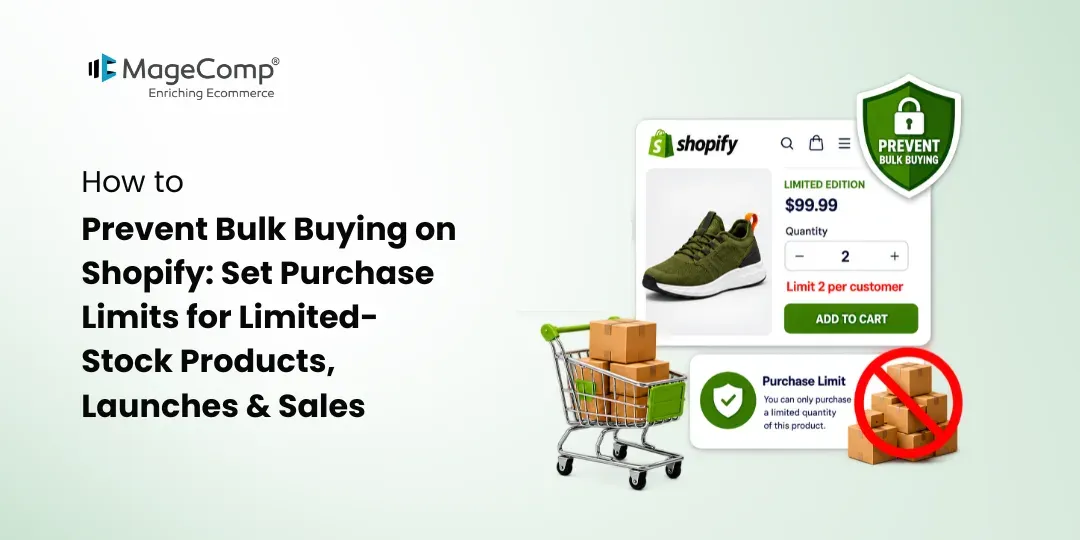
Selling limited-stock or high-demand products can create exciting sales opportunities for Shopify merchants. However, when a few customers purchase large quantities at once, other shoppers may miss out, inventory can disappear quickly, and managing stock becomes more difficult.
This is where purchase limits can help. By setting a maximum quantity customers can buy, Shopify merchants can reduce bulk buying, manage limited inventory, and create a more balanced shopping experience.
In this guide, we’ll explore how to prevent bulk buying on Shopify and how KOR Order Limits Quantity can help manage purchase restrictions for limited-stock products, product launches, and promotional sales.

Why Prevent Bulk Buying on Shopify?
Bulk buying happens when customers purchase unusually large quantities of a product in a single order. While large orders can be beneficial for some businesses, they may create problems when inventory is limited.
For example, imagine launching a limited-edition product with only 100 units available. If a few customers purchase 20 or 30 units each, the product could sell out before other customers get an opportunity to buy it.
Purchase limits can help Shopify stores:
- Protect limited inventory
- Reduce inventory hoarding
- Allow more customers to purchase
- Manage high-demand product launches
- Control quantities during flash sales
- Reduce the risk of rapid stock depletion
- Create clearer purchasing rules for customers
Instead of manually monitoring every order, merchants can use automated quantity rules to control how much customers can purchase.
How to Limit Product Quantity on Shopify
One practical way to prevent bulk buying is to set a maximum purchase quantity for specific products.
For example, you could allow customers to purchase a maximum of:
- 2 units of a limited-edition product
- 5 units of a promotional product
- 3 units of a newly launched item
- 10 units of a seasonal product
KOR Order Limits Quantity lets Shopify merchants set minimum and maximum quantity limits for products and variants. It also supports collection-level rules, making it possible to apply restrictions across groups of products.
This gives merchants more control over purchasing without having to manually review every cart.
Set Limits for Limited-Stock Products
Limited-stock products require careful inventory management. Whether you sell exclusive merchandise, seasonal products, collectibles, or newly launched items, setting a maximum quantity can help distribute available stock among more customers. Products made with materials such as may also require specific purchase limits depending on customer demand and inventory availability.
For example:
Product: Limited Edition Hoodie
Available Stock: 100 units
Maximum Quantity: 2 units per purchase
A customer attempting to add 5 units can be prevented from exceeding the configured limit.
KOR also provides a Low Stock Counter, which can help display remaining product limit stock and give customers greater visibility while shopping.
Control Quantity During Product Launches
Product launches often generate a sudden increase in traffic and demand. A popular product may receive many orders within a short period, making inventory management challenging.
Instead of allowing unlimited purchases, merchants can create launch-specific quantity rules.
For example:
“Maximum 2 units per customer during the launch.”
This approach can help prevent a small number of shoppers from purchasing most of the available inventory immediately.
KOR supports product, variant, and collection-specific limits, allowing merchants to create rules based on how their catalog is organized.
Prevent Bulk Buying During Flash Sales
Flash sales are designed to create urgency, but unrestricted purchasing can quickly reduce inventory.
Suppose you are running a 24-hour sale on a product with limited stock. You could set a maximum quantity of 3 units so customers can participate in the promotion without purchasing excessive quantities.
KOR can also apply cart-based limits and order restrictions, giving merchants additional ways to control purchasing during promotional campaigns.
Clear messages can also help customers understand why they cannot add additional units to their cart.
Apply Purchase Limits Based on Customers
Sometimes a product needs different rules for different types of shoppers.
For example, you may want regular customers to purchase a maximum of 2 units while allowing a specific customer group to purchase a different quantity.
KOR supports customer tag-based limits, allowing merchants to create purchase restrictions based on customer tags. The Pro plan also supports limiting orders per customer by duration.
This can be useful when running exclusive promotions, managing customer groups, or creating special purchasing rules.
Manage Multiple Products More Efficiently
Stores with large catalogs may need to create purchase restrictions for many products. Setting every limit manually can become time-consuming.
KOR provides bulk CSV import for product limits, allowing merchants to manage multiple purchase rules more efficiently.
Merchants can use this approach when preparing a large product launch, updating seasonal inventory rules, or applying limits across a group of promotional products.
Best Practices for Shopify Purchase Limits
When setting purchase limits, keep the rules simple and easy to understand.
- Choose realistic limits: Set quantities based on available inventory, expected demand, and the purpose of the promotion.
- Display clear messages: Tell customers when a purchase limit applies and explain the maximum quantity they can purchase.
- Use product-specific rules: Not every product needs the same restriction. Apply tighter limits to high-demand or limited-stock items.
- Review limits regularly: Remove or update restrictions when inventory levels and promotional campaigns change.
- Test before launch: Check the product page, cart, and checkout to ensure the purchase rules work as expected.
Prevent Bulk Buying with KOR Order Limits Quantity
Managing limited inventory does not have to mean manually monitoring every order. KOR Order Limits Quantity gives Shopify merchants tools to create purchase restrictions across products, variants, collections, carts, and customer groups.
The app supports maximum and minimum quantity limits, checkout validations, customer-based restrictions, future purchase limits, low-stock counters, and bulk CSV management. It also offers a 7-day free trial, with plans currently starting at $3.99/month.
Whether you are preparing a product launch, running a flash sale, or selling a limited-edition product, setting clear purchase limits can help you manage demand while making inventory available to more shoppers.

FAQ
1. How do I prevent customers from buying too much on Shopify?
Set a maximum purchase quantity for products or variants. KOR Order Limits Quantity lets merchants create maximum quantity rules and enforce them through checkout.
2. Can I limit how many units a customer can buy?
Yes. Shopify merchants can use KOR to create product quantity limits and customer-specific restrictions, including customer tag-based rules.
3. How can I stop bulk buying during a flash sale?
Set a maximum quantity for the products included in the promotion. You can also use cart and checkout restrictions to control purchasing during the sale.
4. Can I set different purchase limits for different products?
Yes. KOR supports limits at the product, variant, and collection levels, allowing merchants to apply different rules throughout their store.
5. Is there a Shopify app for preventing bulk buying?
Yes. KOR Order Limits Quantity is a Shopify app designed to help merchants manage purchase quantities, order limits, checkout rules, and inventory-related restrictions.