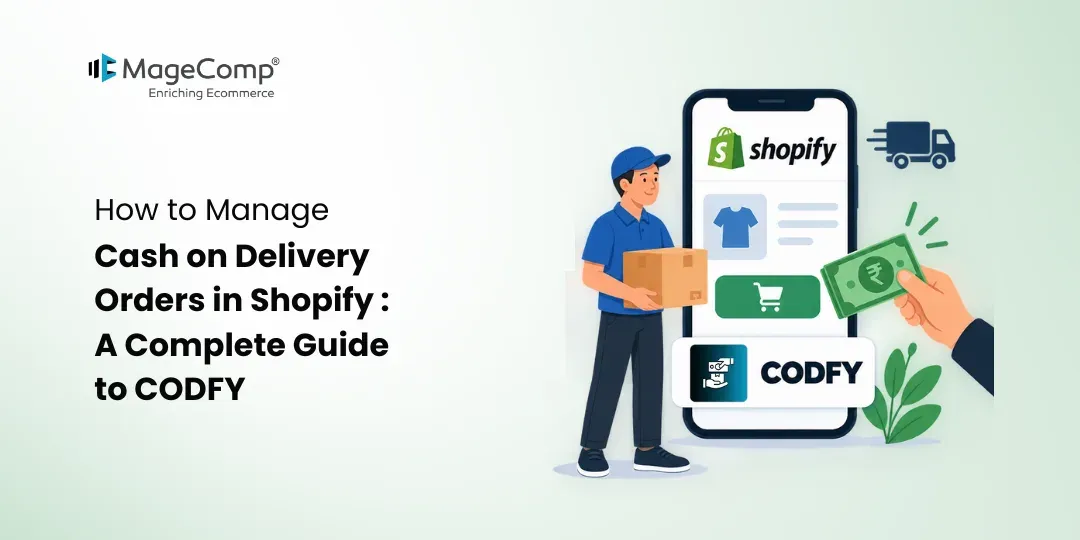
Cash on Delivery (COD) remains an important payment option for many Shopify stores, especially when customers prefer paying after receiving their orders. However, offering COD to every customer and every order can create challenges such as high-value orders, unsupported delivery locations, additional shipping costs, and unnecessary COD processing expenses.
Shopify merchants can manage these situations more effectively with the CODFY Cash on Delivery app. It helps store owners control when and where COD is available while allowing them to configure COD charges and shipping rates according to their business requirements.
In this guide, we will explore how CODFY works and how Shopify merchants can use its features to manage COD orders more efficiently.

Why Should Shopify Stores Control COD?
COD can make online shopping more accessible to customers who prefer not to pay online. At the same time, merchants may not want to offer COD without restrictions.
For example, a store may want to:
- Offer COD only for orders above a specific amount
- Restrict COD to selected postal or ZIP codes
- Charge an additional fee for COD orders
- Offer COD only in supported countries or locations
- Control COD based on customer phone numbers or email addresses
- Configure shipping rates for COD orders
Without suitable controls, merchants may need to manage these conditions manually. A COD management solution can simplify the process by applying predefined rules to COD availability.
What Is CODFY Cash on Delivery?
CODFY Cash on Delivery is a Shopify app designed to help merchants manage the availability of Cash on Delivery based on different order and customer conditions.
The app allows merchants to set minimum and maximum order values, control COD based on customer location, use phone number and email-based conditions, upload postal or ZIP codes through CSV, and configure shipping rates. It also supports customization of the COD payment method for Shopify stores.
This makes it useful for stores that want more control over their COD payment option instead of displaying it to every customer.
Key Features of CODFY
1. Set Minimum and Maximum Order Value
One of the simplest ways to control COD is by setting an eligible order value range.
With CODFY, merchants can define minimum and maximum order values so the COD option is available only when the order meets their selected criteria.
This can help stores create a COD policy that fits their order value and operational requirements.
2. Restrict COD by Postal or ZIP Code
COD availability can depend heavily on delivery locations.
Some businesses may have selected serviceable areas where COD is available, while other locations may require prepaid payment.
CODFY allows merchants to upload postal or ZIP codes in bulk using a CSV file. The app can then use those codes to customize COD availability.
This is particularly useful for stores serving multiple cities, regions, or countries with different delivery policies.
3. Control COD by Country
Businesses operating across multiple markets may not want to provide COD in every country.
CODFY supports COD rules based on customer location and country, allowing merchants to define where the payment option should be available.
4. Add a COD Fee
COD orders can involve additional handling or collection costs. Instead of absorbing these costs into product prices, merchants can configure an additional COD charge.
CODFY supports custom COD fees, giving merchants the option to charge customers for choosing Cash on Delivery.
The additional charge can help merchants account for COD-related expenses while keeping product pricing separate.
5. Customize the COD Payment Method
Every Shopify store can have different payment requirements and customer expectations.
CODFY provides options to customize the COD payment method, including controlling its availability and configuring how the payment option is presented. Shopify lists features such as custom fees, hiding payment types, renaming payment types, and sorting payment types for the app.
This gives merchants greater control over the checkout payment experience.
6. Configure Shipping Rates
CODFY also supports shipping-rate configuration.
Merchants can set shipping rates from the backend and display the applicable rates on the storefront. The app listing also identifies ZIP/post-code and distance-based rate calculation capabilities.
This can be helpful when shipping costs differ depending on the customer’s delivery location.
How to Set Up COD Rules in Shopify Using CODFY
Getting started with CODFY involves configuring the rules according to your store’s requirements.
Step 1: Install CODFY
Open the CODFY Cash on Delivery app from the Shopify App Store and install it on your Shopify store.
The app is currently listed as a free Shopify app and is developed by MageComp.
Step 2: Define Your COD Eligibility
Decide which orders should qualify for Cash on Delivery.
You can consider factors such as:
- Minimum order amount
- Maximum order amount
- Country
- Postal or ZIP code
- Customer phone number
- Customer email address
Setting these rules first makes it easier to create a consistent COD policy.
Step 3: Configure Order Value Rules
Enter the minimum and maximum order values you want to allow for COD.
Customers whose orders fall outside the defined range can be excluded from the COD option.
Step 4: Add Eligible Postal Codes
If COD is available only in selected locations, prepare a CSV file containing the applicable postal or ZIP codes.
Upload the file through CODFY to manage COD availability based on those locations.
This can be especially useful when your courier partners support COD only in specific serviceable areas.
Step 5: Configure the COD Fee
If you want customers to pay an additional charge for choosing COD, configure the applicable COD fee.
This fee can be used to offset additional costs associated with COD order processing.
Step 6: Configure Shipping Rates
Set the shipping rates according to your store’s delivery requirements.
You can define appropriate rates so customers can see the applicable shipping cost during their shopping and checkout journey.
Step 7: Customize the COD Option
Review how COD appears in your store and configure the payment method according to your requirements.
You can use the available customization options to create a clearer and more consistent checkout experience.
Step 8: Test Your COD Rules
Before making the configuration fully operational, place test orders using different conditions.
Testing helps ensure that your rules are working as expected.
Final Thoughts
Managing Cash on Delivery does not have to mean offering COD to every customer and every order. With the right rules, Shopify merchants can control COD availability based on order value, location, postal or ZIP codes, phone number, and email address.
If you want to make COD more manageable while maintaining control over eligibility and associated charges, CODFY can be a practical addition to your Shopify store.

FAQ
1. What is CODFY Cash on Delivery?
CODFY is a Shopify app that helps merchants manage the availability of Cash on Delivery based on conditions such as order value, country, location, phone number, email address, and postal or ZIP codes.
2. Can I customize the COD payment method?
Yes. CODFY provides payment-method customization options, including custom fees, hiding payment types, renaming payment types, and sorting payment types.
3. Is CODFY suitable for Indian Shopify stores?
Yes. The app specifically lists a COD form customization feature for Indian stores, making it suitable for merchants who use Cash on Delivery as part of their payment strategy.
4. Does CODFY work with Shopify Checkout?
Yes. The Shopify App Store lists CODFY as working with Shopify Checkout and Shopify Admin.
5. Can I charge customers an additional COD fee?
Yes. The app supports custom COD fees, allowing merchants to charge an additional amount when customers select Cash on Delivery.