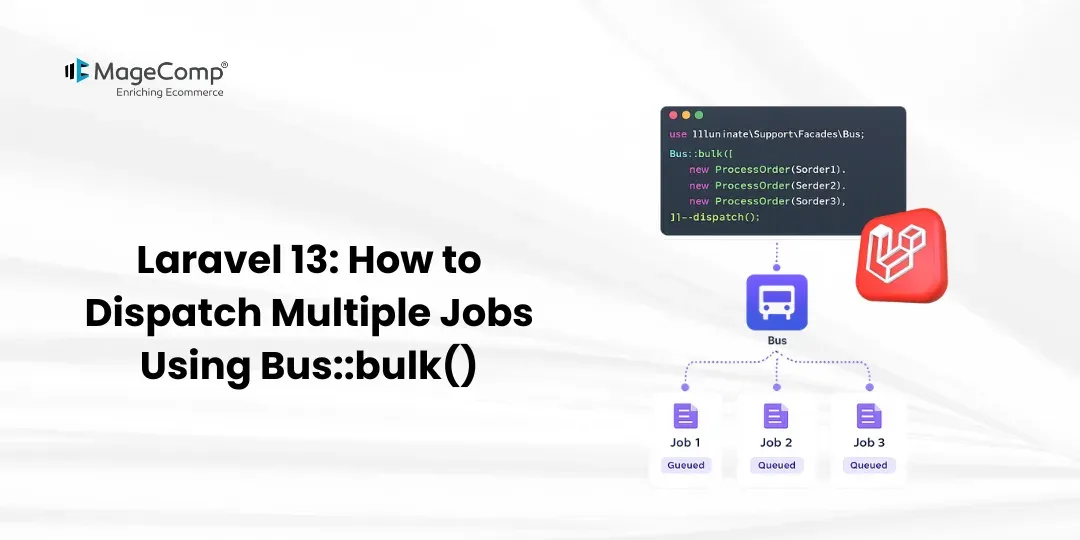
This blog post will talk about the Bus::bulk utility of Laravel 13 for dispatching a number of jobs. Instead of dispatching jobs one by one, Bus::bulk allows the dispatching of jobs in bulk, which is helpful while processing several queued processes or background jobs like sending notifications, processing users, generating reports, and other activities.

Prerequisite:
1. Composer (latest Version)
2. Laravel version 13
Here are the steps to follow:
Step 1: Install Laravel 13
Step 2: Create Job
Step 3: Create Controller
Step 4: Create Routes
Step 5: Dispatch Multiple Jobs Using Bus::bulk()
Step 6: Configure Queue
Step 7: Test Project
Now, let’s see all the steps with the detailed information.
Steps to Dispatch Multiple Jobs Using Bus::bulk() in Laravel 13:
Step 1: Install Laravel 13
We need a new project for this demo. Create it using the command below:
composer create-project laravel/laravel:^13.0 bulk-job-demoStep 2: Create Job
Here, we will create the ProcessUserJob. Use the command below to create the job.
php artisan make:job ProcessUserJobNow open the following file:
app/Jobs/ProcessUserJob.php
You need to add below code:
<?php
namespace App\Jobs;
use Illuminate\Contracts\Queue\ShouldQueue;
use Illuminate\Foundation\Queue\Queueable;
class ProcessUserJob implements ShouldQueue
{
    use Queueable;
    public function __construct(
        public int $userId
    ) {
    }
    /**
     * Execute the job.
     */
    public function handle(): void
    {
        logger("User {$this->userId} processed successfully.");
    }
}
The ProcessUserJob has been created, which takes in the user ID; while executing the job, it writes a message into the log file of Laravel.
Step 3: Create Controller
Here, we will create UserController. To do this, please run the command below.
php artisan make:controller UserControllerOpen the following file:
app/Http/Controllers/UserController.php
Add the following code:
<?php
namespace App\Http\Controllers;
use App\Jobs\ProcessUserJob;
use Illuminate\Support\Facades\Bus;
class UserController extends Controller
{
    /**
     * Dispatch multiple user jobs.
     */
    public function processUsers()
    {
        $jobs = [];
        for ($userId = 1; $userId <= 5; $userId++) {
            $jobs[] = new ProcessUserJob($userId);
        }
        Bus::bulk($jobs);
        return "All jobs dispatched successfully.";
    }
}
Here, we create multiple ProcessUserJob instances and store them in the $jobs array.
After creating all the jobs, we use:
Bus::bulk($jobs);This makes it possible for Laravel to dispatch the jobs at once.
Step 4: Create Routes
At this point, create a route to dispatch the jobs.
To open:
routes/web.php
Next, enter the following code:
<?php
use Illuminate\Support\Facades\Route;
use App\Http\Controllers\UserController;
Route::get('/process-users', [UserController::class, 'processUsers']);
Step 5: Dispatch Multiple Jobs Using Bus::bulk()
This is where we will learn to use Bus::bulk().
We can create multiple jobs like this:
$jobs = [
    new ProcessUserJob(1),
    new ProcessUserJob(2),
    new ProcessUserJob(3),
    new ProcessUserJob(4),
    new ProcessUserJob(5),
];
Bus::bulk($jobs);
Here, the above code sends five jobs at once.
We can also create jobs dynamically using a loop:
$jobs = [];
for ($userId = 1; $userId <= 100; $userId++) {
    $jobs[] = new ProcessUserJob($userId);
}
Bus::bulk($jobs);
This is a perfect solution when you have to send a great number of jobs.
For instance, instead of doing this:
foreach ($userIds as $userId) {
    ProcessUserJob::dispatch($userId);
}
We can use:
$jobs = [];
foreach ($userIds as $userId) {
    $jobs[] = new ProcessUserJob($userId);
}
Bus::bulk($jobs);
With Bus::bulk(), Laravel can gather the jobs according to their queue and connection for bulk queue insertion.
Step 6: Configure Queue
Go to .env file and open it:
.env
Set the queue connection to the database:
QUEUE_CONNECTION=databaseAfter this, make jobs’ table with the following command:
php artisan make:queue-tableRun the migration:
php artisan migrateNow, start the Laravel queue worker:
php artisan queue:workThe queue worker will process the jobs that were dispatched using Bus::bulk()
Step 7: Test Project
Now, let’s run the Laravel application.
php artisan serveThen go to your browser and enter this URL:
http://127.0.0.1:8000/process-users
You will see the following response:
All jobs dispatched successfully.
The five jobs are in the queue now.
The queue worker will process each job.
Open the following file:
storage/logs/laravel.log
You will see entries similar to the following:
User 1 processed successfully.
User 2 processed successfully.
User 3 processed successfully.
User 4 processed successfully.
User 5 processed successfully.
This proves that all jobs are properly delivered through Bus::bulk() and worked on by the worker for Laravel.
Conclusion
In this post, we have described how to utilize the Bus::bulk() method in Laravel 13 in order to process different tasks.
The Bus::bulk() function is required in the case of bulk job dispatching, as it considerably reduces the process of putting jobs in the queue.

FAQ
1. What is Bus::bulk() in Laravel 13?
Bus::bulk() is a function that Laravel provides for dispatching job batches grouped by their queue.
2. What is the Bus::bulk() syntax?
The standard syntax is:
Bus::bulk([
    new ProcessUserJob(1),
    new ProcessUserJob(2),
    new ProcessUserJob(3),
]);
You can also create an array of jobs dynamically and provide it to Bus::bulk().
3. Is Bus::bulk() more efficient than sending jobs one by one?
If you have a lot of independent jobs, it is more efficient to use Bus::bulk() since jobs get combined.