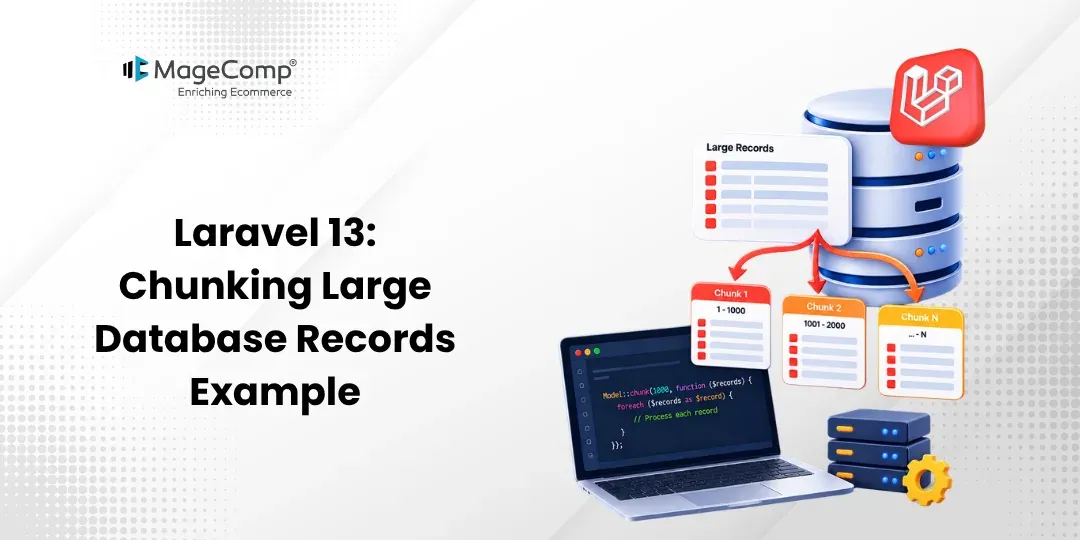
When an application has thousands or millions of records in the database, fetching everything at once using methods like all() or get() can take a lot of memory and deplete the performance of the app.
The chunk() method available in Laravel lets you get the records and handle them in chunks, without loading all the records at once. The framework brings records in batches of information, and after the records have been retrieved, they are sent for processing, and the application fetches the next set of records.

This guide instructs you on how to employ chunk() and chunkById() in the latest version of Laravel for effective management of large data sets.
Steps for Laravel 13 Chunking Large Database Records Example
Step 1: Install Laravel 13
Step 2: Configure Database
Step 3: Create Model and Migration
Step 4: Run Migration
Step 5: Create Test Users
Step 6: Create Controller
Step 7: Use Chunk Method
Step 8: Using chunkById()
Step 8: Define Route
Step 10: Test the Application
Step 1: Install Laravel 13
First, create a new Laravel 13 application using the following command:
composer create-project laravel/laravel chunk-exampleMove into the created project directory:
cd chunk-exampleStep 2: Configure Database
Now open the .env file to configure the database.
DB_CONNECTION=mysql
DB_HOST=127.0.0.1
DB_PORT=3306
DB_DATABASE=chunk_example
DB_USERNAME=root
DB_PASSWORD=
Always ensure that the database exists before starting the migration process.
Step 3: Create Model and Migration
By default, Laravel has provided a User model and migration in a new application. If you want to create another model for this task, you may type the following command:
php artisan make:model Customer -mOpen the migration file:
database/migrations/xxxx_xx_xx_create_customers_table.php
Update the migration:
public function up(): void
{
    Schema::create('customers', function (Blueprint $table) {
        $table->id();
        $table->string('name');
        $table->string('email')->unique();
        $table->boolean('active')->default(true);
        $table->timestamps();
    });
}
Update the Customer model:
app/Models/Customer.php
<?php
namespace App\Models;
use Illuminate\Database\Eloquent\Model;
class Customer extends Model
{
    protected $fillable = [
        'name',
        'email',
        'active',
    ];
}
Step 4: Run Migration
Proceed with the migration execution:
php artisan migrateThis action will result in the customers table being generated within the database.
Step 5: Create Test Customers
To showcase chunking with great amounts of records, make sure to prepare a factory:
php artisan make:factory CustomerFactory --model=CustomerOpen:
database/factories/CustomerFactory.php
Make the necessary updates:
<?php
namespace Database\Factories;
use Illuminate\Database\Eloquent\Factories\Factory;
class CustomerFactory extends Factory
{
    public function definition(): array
    {
        return [
            'name' => fake()->name(),
            'email' => fake()->unique()->safeEmail(),
            'active' => true,
        ];
    }
}
Now you should make modifications in Customer model:
use Illuminate\Database\Eloquent\Factories\HasFactory;
class Customer extends Model
{
    use HasFactory;
    protected $fillable = [
        'name',
        'email',
        'active',
    ];
}
It is possible to generate records for testing purposes by utilizing Tinker:
php artisan tinkerThen run:
Customer::factory()->count(1000)->create();This will produce 1,000 records of customers. You can increase this number for testing with larger volumes of data.
Step 6: Create Controller
Create a controller:
php artisan make:controller CustomerControllerOpen:
app/Http/Controllers/CustomerController.php
Update the controller:
<?php
namespace App\Http\Controllers;
use App\Models\Customer;
use Illuminate\Http\JsonResponse;
class CustomerController extends Controller
{
    public function process(): JsonResponse
    {
        $processed = 0;
        Customer::orderBy('id')->chunk(100, function ($customers) use (&$processed) {
            foreach ($customers as $customer) {
                // Process each customer here.
                $processed++;
            }
        });
        return response()->json([
            'message' => 'Customers processed successfully.',
            'processed' => $processed,
        ]);
    }
}
The function chunk() is used to obtain a certain number of records at a time and transfer each part to the callback. In this case, Laravel processes 100 customers in each chunk, rather than loading all at one time.
Step 7: Use Chunk Method
The primary syntax is as follows:
Customer::orderBy('id')->chunk(100, function ($customers) {
    foreach ($customers as $customer) {
        // Process customer
    }
});
Here:
- 100 is the number of records in each chunk.
- $customers contains the current batch.
- The callback is executed for every batch.
For instance, if there are 1000 clients:
Chunk 1 → Customers 1–100
Chunk 2 → Customers 101–200
Chunk 3 → Customers 201–300
…
Chunk 10 → Customers 901–1000
This method is able to retain only the currently processed batch of records in RAM rather than loading the entire record base.
Stop Processing Further Chunks
You can stop the chunking process by returning false from the callback:
Customer::orderBy('id')->chunk(100, function ($customers) {
    foreach ($customers as $customer) {
        // Process customer
    }
    return false;
});
By returning false, you are stopping Laravel from processing any more records.
Step 8: Using chunkById()
If you are updating records while processing them, Laravel recommends using chunkById() instead of chunk().
For example:
Customer::where('active', true)
    ->chunkById(100, function ($customers) {
        foreach ($customers as $customer) {
            $customer->update([
                'active' => false,
            ]);
        }
    });
chunkById() processes records based on their primary key and is safer when the records being processed are also being updated. Using a normal chunk() in this situation can result in unexpected or inconsistent results because the underlying result set may change while it is being processed.
If you add your own where conditions when using chunkById(), Laravel recommends logically grouping those conditions because the method adds its own where constraint internally.
For example:
Customer::where(function ($query) {
    $query->where('active', true)
        ->orWhere('active', false);
})->chunkById(100, function ($customers) {
    foreach ($customers as $customer) {
        // Process customer
    }
});
Step 9: Define Route
Open:
routes/web.php
Add:
<?php
use Illuminate\Support\Facades\Route;
use App\Http\Controllers\CustomerController;
Route::get('/process-customers', [CustomerController::class, 'process']);
Step 10: Test the Application
Start the Laravel development server:
php artisan serveOpen the following URL in your browser:
http://127.0.0.1:8000/process-customers
You should receive a response similar to:
{
    "message": "Customers processed successfully.",
    "processed": 1000
}
Laravel uses batches for processing its records rather than loading all the data for 1,000 customers into memory at once.
Chunk vs chunkById
The chunk() function can be used to handle the data in chunks while processing large volumes of records.
Customer::orderBy('id')->chunk(100, function ($customers) {
    foreach ($customers as $customer) {
        // Process records
    }
});
The chunkById() function should be used for records that could be modified or deleted while they are being processed.
Customer::chunkById(100, function ($customers) {
    foreach ($customers as $customer) {
        // Update or delete records
    }
});
Laravel also offers a lazy() method along with lazyById() to provide records in the form of a LazyCollection rather than receiving individual chunks before usage.
Run Laravel App
To run the Laravel application, use:
php artisan serveThen visit:
http://127.0.0.1:8000/process-customers
Conclusion
In this section of our Laravel 13 tutorial, we learned how to use the Chunking concept in order to enhance performance while working with big amounts of records.
The chunk() procedure works by allowing you to handle a big amount of information in smaller pieces, thus assuring you minimal consumption of memory resources. On the other hand, the chunkById() method is preferred for dealing with records that may require deletion or updating during the processing of information about them.
The manner in which you utilize one method or the other will certainly improve your performance and ease of dealing with large data volumes.

FAQ
1. What exactly is chunking in Laravel?
Chunking is the procedure that is used to fetch data in parts rather than at once. In Laravel, this has been made possible with the use of chunk().
2. What is the key difference between chunk() and chunkById()?
While the function chunk() splits data from the query according to the order specified in the query, chunkById() splits the data according to the record’s unique identifier. This is mostly used when the data is likely to change, or records will be deleted during retrieval.
3. Can Laravel chunk millions of records?
Certainly! The chunking functionality that Laravel provides helps to work with larger datasets without requiring the whole dataset to be loaded into memory. It is thus very important to pay attention to the performance of the database indexes, queries, resources of the server, and others.