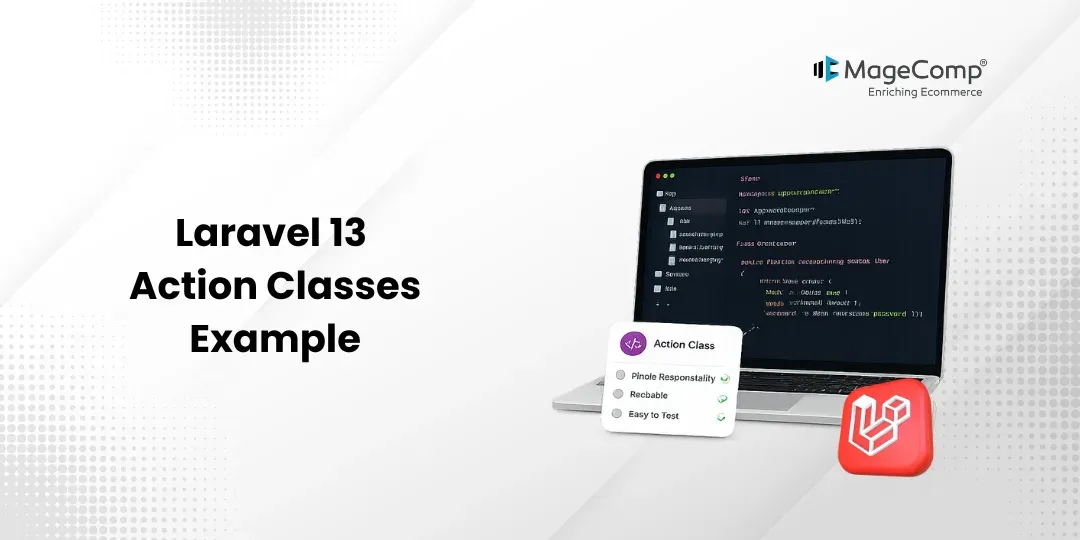
Action Classes are used to keep controllers clean, as it helps in extracting logic to dedicated classes instead of cluttering controllers with logic. The usage of Reusable Action classes in an application helps in maintaining its maintainability, testability, and scalability.
In this article, we will present a simple example of Action Classes and demonstrate how the Action Classes can be used to create users.

Steps for Laravel 13 Action Classes Example
Step 1: Install Laravel 13
Step 2: Create Migration and Model
Step 3: Configure Database
Step 4: Run Migration
Step 5: Create Action Class
Step 6: Create Controller
Step 7: Define Route
Step 8: Test the Application
Run Laravel App
Step 1: Install Laravel 13
First, create a fresh Laravel 13 application using the following command:
composer create-project laravel/laravel action-class-appMove to the project directory:
cd action-class-appStep 2: Create Migration and Model
Create the User model with a migration:
php artisan make:model User -mThen, open the migration file and modify it:
database/migrations/xxxx_xx_xx_create_users_table.php
public function up(): void
{
    Schema::create('users', function (Blueprint $table) {
        $table->id();
        $table->string('name');
        $table->string('email')->unique();
        $table->timestamps();
    });
}
Step 3: Configure Database
Open the .env file and configure your database.
DB_CONNECTION=mysql
DB_HOST=127.0.0.1
DB_PORT=3306
DB_DATABASE=action_class
DB_USERNAME=root
DB_PASSWORD=
Step 4: Run Migration
Execute the migration:
php artisan migrateStep 5: Create Action Class
Create an Action class in the app directory.
app/
└── Actions/
Create the action class:
app/Actions/CreateUserAction.php
<?php
namespace App\Actions;
use App\Models\User;
class CreateUserAction
{
    public function execute(array $data): User
    {
        return User::create([
            'name'  => $data['name'],
            'email' => $data['email'],
        ]);
    }
}
Update the User model.
app/Models/User.php
<?php
namespace App\Models;
use Illuminate\Database\Eloquent\Model;
class User extends Model
{
    protected $fillable = [
        'name',
        'email',
    ];
}
Step 6: Create Controller
Create a controller.
php artisan make:controller UserControllerUpdate the controller.
app/Http/Controllers/UserController.php
<?php
namespace App\Http\Controllers;
use Illuminate\Http\Request;
use App\Actions\CreateUserAction;
class UserController extends Controller
{
    public function store(Request $request, CreateUserAction $createUser)
    {
        $user = $createUser->execute($request->only([
            'name',
            'email'
        ]));
        return response()->json([
            'message' => 'User created successfully.',
            'user' => $user,
        ]);
    }
}
Step 7: Define Route
Open the following file:
<?php
use Illuminate\Support\Facades\Route;
use App\Http\Controllers\UserController;
Route::post('/users', [UserController::class, 'store']);
Step 8: Test the Application
Start the Laravel development server.
php artisan serveSend a POST request to:
http://127.0.0.1:8000/users
Request Body:
{
    "name": "John Doe",
    "email": "john@example.com"
}
Output:
{
    "message": "User created successfully.",
    "user": {
        "id": 1,
        "name": "John Doe",
        "email": "john@example.com",
        "created_at": "2026-07-24T10:15:20.000000Z",
        "updated_at": "2026-07-24T10:15:20.000000Z"
    }
}
Run Laravel App
php artisan serveConclusion
In the above example, we have learned how to use Action Classes in Laravel 13 to keep the code separated from the controller while maintaining the code’s reusability. It keeps the controller clean and makes it easier to maintain and test the application as it grows.

FAQ
1. Are Action Classes included in Laravel 13 by default?
No, Action Classes are not included in Laravel 13 by default. These classes are a common architectural pattern used by developers to separate the business logic.
2. Is there any difference between an Action class and a Controller class?
Controller is responsible for the execution of the request, whereas Action Classes have the business logic that can be reused across multiple controllers or other jobs or commands.