
SHOPLOCK Login Required
Required Login Shopify App by MageComp will allow only logged-in users to access a restricted part of the content.
- Restrain customers to access the website without a login
- Make login mandatory to access some categories
- Request users to log in for accessing specific product
- Redirect customers to the login page
Extension Screenshots
SHOPLOCK Login Required – Control Who Can Access Your Shopify Store
Keep your Shopify store content exclusive to the right audience. Require customers to log in or enter a passcode before accessing selected products, collections, pages, or your entire storefront.
Whether you run a wholesale business, a private storefront, or a members-only shop, SHOPLOCK helps you manage access without building a custom restriction system.
Access Restricted
This store content is available to authorized visitors.
A storefront access screen concept
Not Every Store Page Needs to Be Public
Some Shopify businesses serve approved buyers, wholesale customers, registered members, or selected customer groups. Giving every visitor unrestricted access may not suit these business models. SHOPLOCK Login Required helps you decide what visitors can see and which areas require authorization.
Wholesale & B2B Stores
Restrict selected product catalogs and collections to approved business customers instead of exposing every offering to guest visitors.
Members-Only Shopping
Create a more exclusive shopping experience for members, registered shoppers, or customers who meet your access requirements.
Private Product Collections
Control access to selected products, collections, pages, and URLs while keeping other storefront content available as needed.
Everything You Need to Manage Store Access
Choose what to protect, decide how visitors gain access, and tailor restrictions to your store's requirements.
Lock the Entire Shopify Store
Require a passcode or configured access method before visitors can enter your protected storefront. Ideal for private stores and exclusive shopping experiences.
Restrict Product Pages
Limit access to selected product pages so protected merchandise is not freely accessible to unauthorized visitors.
Protect Collections
Control access to specific collections and create exclusive catalogs for your intended customer audience.
Lock Pages & URLs
Apply restrictions to selected storefront pages and URLs to manage access to private information and specialized content.
Customer Tag-Based Access
Use customer tags to configure access rules for relevant groups, such as wholesale buyers, VIP customers, or members.
Passcode Protection
Offer a passcode-based way to access protected content, including automatically generated passcodes where configured.
Customize the Passcode Page
Adjust the passcode screen's appearance to better match your storefront branding and provide a consistent visitor experience.
Exclude Selected Pages
Keep designated pages accessible while other areas remain protected, giving you more flexibility over your public storefront.
Additional Content Controls
Configure available options to disable right-click, copy and paste, drag-and-drop, and developer tools for an additional layer of content control.
Choose the Access Rules That Fit Your Business
Different stores need different levels of privacy. SHOPLOCK lets you choose which parts of your Shopify storefront should be restricted and configure supported access methods around your business model.
- ✓Require visitors to meet your configured login or passcode requirements.
- ✓Restrict selected products, collections, pages, or URLs instead of locking everything.
- ✓Use customer tags to organize access for relevant customer groups.
- ✓Keep selected pages available when using supported exclusion settings.
One Store. More Control Over Access.
Set up restrictions according to the content you want to protect and the visitors you want to serve.
How to Get Started with SHOPLOCK
Follow these steps to set up access restrictions that suit your Shopify store.
Install the App
Open SHOPLOCK Login Required from its Shopify App Store listing and install it on your Shopify store.
Select Content to Protect
Choose whether you want to restrict your entire store or selected products, collections, pages, and URLs.
Configure Access Rules
Set up the available login, passcode, or customer-tag restrictions according to your business requirements.
Customize & Test
Adjust the passcode screen where needed, verify the exclusions, and test protected content as a guest and an authorized customer.
Review Your Rules
Check that the correct content is protected and that your intended customer groups can access the appropriate pages.
Manage Access as Needed
Revisit your restrictions as your catalog, customer groups, and store requirements change.
A More Controlled Shopping Experience
Manage content visibility with flexible controls designed for different Shopify store models.
Keep Exclusive Catalogs Restricted
Manage access to selected merchandise and collections when your business serves specific customers or approved buyers.
Support Wholesale Workflows
Use appropriate access rules to make designated product information available to the customer groups you intend to serve.
Choose What Remains Public
Combine store or content restrictions with supported page exclusions to maintain access to selected public pages.
Maintain a Branded Access Screen
Customize the passcode page appearance to align the access experience with the overall look and feel of your storefront.
Questions About SHOPLOCK Login Required
Learn how SHOPLOCK helps you control access to Shopify store content.
What is SHOPLOCK Login Required?
SHOPLOCK Login Required is a Shopify app by MageComp that helps merchants restrict access to their storefront, selected products, collections, pages, and URLs using supported login and passcode controls.
Can I lock my entire Shopify store?
Yes. SHOPLOCK supports whole-store restrictions, allowing merchants to configure access requirements for visitors who want to enter a protected storefront.
Can I restrict only specific products or collections?
Yes. You can configure restrictions for selected products and collections rather than applying the same access rule to every part of your store.
Can I restrict individual pages and URLs?
Yes. SHOPLOCK supports restrictions for selected pages and URLs, helping you control access to specific areas of your storefront.
Does SHOPLOCK support customer tag-based restrictions?
Yes. The app lists customer-tag-based access controls, which can help merchants organize access for groups such as wholesale customers, VIP buyers, or members.
Can I use a passcode instead of requiring a login?
SHOPLOCK supports passcode protection. Depending on your chosen configuration, visitors can use the designated passcode to access protected content.
Can I leave certain pages accessible while the store is locked?
Yes. SHOPLOCK supports excluding selected pages from restrictions, allowing you to keep designated content available while other areas remain protected.
Can I customize the passcode page?
Yes. The app includes options to customize the passcode page appearance so that it better matches your storefront's branding.
Does SHOPLOCK prevent copying protected content?
The app lists additional controls for disabling right-click, copy and paste, drag-and-drop, and developer tools. These are deterrents rather than a guarantee that content cannot be copied or accessed by other technical means.
Is SHOPLOCK suitable for wholesale and private stores?
SHOPLOCK can be useful for wholesale catalogs, private storefronts, members-only shops, and businesses that need to limit access to selected products or pages.
Build a More Flexible Shopify Store
Explore additional MageComp apps that can complement your store's access-control and B2B workflows.
Take Control of Who Can Access Your Shopify Store
Create a more exclusive storefront experience with flexible login requirements, passcode protection, and content-level access controls. Explore SHOPLOCK Login Required by MageComp to find the right setup for your business.
Explore SHOPLOCK on ShopifyIf you are in need of forcing users to log in to access website content or you want to restrict access to some products and categories for guest users, MageComp has a solution for your Shopify store.
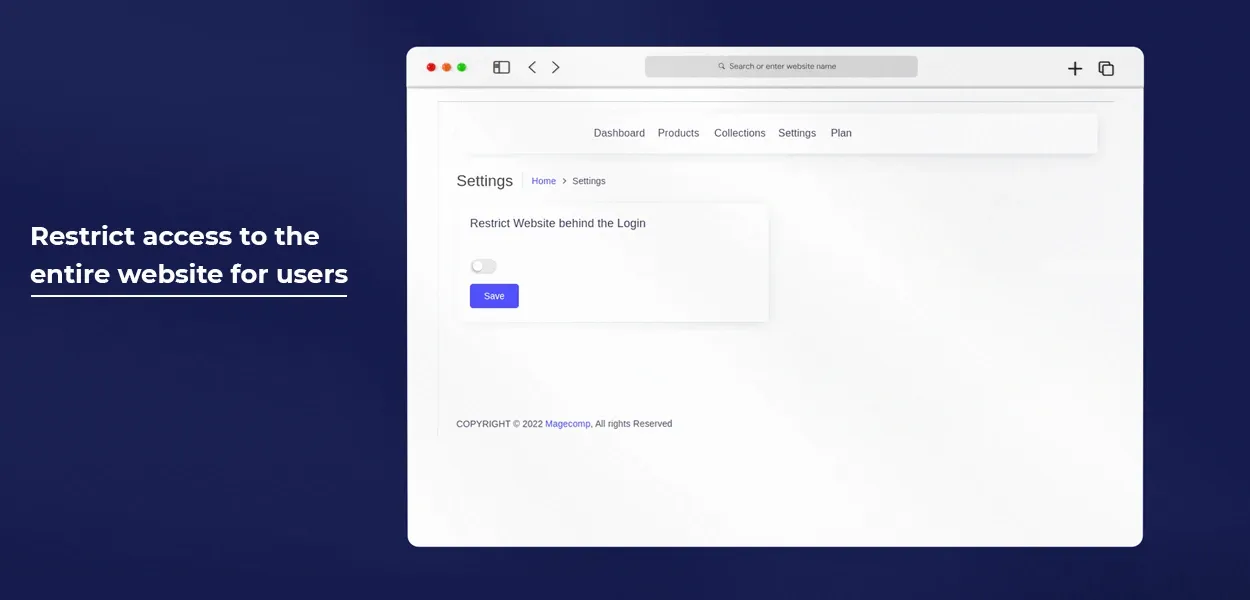
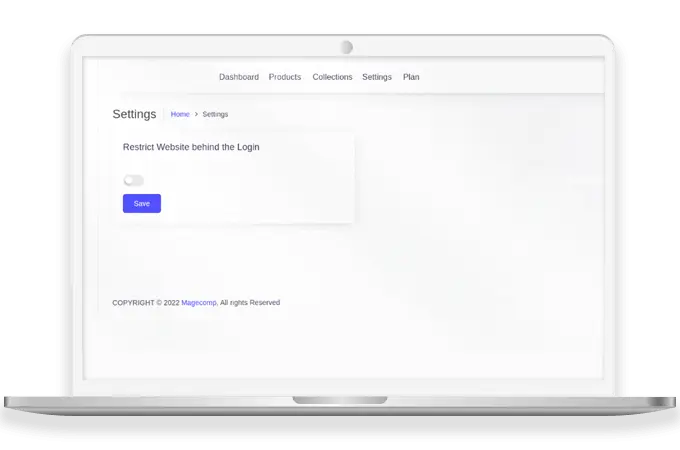
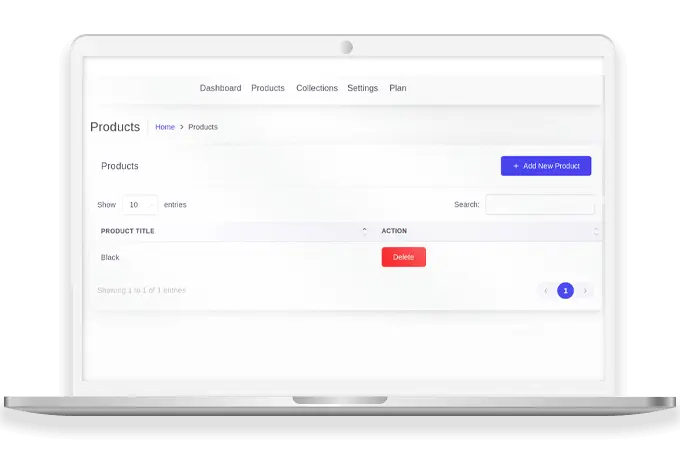
Shopify Required Login App by MageComp helps to add login compulsion functionality for accessing some products, categories, or whole websites. Shopify admin can restrict the content from the dashboard according to the requirements. Once the restriction is enabled from the admin dashboard, a login is required for users to access the content. If the user tries to access the restricted content, it will display a login page. Once the Required Login Shopify App is enabled from the admin panel, the admin can go to settings to restrict the content. You can limit access to the whole website, product, or category for not logged-in users.
: Required Login for Shopify Features Highlights :
Limit users to access the entire website without login
Required Login Shopify App will restrict the shoppers to access your Shopify website if they are not logged in.
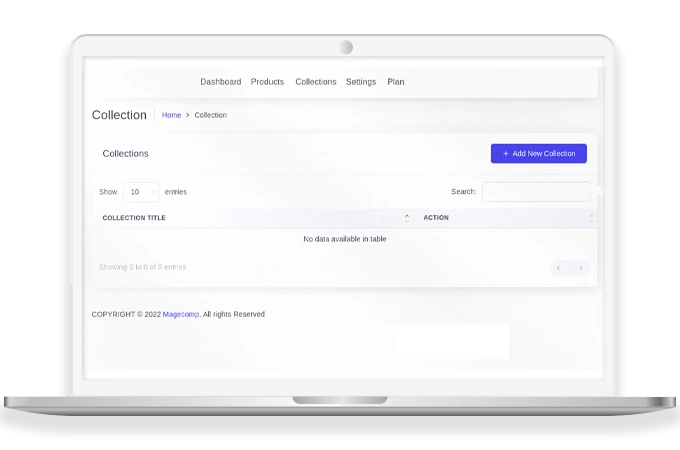
Request users to login in order to access the collection
The Shopify store admin can also enable restrictions on accessing categories without login by using Required Login Shopify App.
Restrict access to some products for not logged in users
Required Login Shopify App will enable the admin to limit the accessibility of some products if the user is not logged into your Shopify store.
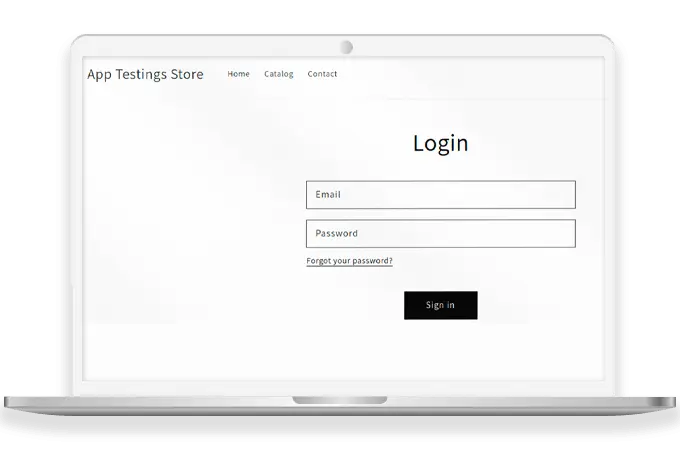
Redirect to the login page when a user attempts to access restricted content
When the user tries to access private content, he/she is redirected to the login page. The page or product can only be accessible after login.
Why choose Required Login Shopify App by MageComp?
- Required Login Shopify App supports login compulsion to access the store content.
- Shopify admin can restrict the access of some categories for not logged-in users using Required Login Shopify App.
- Access to some products will require login using the Shopify Required Login App.
- When the user attempts to access the restricted page, it redirects to the login page
- This Shopify App also shows the number of products and collections restricted.
- Secure your Shopify Store content and product from guest users.