
WhatsApp is a convenient way for Shopify merchants to communicate with customers, share order updates, and answer common questions. However, managing every customer message manually can take time as an online store grows.
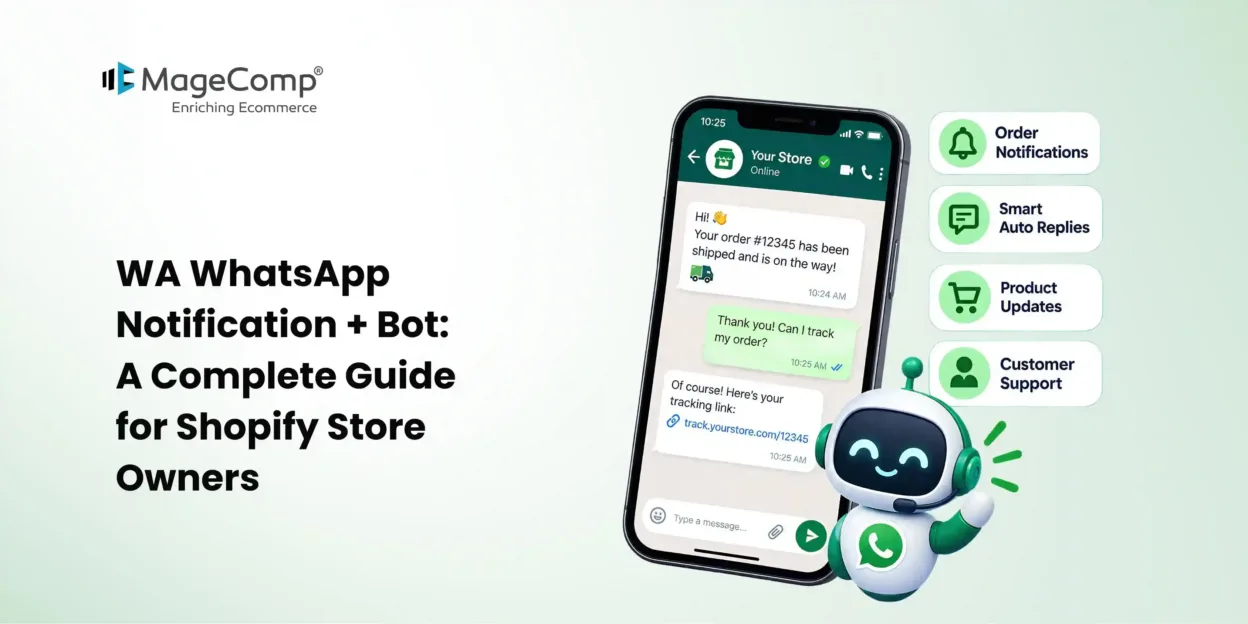
WA WhatsApp Notification + Bot by MageComp helps Shopify store owners automate WhatsApp notifications and customer support responses. Merchants can send order updates, abandoned-cart reminders, refund notifications, and review requests while using a chatbot to respond to customer queries.
In this guide, we will explore the app’s key features, benefits, and steps to get started.

What Is WA WhatsApp Notification + Bot?
WA WhatsApp Notification + Bot is a Shopify app designed to simplify customer communication through automated WhatsApp messages and chatbot responses.
The app helps merchants notify customers about important order events, including order placement, shipment updates, delivery, refunds, and abandoned carts. It can also notify store administrators about new customer registrations and orders.
By automating routine messages and common queries, Shopify merchants can reduce repetitive work and provide customers with timely information.
Explore WA WhatsApp Notification + Bot on the Shopify App Store
Key Features of WA WhatsApp Notification + Bot
1. Automated WhatsApp Order Notifications
Keep customers informed throughout their purchase journey with automated notifications for order confirmation, shipment status, delivery updates, and refunds. Timely updates help customers stay informed without contacting your support team for every order.
2. Abandoned Cart Notifications
Customers sometimes leave products in their carts without completing checkout. Automated WhatsApp reminders can encourage them to revisit their carts and complete their purchases, helping merchants recover potentially lost sales.
3. Intelligent WhatsApp Chatbot
The chatbot helps answer common customer questions automatically. Merchants can configure queries and responses to provide useful information about products, orders, and other frequently asked questions.
This allows customers to receive quick responses while reducing the workload on support staff.
4. Automated Review Requests
Customer feedback can help merchants understand shopping experiences and build trust with future buyers. The app supports automated review-request notifications that encourage customers to share their experiences after purchasing.
5. Store Owner Notifications
The app can notify administrators when a customer places an order or registers with the store. These alerts help merchants stay informed about important store activities without constantly checking the Shopify dashboard.
6. Message Logs and Pre-Approved Templates
Merchants can use available WhatsApp notification templates to simplify message setup. The app also provides a message log to help review communications sent through the system.
How to Set Up WA WhatsApp Notification + Bot
Follow these general steps to get started with the app.
Step 1: Install the App
Visit the WA WhatsApp Notification + Bot listing on the Shopify App Store. Install the app and follow the prompts to connect it to your Shopify store.
Step 2: Configure WhatsApp Settings
Open the app from your Shopify admin and review its WhatsApp configuration options. Complete the required account, number, or integration settings according to the setup method supported by the app.
Step 3: Configure Notification Templates
Select the notification events you want to automate. Configure suitable messages for order confirmations, shipment updates, refunds, abandoned carts, and review requests.
Keep each message clear, useful, and relevant to the customer event.
Step 4: Set Up Chatbot Responses
Identify common customer questions and configure corresponding responses in the chatbot settings. For example, you can prepare answers to frequently asked questions about shipping, order updates, and store policies, depending on the options supported by the app.
Step 5: Enable Automated Notifications
Enable the notification events required by your business. Check that the correct message template is associated with each event and that the necessary integration settings are complete.
Step 6: Test and Monitor Messages
Test the configured notifications and chatbot responses before relying on them for regular customer communication. Review the message logs to monitor outgoing messages and identify potential configuration issues.
Note: Exact configuration steps may vary depending on the app version and the WhatsApp integration method available to your store.
Conclusion
WA WhatsApp Notification + Bot helps Shopify merchants simplify customer communication through automated order notifications, abandoned-cart reminders, review requests, and chatbot responses. It also helps store owners stay informed about new orders and customer registrations.
By automating routine communication and preparing helpful chatbot responses, merchants can save time while keeping customers informed throughout their shopping journey.
If you want to streamline WhatsApp communication for your Shopify store, explore WA WhatsApp Notification + Bot by MageComp and discover how it can support your customer communication workflow.

FAQ
1. What is WA WhatsApp Notification + Bot?
It is a Shopify app by MageComp that helps merchants automate WhatsApp notifications and chatbot responses for customer communication.
2. Which notifications can the app send?
Supported notification types include order confirmations, shipment and delivery updates, refund notifications, abandoned-cart reminders, and review requests.
3. Can the app automatically answer customer questions?
Yes. The chatbot supports configured queries and responses to help answer common customer questions automatically.
4. Can store owners receive notifications?
Yes. The app can notify store administrators about new orders and customer registrations.
5. Does the app support message tracking?
Yes. Merchants can review the available message logs to monitor communications sent through the app.