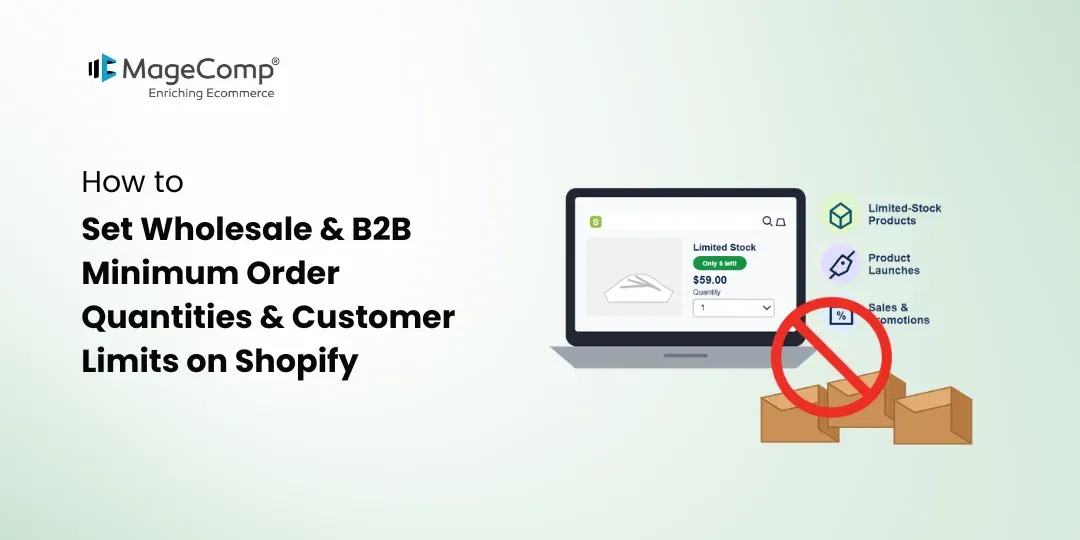
Running a wholesale or B2B Shopify store often requires different purchasing rules than a regular retail store. Wholesale customers typically purchase products in larger quantities, while merchants may need to enforce minimum order quantities, pack sizes, or customer-specific limits.
For example, you may want wholesale customers to purchase at least 10 units of a product, order products in multiples of 5, or apply different quantity limits to customers with a specific tag.
Shopify merchants can manage these requirements using a dedicated order-limit solution such as KOR Order Limits Quantity. It supports minimum and maximum quantities, customer tag-based restrictions, collection limits, cart rules, and other purchasing conditions designed for B2B and wholesale stores.

What Is a Wholesale Minimum Order Quantity?
A Minimum Order Quantity (MOQ) defines the smallest quantity a customer must purchase for a product or order.
For example:
Minimum quantity: 10 units
A wholesale customer must purchase at least 10 units to meet the configured requirement.
MOQs are commonly used when selling products in bulk because small orders may not be practical from a pricing, packaging, manufacturing, or fulfillment perspective.
Why Set MOQ for Shopify Wholesale Orders?
Wholesale stores can benefit from minimum quantity rules in several ways.
Encourage Bulk Purchases
A minimum quantity encourages customers to purchase products in quantities suitable for wholesale transactions.
Simplify Fulfillment
Selling products in predefined quantities can make packing and fulfillment easier.
Support Wholesale Pricing
If your wholesale pricing is based on bulk quantities, an MOQ can help ensure customers meet the required purchase level.
Protect Margins
Processing very small wholesale orders may not be commercially practical. A minimum order requirement can help maintain the economics of bulk selling.
How to Set Wholesale MOQ on Shopify
A dedicated order-limit app can make it easier to create and manage wholesale purchasing rules.
With KOR Order Limits Quantity, merchants can set minimum and maximum quantities for products, variants, and collections. The app is specifically positioned for B2B wholesale use cases and also supports checkout rules and customer tag-based limits.
Step 1: Install KOR Order Limits Quantity
Install KOR from the Shopify App Store. The app has a Built for Shopify badge and offers a free trial, with pricing currently starting at $3.99 per month.
Step 2: Select the Product or Collection
Choose the product, variant, or collection where you want to apply the wholesale quantity rule.
For example:
Product: Cotton T-Shirt
Minimum quantity: 10
Step 3: Define the Quantity Rule
Set the minimum quantity customers need to purchase. You can also configure a maximum quantity when your wholesale business needs an upper limit.
KOR supports both minimum and maximum quantity rules for products, variants, and collections.
Step 4: Add Checkout Validation
Checkout rules can help prevent customers from completing an order that does not meet your purchasing requirements. KOR supports checkout validations and checkout alerts for communicating these restrictions.
How to Set Quantity Limits for Shopify Wholesale Customers
Not every customer needs to follow the same purchasing rules.
For example, you may want:
Retail customers → Maximum 5 units
Wholesale customers → Minimum 20 units
VIP customers → Maximum 50 units
KOR supports customer tag-based limits, allowing merchants to apply quantity and order-value rules according to customer tags. These features are available on the app’s Pro plan.
This can be useful when your Shopify store serves both retail and B2B customers.
How to Set Minimum Orders for Shopify Customer Tags
Customer tags can help identify different customer groups within your Shopify store.
For example, you can assign a tag such as Wholesale to eligible customers and create purchasing rules specifically for that group.
A wholesale rule could look like:
Customer Tag: Wholesale
Minimum quantity: 20 units
Maximum quantity: 100 units
This approach lets you create purchasing conditions without applying the same wholesale restrictions to every customer.
KOR also supports customer tag-based order-value limits, giving B2B merchants additional control over customer purchasing requirements.
Sell Products in Packs or Multiples
Some wholesale products cannot be sold as individual units. Instead, they need to be purchased in specific multiples.
For example:
Pack size: 12 units
Customers should purchase 12, 24, 36, or 48 units rather than 13 or 25.
KOR supports Multiply Quantity rules, which can help merchants manage products that need to be purchased in predefined multiples.
This is useful for products sold by cartons, packs, cases, or bundles.
More Wholesale Order Controls with KOR
Wholesale stores may need more than a simple MOQ. KOR provides several additional order-management options.
You can create rules based on:
- Product quantity
- Product variants
- Collections
- Customer tags
- Cart quantity
- Order amount
- Order weight
- Maximum orders per customer
- Purchase frequency
- Future purchase periods
For stores with large catalogs, the Pro plan also supports bulk product-limit imports through CSV, making it easier to manage quantity rules across multiple products.
Best Practices for Shopify B2B Quantity Limits
Make MOQ Visible
Clearly display minimum order requirements on product pages and during checkout so wholesale customers know the rules before placing an order.
Use Customer Tags Carefully
Apply customer tags consistently so the correct purchasing rules are assigned to the appropriate customer groups.
Match Limits to Your Business Model
Your MOQ should reflect packaging, pricing, inventory, and fulfillment requirements.
Test Your Rules
Before applying restrictions to live customers, test different quantities and customer groups to make sure the rules work as expected.
Final Thoughts
Managing wholesale purchasing requirements becomes easier when your Shopify store can enforce the right quantity rules automatically. Whether you need a minimum order quantity, maximum quantity, pack multiples, or customer tag-based restrictions, having flexible order controls can help you manage B2B sales more efficiently.
KOR Order Limits Quantity brings these capabilities together, with support for product, variant, collection, customer-tag, cart, order-value, and weight-based limits. It also provides checkout validations, future limits, bulk CSV management, and other tools for managing complex purchasing requirements.
For Shopify merchants selling wholesale or operating a B2B store, KOR provides a flexible way to create purchasing rules that match different products and customer groups.

FAQ
1. What is MOQ in Shopify wholesale?
MOQ, or Minimum Order Quantity, is the minimum number of units a customer must purchase to place an order or meet a product’s purchasing requirement.
2. Can I set a minimum quantity for Shopify wholesale customers?
Yes. KOR allows merchants to configure minimum quantity rules for products, variants, and collections.
3. Can I set different limits for wholesale and retail customers?
Yes. KOR supports customer tag-based limits, allowing merchants to apply different purchasing rules to different customer groups.
4. Can Shopify wholesale products be sold only in multiples?
Yes. KOR supports Multiply Quantity rules for products that need to be purchased in specific multiples.
5. Does KOR support bulk quantity-limit management?
Yes. The Pro plan supports importing product limits in bulk through CSV.