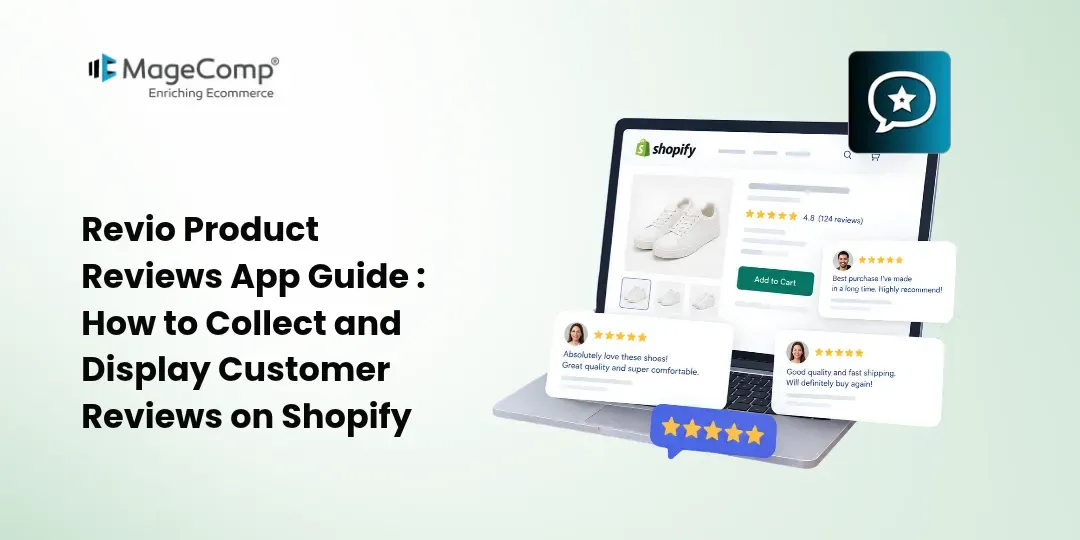
Customer reviews can help Shopify stores showcase real customer experiences and give shoppers more information while they browse products. From star ratings and written feedback to photo reviews, displaying user-generated content can add social proof to your storefront.
However, collecting reviews manually and keeping them organized can become time-consuming as your store grows. A product review app can simplify this process by helping you collect customer feedback, manage reviews, and display them directly on product pages.
Revio Product Reviews App helps Shopify merchants collect product reviews, photo reviews, and star ratings, with tools for automated review requests, customizable review widgets, analytics, QR codes, and multilingual review collection.
In this guide, we’ll explore how to use the Revio Product Reviews App to build a review collection process for your Shopify store.

Why Are Product Reviews Important for Shopify Stores?
Online shoppers cannot physically examine products before purchasing them. Reviews can provide additional information from people who have already interacted with the product.
A well-organized review section can help you:
- Display customer experiences on product pages
- Highlight product ratings with star widgets
- Collect photo reviews from customers
- Give shoppers additional product information
- Showcase user-generated content
- Monitor review activity and performance
- Create opportunities to collect feedback after purchases
Instead of relying only on product descriptions, you can use customer feedback to give shoppers another perspective on your products.
What Is the Revio Product Reviews App?
Revio Product Reviews App is a Shopify app developed by MageComp for collecting and displaying customer reviews, ratings, and photo reviews.
The app provides tools for review collection and management, including automated review request emails, thank-you emails, customizable review widgets, QR codes, manual review links, analytics, and multilingual support.
It can be useful for Shopify merchants who want to manage customer feedback from one place instead of handling review requests and storefront display manually.
Key Features of Revio Product Reviews App
1. Collect Product Reviews and Star Ratings
Revio lets customers submit product reviews and star ratings. These reviews can be displayed through review widgets on your Shopify storefront.
Star ratings provide shoppers with a quick way to understand how customers have rated a product, while written reviews can provide more detailed experiences.
2. Collect Photo Reviews
Customers can share photos along with their product reviews. Photo reviews can add visual context and show how products look or are used by real customers.
For stores selling fashion, accessories, home products, beauty products, or other visually focused products, this type of user-generated content can be particularly useful.
3. Automated Review Request Emails
Following up with every customer manually can be difficult, especially when your store receives regular orders.
Revio includes automated review request emails that can help merchants ask customers for feedback after purchase.
An automated workflow can make review collection more consistent without requiring you to send every request individually.
4. Automated Thank-You Emails
After a customer submits a review, a thank-you email can help acknowledge their contribution.
Revio includes automated thank-you emails as part of its review collection features.
This creates a simple follow-up process:
Purchase → Review Request → Customer Review → Thank-You Email
5. Customizable Review Widgets
Your reviews should look like a natural part of your Shopify store rather than an unrelated element.
Revio provides customizable review widgets that allow merchants to display product reviews and star ratings on their storefront.
You can use review widgets to make customer feedback visible where shoppers are evaluating products.
6. QR Codes for Review Collection
Not every customer interaction happens directly through your online store.
Revio provides QR code generation for offline review collection. Merchants can use QR codes in suitable offline marketing materials, packaging, printed inserts, or other customer touchpoints to direct customers toward review submission.
This can connect offline customer interactions with your online review collection process.
7. Manual Review Links
Revio also supports manual review links, making it possible to share a direct review submission route with customers.
For example, a merchant could share a review link through an appropriate customer communication channel after a purchase.
8. Review Analytics
Collecting reviews is only one part of managing customer feedback.
Revio includes a merchant analytics dashboard with charts and review performance data.
Analytics can help merchants monitor review activity and understand how their review collection efforts are performing.
9. Review Management
As your store collects more customer feedback, managing reviews becomes increasingly important.
Revio includes review management capabilities that allow merchants to organize and manage user-generated content from the app.
A centralized review management workflow can make it easier to keep track of customer feedback.
10. Multi-Language Support
If you sell to customers in different markets, multilingual support can make your review collection process more accessible.
The current Shopify App Store listing shows support for multiple languages, including English, Danish, French, Italian, Portuguese (Portugal), and Spanish.
This can be useful for Shopify merchants serving international audiences.
How to Use Revio Product Reviews App on Shopify
Follow these general steps to start collecting and displaying customer reviews.
Step 1: Install Revio Product Reviews App
Open the Revio Product Reviews App listing in the Shopify App Store and select the option to install the app.
Install the Revio Product Reviews App
After installation, open the app from your Shopify admin.
Step 2: Configure Your Review Settings
Review the available settings and configure your review collection process according to your store’s requirements.
Consider how you want to collect:
- Written reviews
- Star ratings
- Photo reviews
- Post-purchase feedback
Set up the relevant options before publishing your review experience.
Step 3: Configure Review Request Emails
Enable automated review request emails to encourage customers to submit feedback after purchasing.
Create a message that clearly explains what you want customers to do and provides an easy way to submit their review.
Keep the email simple and customer-focused. A straightforward request can make it easier for customers to understand the purpose of the message.
Step 4: Set Up Thank-You Emails
Configure the thank-you email that customers receive after submitting a review.
This provides a simple way to acknowledge their feedback and complete the review collection journey.
Step 5: Add Review Widgets to Your Store
Configure the review widget that you want to display on your storefront.
You can use review widgets to show customer ratings and reviews where shoppers can easily find them, such as on product pages.
Make sure the review section fits naturally with your store design.
Step 6: Enable Photo Reviews
If visual customer feedback is important for your products, enable photo reviews so customers can submit images with their feedback.
For example, a clothing store could collect customer photos showing how an item looks when worn, while a home décor store could collect images of products in customers’ spaces.
Step 7: Use QR Codes for Offline Customers
If you interact with customers offline, consider using Revio’s QR code feature.
You can place a suitable QR code on:
- Product packaging
- Printed inserts
- Receipts
- Event materials
- Offline promotional materials
Customers can scan the code and access the review submission process.
Step 8: Monitor Review Activity
Use the analytics and review management features to monitor your collected feedback.
Pay attention to:
- Number of reviews collected
- Star ratings
- Customer feedback
- Photo reviews
- Review activity over time
Use these insights to understand what customers are saying about your products.
Final Thoughts
Customer reviews can become an important part of the shopping experience by giving prospective customers access to feedback from existing buyers.
With the Revio Product Reviews App, Shopify merchants can collect product reviews, star ratings, and photo reviews while using automated emails, customizable widgets, QR codes, manual review links, analytics, and multilingual support to manage the process.

FAQ
1. What is Revio Product Reviews App?
Revio Product Reviews App is a Shopify app that helps merchants collect, manage, and display product reviews, star ratings, and photo reviews on their online stores.
2. Does Revio provide QR codes for collecting reviews?
Yes. Revio provides QR code functionality that merchants can use to direct customers to the review submission process from offline materials such as packaging or printed inserts.
3. Can I share a direct review link with customers?
Yes. Revio supports manual review links, allowing merchants to share a direct route for customers to submit product feedback.
4. Does Revio support multiple languages?
Yes. Revio supports multiple languages, making it suitable for Shopify stores serving customers in different markets.
5. Does Revio provide review analytics?
Yes. Revio includes analytics features that help merchants monitor review activity and related performance data.