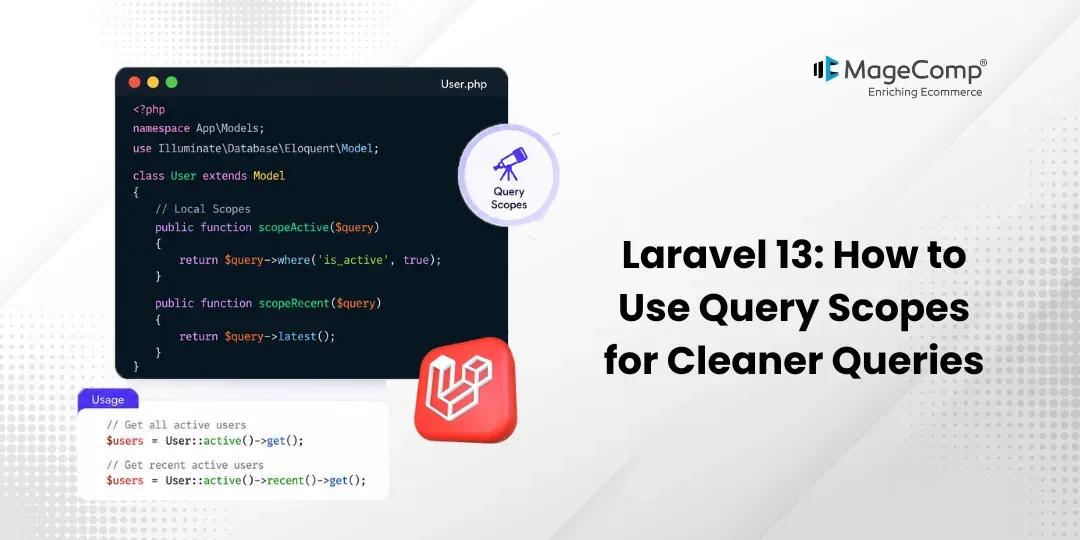
If you’ve ever found yourself copy-pasting the same where() conditions across multiple Eloquent queries in your Laravel application, you’re not alone, and there’s a better way. Laravel 13 query scopes let you encapsulate your query logic into reusable, readable methods, keeping your codebase clean and DRY (Don’t Repeat Yourself).
In this guide, we’ll walk you through everything you need to know about query scopes in Laravel 13.

Prerequisite:
- Composer (latest Version)
- Laravel version 13
Steps to Use Query Scopes in Laravel 13:
Here are the steps to follow:
Step 1: Install Laravel 13
Step 2: Set Database details and migrate
Step 3: Create Model and Migration
Step 4: Create Routes
Step 5: Create Controller
Step 6: Create Blade File
Step 7: Test Project
Now, let’s see all the steps with the detailed information.
Step 1: Install Laravel 13
We need a new project for this demo. Create it using the command below:
composer create-project laravel/laravel:^13.0 query-scope-demoStep 2: Set Database details and migrate
Set the database details in the .env as your current credentials and use the below command to migrate the database.
php artisan migrateStep 3: Create Model and Migration
Now, create a Product model with migration.
php artisan make:model Product -mUpdate migration file:
database/migrations/create_products_table.php
<?php
use Illuminate\Database\Migrations\Migration;
use Illuminate\Database\Schema\Blueprint;
use Illuminate\Support\Facades\Schema;
return new class extends Migration
{
    public function up(): void
    {
        Schema::create('products', function (Blueprint $table) {
            $table->id();
            $table->string('name');
            $table->integer('price');
            $table->string('status')->default('active');
            $table->timestamps();
        });
    }
    public function down(): void
    {
        Schema::dropIfExists('products');
    }
};
Now run migration:
php artisan migrateUpdate Product model with Query Scope:
app/Models/Product.php
<?php
namespace App\Models;
use Illuminate\Database\Eloquent\Model;
class Product extends Model
{
    protected $fillable = [
        'name',
        'price',
        'status'
    ];
    /**
     * Scope for active products
     */
    public function scopeActive($query)
    {
        return $query->where('status', 'active');
    }
}
Step 4: Create Routes
Now, create a route for displaying active products
routes/web.php
<?php
use Illuminate\Support\Facades\Route;
use App\Http\Controllers\ProductController;
Route::get('/', [ProductController::class, 'index']);
Step 5: Create Controller
Here, we will create ProductController. Use the command below to create the controller.
php artisan make:controller ProductControllerapp/Http/Controllers/ProductController.php
<?php
namespace App\Http\Controllers;
use Illuminate\Http\Request;
use App\Models\Product;
class ProductController extends Controller
{
    /**
     * Display active products using query scope
     */
    public function index()
    {
        $products = Product::active()->get();
        return view('products', compact('products'));
    }
}
Step 6: Create Blade File
Now, create blade file
resources/views/products.blade.php
<!DOCTYPE html>
<html>
<head>
    <title>Laravel Query Scope Example</title>
</head>
<body>
<h2>Active Products List</h2>
<table border="1" cellpadding="10">
    <tr>
        <th>ID</th>
        <th>Name</th>
        <th>Price</th>
        <th>Status</th>
    </tr>
    @foreach($products as $product)
    <tr>
        <td>{{ $product->id }}</td>
        <td>{{ $product->name }}</td>
        <td>{{ $product->price }}</td>
        <td>{{ $product->status }}</td>
    </tr>
    @endforeach
</table>
</body>
</html>
Step 7: Test Project
Now, run the Laravel app:
php artisan serveNow, go to your web browser, type the given URL, and view the app output:
http://localhost:8000/
Conclusion
Laravel 13 provides query scopes that tidy up Eloquent queries without extra clutter. Since these let you reuse common filters, think of them like shortcuts baked right into models. Instead of repeating conditions everywhere, wrap them inside a scope method. When inputs change often, reach for ones built to accept arguments on the fly. Filters applied every time? Global versions run automatically across all queries. One after another, they stack neatly – no messy joins or tangled WHERE blocks. Because each has a name, reading code feels more like following steps. Over time, this keeps rules grouped where they belong. Even complex checks become easier to scan later. So long as they stay small, maintenance never gets out of hand.

FAQ
1. What is the difference between local and global scopes in Laravel?
Some settings work only where you decide, others kick in every time by default across each request for that data type.
2. Are query scopes only available in Eloquent?
True, you’ll find query scopes living inside Laravel’s Eloquent ORM – they don’t show up when using the Query Builder on its own. Instead, that tool works without them, sticking to a different style altogether.
3. Do query scopes affect performance?
No, query scopes do not negatively impact performance. They simply organize your query logic and are executed as normal SQL queries.