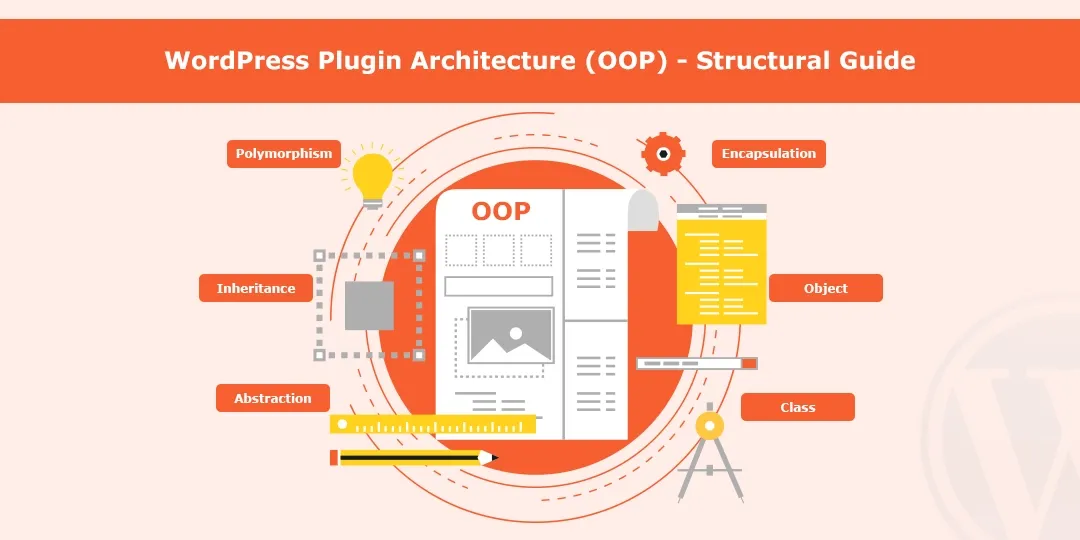
Creating scalable WordPress plugins requires more focus on clean architecture than adding features. This guide will walk through a minimal and structured plugin that illustrates modern standards such as OOP, Namespaces, Autoloading, and a simple Service Container.

The following example intentionally excludes technical complexity and is built on the following foundations:
- Clean file structure
- Separation of concerns
- WordPress-compliant practices
- Autoloading + Namespaces
- A minimal Service Container
This plugin will:
- Use OOP-based Modular Architecture
- Implement PSR-4 Style Autoloading
- Utilize Namespaces to Avoid Conflicts
- Introduce a Simple Service Container
- Add a Custom Admin Menu Page
Example
Step 1: Plugin Structure (Modern + WordPress Friendly)
custom-plugin-architecture/
- custom-plugin-architecture.php
includes/
- Core.php
- Loader.php
- Container.php
- Admin.php
Why this structure?
- To keep logic modular
- To minimize clutter in the main plugin file
- To support easy scaling
Step 2: Main Plugin File (Autoloading + Bootstrap)
<?php
/**
 * Plugin Name: Custom Plugin Architecture Demo
 */

defined('ABSPATH') || exit;

// PSR-4 Style Autoloader
spl_autoload_register(function ($class) {
    $prefix = 'CPA\\';
    $base_dir = __DIR__ . '/includes/';

    if (strpos($class, $prefix) !== 0) {
        return;
    }

    $class_name = str_replace($prefix, '', $class);
    $file = $base_dir . $class_name . '.php';

    if (file_exists($file)) {
        require $file;
    }
});

// Run Plugin
function cpa_run_plugin() {
    $plugin = new CPA\Core();
    $plugin->run();
}
cpa_run_plugin();
What this code does:
- Registers a basic autoloader
- Automatically loads classes only as required
- Boots the plugin via the core class
Step 3: Service Container (Basic Dependency Manager)
includes/Container.php
<?php
namespace CPA;

class Container {

    protected $services = [];

    public function set($key, $resolver) {
        $this->services[$key] = $resolver;
    }

    public function get($key) {
        if (isset($this->services[$key])) {
            return $this->services[$key]();
        }

        return null;
    }
}
What this code does:
- Contains and resolves services (classes)
- Maintains loose coupling of classes
- Makes the plugin extensible
Step 4: Core Class (Central Controller)
includes/Core.php
<?php
namespace CPA;

class Core {

    protected $loader;
    protected $container;

    public function __construct() {
        $this->loader = new Loader();
        $this->container = new Container();

        $this->register_services();
        $this->define_hooks();
    }

    private function register_services() {
        $this->container->set('admin', function () {
            return new Admin();
        });
    }

    private function define_hooks() {
        $admin = $this->container->get('admin');

        $this->loader->add_action('admin_menu', $admin, 'add_menu');
        $this->loader->add_action('admin_enqueue_scripts', $admin, 'enqueue_styles');
    }

    public function run() {
        $this->loader->run();
    }
}
What this code does:
- Acts as the brain of the plugin
- Registers services in the container
- Connects the services with WP hooks
Step 5: Loader Class (Hook Manager)
includes/Loader.php
<?php
namespace CPA;

class Loader {

    protected $actions = [];

    public function add_action($hook, $component, $callback) {
        $this->actions[] = [
            'hook' => $hook,
            'component' => $component,
            'callback' => $callback
        ];
    }

    public function run() {
        foreach ($this->actions as $action) {
            add_action(
                $action['hook'],
                [$action['component'], $action['callback']]
            );
        }
    }
}
What this code does:
- Centralizes all WordPress hooks
- Keeps code clean and scalable
Step 6: Admin Class
includes/Admin.php
<?php
namespace CPA;

class Admin {

    public function add_menu() {
        add_menu_page(
            'CPA Demo',
            'CPA Demo',
            'manage_options',
            'cpa-demo',
            [$this, 'render_page'],
            'dashicons-admin-generic'
        );
    }

    public function enqueue_styles() {
        echo '<style>
            .cpa-container {
                padding: 20px;
                background: #fff;
                border-radius: 10px;
                box-shadow: 0 2px 10px rgba(0,0,0,0.05);
            }
            .cpa-title {
                font-size: 24px;
                font-weight: bold;
                margin-bottom: 10px;
            }
            .cpa-badge {
                display: inline-block;
                background: #2271b1;
                color: #fff;
                padding: 5px 10px;
                border-radius: 5px;
                margin-top: 10px;
            }
        </style>';
    }

    public function render_page() {
        echo '<div class="wrap">';
        echo '<div class="cpa-container">';
        echo '<div class="cpa-title">Custom Plugin Architecture</div>';
        echo '<p>This plugin demonstrates a clean and scalable WordPress architecture using OOP, namespaces, autoloading, and a service container.</p>';
        echo '<span class="cpa-badge">OOP + Namespaces + Autoloading</span>';
        echo '</div>';
        echo '</div>';
    }
}
What this code does:
- Adds admin menu
- Injects simple custom styling
How to Use It:
- Create folder in wp-content/plugins/
- Add files as shown
- Activate plugin
- Open Admin → CPA Demo
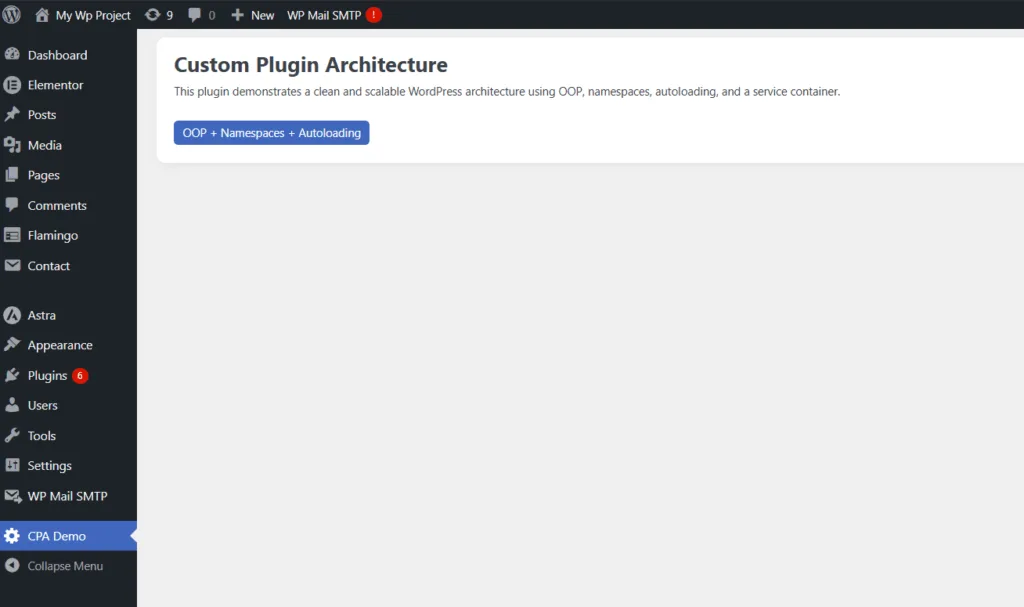
Purpose:
The reason for this example is to focus on the architecture of the plugin, not features.
It demonstrates:
- Architecture of modular plugins
- How to cleanly separate logic
- Modern PHP coding practices for WordPress
- How to build a scalable base for real-world plugins
Real Life Use Cases
1. Large Plugins
- LMS (Learning Management Systems)
- Membership Plugins
- SaaS (Software-As-A-Service) dashboards
These types of plugins will require a well-structured architecture.
2. API-Driven Plugins
- News APIs
- Payment integrations
Benefit from service separation
3. Team-Based Development
- Backend dev → Core/Services
- UI dev → Admin/Frontend
Prevents conflicts in the code
4. Scalable WordPress Products
- SEO tools
- Analytics dashboards
Architecture becomes critical as features grow
Important Note
This is a minimal architectural demonstration, not a production-ready plugin. For official standards and deeper guidelines, refer to the WordPress Plugin Developer Handbook.
Conclusion
WordPress Plugin Development using OOP is no longer a trend, but a requirement for building scalable and robust apps. Having an excellently designed architecture will help ensure your plugin remains maintainable, even as its functionality increases in complexity.
FAQ
1. Is OOP mandatory for WordPress plugin development?
No, however, it is highly recommended that you stick with OOP when developing Plugins when you have a medium to large size Plugin to provide future scalability and organization of the structure.
2. Should I add namespaces to my Plugin?
Yes, using namespaces will prevent name usage conflicts between different Plugins that are being run actively at the same time.
3. Is an autoloader required?
An autoloader is not required; however, it will make managing all of the files easier and aligns with the new PHP development standards.