The use of WordPress Custom Post Types (CPTs) along with postmeta might work well for standard editorial content, but they become cumbersome when handling large transactional datasets, high-volume logs, or analytical databases. Specifically, writing millions of lines of data in wp_postmeta leads to the formation of huge EAV tables, making complex SQL queries slow and inefficient.
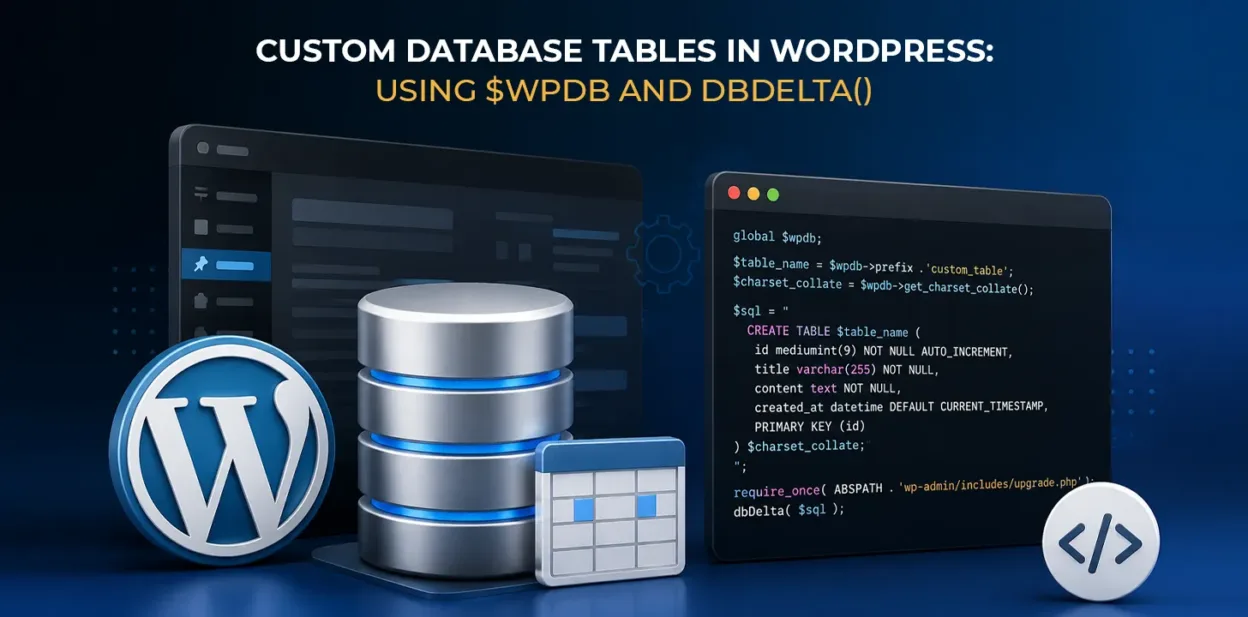
The guide shows how to create and work with custom database tables in WordPress using the global $wpdb object and the schema engine dbDelta().

What This Example Does
This guide provides insights on how to create and use a custom audit and activity logging engine that comprises the following key features:
- Automated Table Provisioning: Generates a custom database table (wp_custom_activity_logs) upon plugin activation.
- Safe Schema Evolution: Performs various functions related to table creation, while ensuring data is safe using the dbDelta() method.
- Prepared Query Execution: Performs safe operations including CRUD (Create, Read, Update, Delete) using $wpdb, and SQL parameter binding using $wpdb->prepare().
- Lifecycle Management: Ensures proper data cleanup, versioning, and indexing throughout different stages of the plugin lifecycle
Step-by-Step Code Implementation
Step 1: Define Table Schema & Run dbDelta() on Plugin Activation
To avoid the overhead of executing table creation commands every time a page is requested, we do schema verification in the plugin activation hook. The dbDelta() function compares the existing database schema against the specification and adds or modifies columns and/or attributes without dropping existing tables or data.
<?php

/**
 * Plugin Name: Custom Activity Logger
 * Description: High-performance custom database table using $wpdb and dbDelta().
 * Version: 1.0.0
 * Author: Your Name
 */

if ( ! defined( 'ABSPATH' ) ) {
    exit; // Prevent direct file access
}

register_activation_hook( __FILE__, 'cal_create_custom_table' );

function cal_create_custom_table() {
    global $wpdb;

    // Define table name with dynamic prefix
    $table_name = $wpdb->prefix . 'custom_activity_logs';

    // Retrieve correct database collation
    $charset_collate = $wpdb->get_charset_collate();

    // SQL statement following strict dbDelta rules

    $sql = "CREATE TABLE $table_name (
        id bigint(20) unsigned NOT NULL AUTO_INCREMENT,
        user_id bigint(20) unsigned NOT NULL DEFAULT 0,
        action_name varchar(100) NOT NULL DEFAULT '',
        ip_address varchar(45) NOT NULL DEFAULT '',
        context_data longtext NULL,
        created_at datetime NOT NULL DEFAULT CURRENT_TIMESTAMP,
        PRIMARY KEY  (id),
        KEY user_id (user_id),
        KEY action_name (action_name)
    ) $charset_collate;";

    // Load upgrade.php to access dbDelta()
    require_once( ABSPATH . 'wp-admin/includes/upgrade.php' );

    // Execute table creation / update
    dbDelta( $sql );

    // Store schema version for future automatic migrations
    add_option( 'cal_db_version', '1.0.0' );
}- $wpdb->prefix: Helps prevent conflicts arising from table names and works with WordPress multisite by adding a specific table prefix.
- $wpdb->get_charset_collate(): Gets the MySQL character set and collation from wp-config.php and returns it.
- dbDelta(): This is the main WordPress schema evolution tool. It accepts SQL queries and transforms existing tables.
Important dbDelta() Syntax Rules:
- Each field definition must be on its own line.
- You must have TWO SPACES between PRIMARY KEY and the column definition: PRIMARY KEY (id).
- Use KEY instead of INDEX, and always assign a key name.
- Spell all SQL keywords in uppercase (CREATE TABLE, NOT NULL, DEFAULT).
Step 2: Insert Records Using $wpdb->insert()
Thanks to the use of functions from WordPress core, the process of sanitization of the data is done automatically according to the Placeholder format (%s refers to a string, %d – to an integer, %f – float).
function cal_log_activity( $user_id, $action, $ip, $context = array() ) {
    global $wpdb;
    $table_name = $wpdb->prefix . 'custom_activity_logs';

    $data = array(
        'user_id'      => absint( $user_id ),
        'action_name'  => sanitize_text_field( $action ),
        'ip_address'   => sanitize_text_field( $ip ),
        'context_data' => wp_json_encode( $context ),
        'created_at'   => current_time( 'mysql', 1 ), // GMT time
    );

    $format = array(
        '%d', // user_id
        '%s', // action_name
        '%s', // ip_address
        '%s', // context_data
        '%s', // created_at
    );

    $inserted = $wpdb->insert( $table_name, $data, $format );

    if ( false === $inserted ) {
        return false;
    }
    return $wpdb->insert_id;
}- $wpdb->insert(): Used to execute the INSERT INTO command without need of doing the concatenation of the SQL string on your own.
- wp_json_encode(): Helps you to transform PHP data arrays and data into an adequate string of JSON, which will be stored in the long text field.
- $wpdb->insert_id: Function allows you to find out the auto-incremented key ID of the last inserted record.
Step 3: Query Records Securely with $wpdb->prepare() and $wpdb->get_results()
Unproven queries can lead to vulnerabilities caused by SQL injections. Always use the function $wpdb->prepare() when making SQL queries.
function cal_get_user_logs( $user_id, $limit = 20, $offset = 0 ) {
    global $wpdb;
    $table_name = $wpdb->prefix . 'custom_activity_logs';
    // Prepare secure query with typed placeholders
    $query = $wpdb->prepare(
        "SELECT id, action_name, ip_address, context_data, created_at
         FROM {$table_name}
         WHERE user_id = %d
         ORDER BY created_at DESC
         LIMIT %d OFFSET %d",
        $user_id,
        $limit,
        $offset
    );
    // Retrieve multiple rows as an array of objects
    $results = $wpdb->get_results( $query );
    return ! empty( $results ) ? $results : array();
}- $wpdb->prepare(): Allows your program to sanitize and escape arguments used in the SQL queries by means of using the format specifiers, i.e., %d, %s, %f.
- $wpdb->get_results(): Allows your program to run the previously prepared SQL query and generate the object which represents the rows returned by this query.
- Query Result Alternatives: $wpdb->get_var() (single value/count), $wpdb->get_row() (single record), $wpdb->get_col() (1D array of single column).
Step 4: Update and Delete Records
Use $wpdb->update() and $wpdb->query() for update, delete, and cleanup of database records.
function cal_update_log_context( $log_id, $new_context ) {
    global $wpdb;
    $table_name = $wpdb->prefix . 'custom_activity_logs';
    return $wpdb->update(
        $table_name,
        array( 'context_data' => wp_json_encode( $new_context ) ), // Data to update
        array( 'id' => absint( $log_id ) ),                        // WHERE clause
        array( '%s' ),                                              // Data format
        array( '%d' )                                               // WHERE format
    );
}
function cal_delete_old_logs( $days = 30 ) {
    global $wpdb;
    $table_name = $wpdb->prefix . 'custom_activity_logs';
    // Complex conditional deletion using raw prepared query
    $threshold_date = gmdate( 'Y-m-d H:i:s', strtotime( "-{$days} days" ) );
    return $wpdb->query(
        $wpdb->prepare(
            "DELETE FROM {$table_name} WHERE created_at < %s",
            $threshold_date
        )
    );
}- $wpdb->update(): Allows you to update all matched records based on the set of values represented in the associative array.
- $wpdb->query(): Executes arbitrary or bulk SQL operations (like conditional timestamp batch purges) with prepared statements.
Real-Life Use Cases
- High-Volume Event and Error Logging: Keeping the records of clickstreams, webhook payloads, and errors out of wp_posts helps prevent database bloat and keep query performance at a high level in the core admin interface.
- Custom Financial and Billing Engines: Individual tables allow proper indexing over the financial data (transaction_id, status, currency, timestamp), thereby eliminating slow multi-table joins in wp_postmeta.
- Form Submission & Survey Archives: Saving many thousands of forms in plain relational tables avoids the problem of vertical row scaling of postmeta.
- Analytical Counters and Telemetry: Page views, visitor IP addresses, and geolocation run much faster than using synthesized composite indexes.
Conclusion:
WordPress built-in post types and metadata system are applicable for many types of websites, but it is not necessarily the most suitable solution for high-volume structured data.
Using custom tables together with $wpdb and dbDelta(); gives you more control over the database schema, indexes, queries, and data lifecycle.
FAQ
1. What is $wpdb in WordPress?
$wpdb is WordPress’s global database abstraction object. It provides methods for interacting with the WordPress database, including inserting, updating, deleting, and retrieving records.
2. What is dbDelta() used for?
dbDelta() is a WordPress core function used to create and modify database table structures. It compares the supplied SQL schema with the existing table and applies supported structural changes.