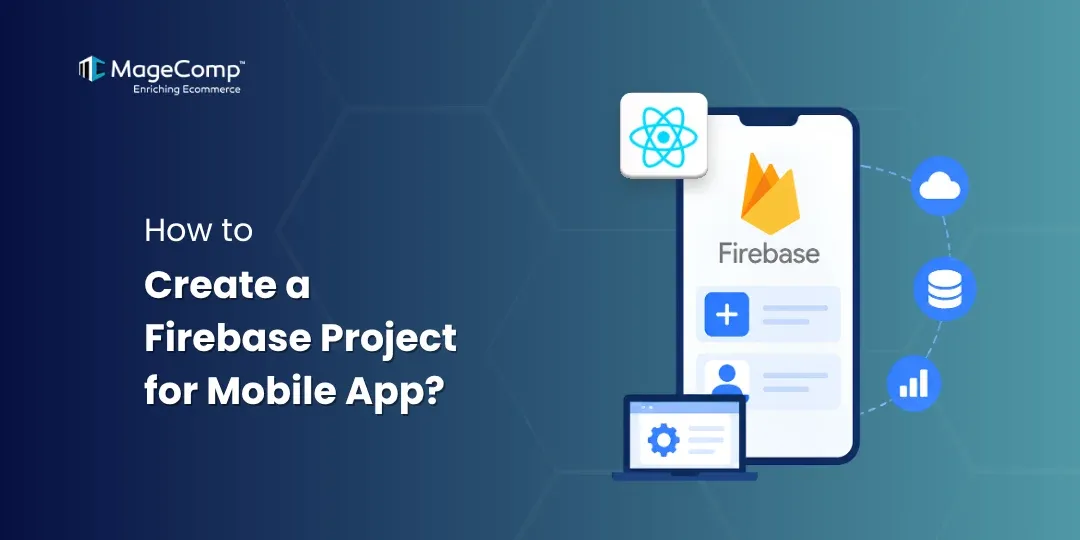
Designing a mobile application involves more than just creating an appealing design and integrating effective features. If you want to provide an uninterrupted user experience with your app, you must ensure the availability of effective backend systems, including analytics, crash reporting, push notifications, and other cloud service functionalities.
To use features like Firebase App Analytics and Push Notifications, you need to create a Firebase project. To do that, please follow this guide.

Prerequisites
Before you start the process of creating your Firebase project, make sure that you have the following resources:
- A Google account
- Your mobile app or store name
- Access to the Internet
- Ability to manage the project
Steps to Create Firebase Project and Add Member to it:
Step 1: Open Firebase Console
Go to the Firebase Console
Vsit: https://console.firebase.google.com
Create or sign in to your Google account
Step 2: Create a New Firebase Project
Click on Create a project
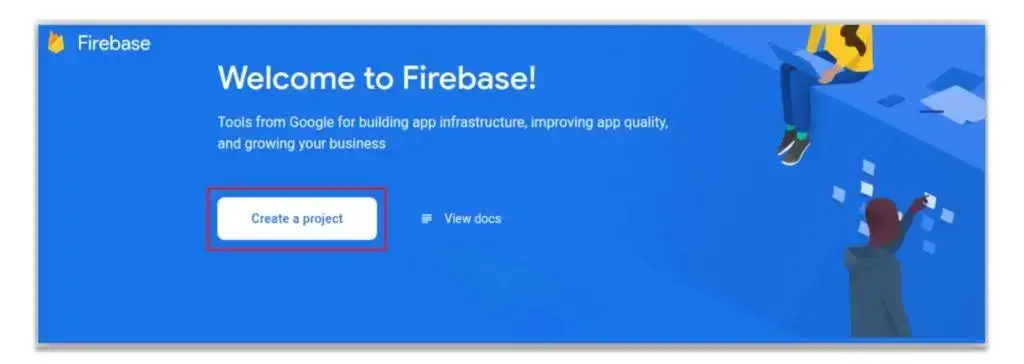
- Enter Project Name (Your Store or App Name), accept the Firebase terms, and click Continue.
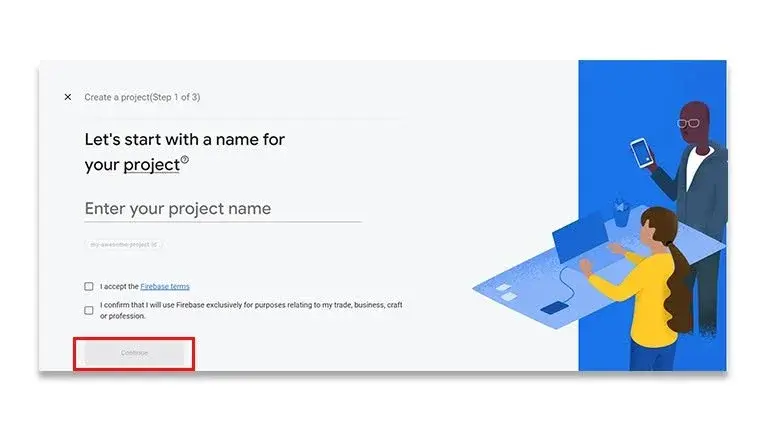
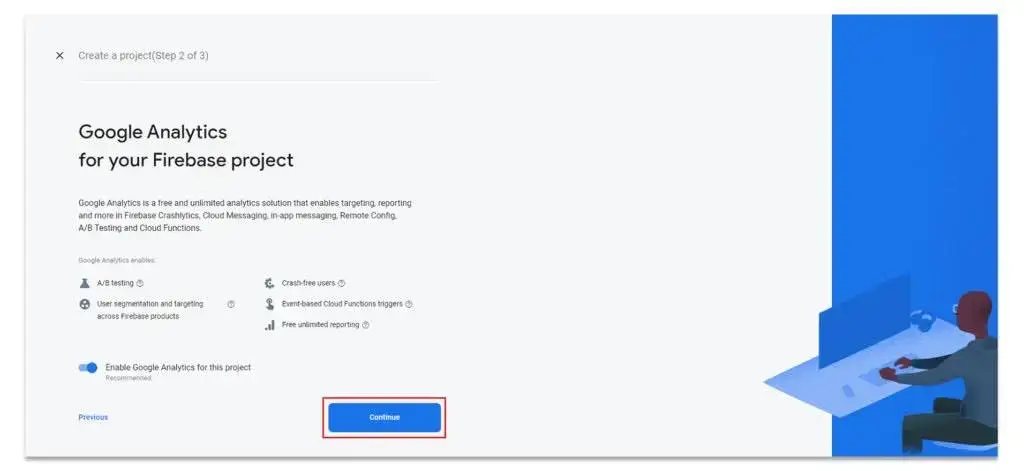
- Click Continue again.
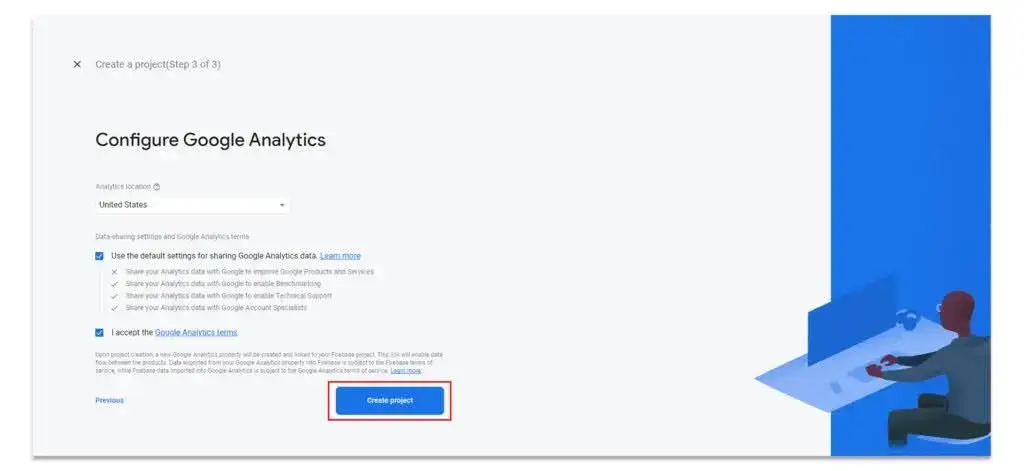
- Select your Country, accept the Terms and Conditions, and click Create project.
- Wait for the project to be created.

- Then click Continue.
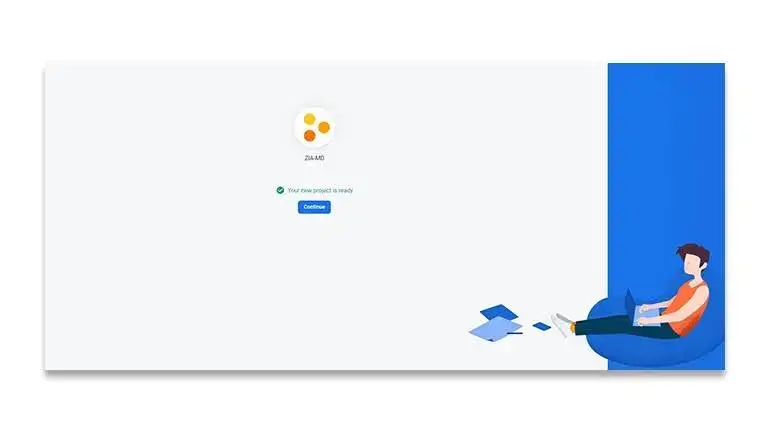
Step 3: Add a Member to Firebase Project
Add a member to your Project
- Click the Settings icon, then select Users and permissions
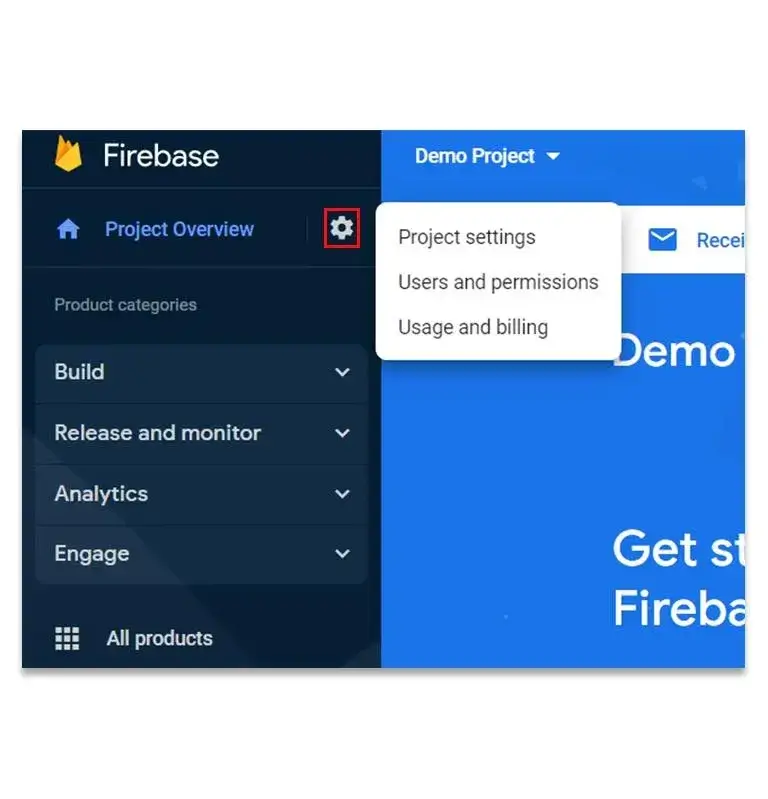
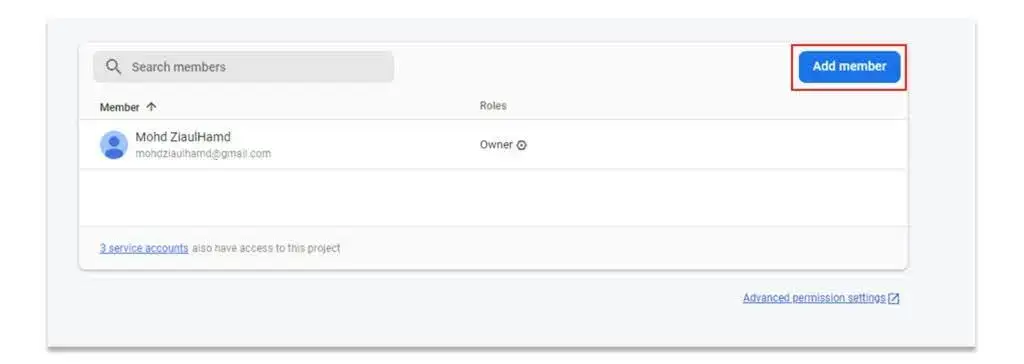
- On the Users and permissions page, click Add member.
- Enter email (magecomp.mobileteam@gmail.com) and select the role as Editor.
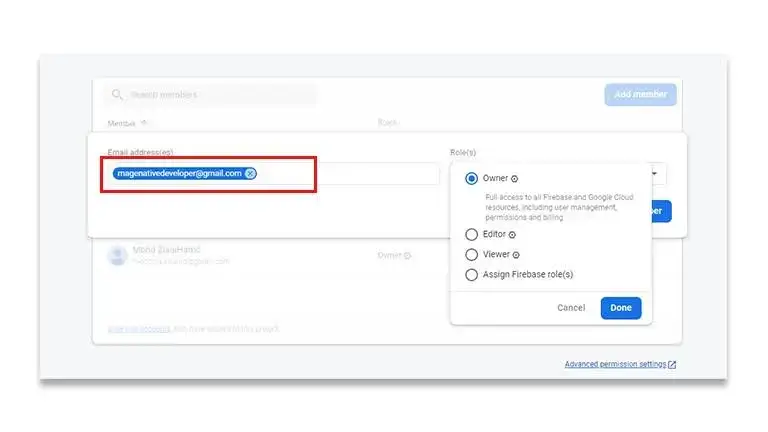
- Click Add Member, and the invitation will be sent.
Why Grant Editor Access?
With the provision of Editor access, the mobile app developer team can perform the following tasks:
- Setting up Firebase Cloud Messaging (FCM)
- Configuring push notifications
- Integrating Firebase analytics
- Configuring Crashlytics
- Administering Firebase settings
- Timely completion of the mobile application integration
Granting the necessary access levels ensures the project’s security while at the same time allowing the necessary development processes to proceed.

Conclusion
Following the aforementioned actions will ensure quick creation of the Firebase project along with suitable Editor access for developers to perform the integration.
FAQ
1. What is Firebase?
Firebase is an application development platform provided by Google and is used by developers for back-end services such as authentication, analytics, cloud messaging, database processing, and crash reporting.
2. Is Firebase free to use?
Yes, it is free. Firebase offers a free Spark Plan, which consists of a variety of services. With the development of your application in the future, you will be able to switch to the Blaze Plan.
3. What is the significance of a Firebase project concerning mobile applications?
With the help of a Firebase project, one can connect an app to various kinds of Firebase services: push notifications, analytics, authentication, storage, crash reports, etc.
4. Can one Firebase project be used for both Android and iOS applications?
Indeed, as long as one app is involved, both the iOS and Android applications can fall under one Firebase project.
5. What level of access should I grant to the development team?
If the development team only needs to set up Firebase services, it is usually enough to assign the Editor access level.
6. How long does it usually take to set up a Firebase project?
Generally, it can take a few minutes to set up a Firebase project, depending on the speed of your internet connection and the configuration of your Google account.
7. Is it possible to delete a user later?
Yes. Project owners and those with sufficient privileges can remove or modify users through the Users and Permissions section.