If you’ve been building Shopify apps for a while, you’ve probably noticed things have gotten more complicated. Tokens expire now? Yep.
Shopify has rolled out big changes: token exchange, session tokens, and offline tokens that actually have expiration dates. If you’re building embedded apps, background jobs, webhooks, or any automation that runs without a merchant actively clicking around, you need to understand the new flow. Not next month. Now.

What’s an Offline Token, Again?
Shopify gives you two types of API tokens:
- Online tokens – Tied to a logged-in user. When they log out, the token dies. Good for interactive stuff.
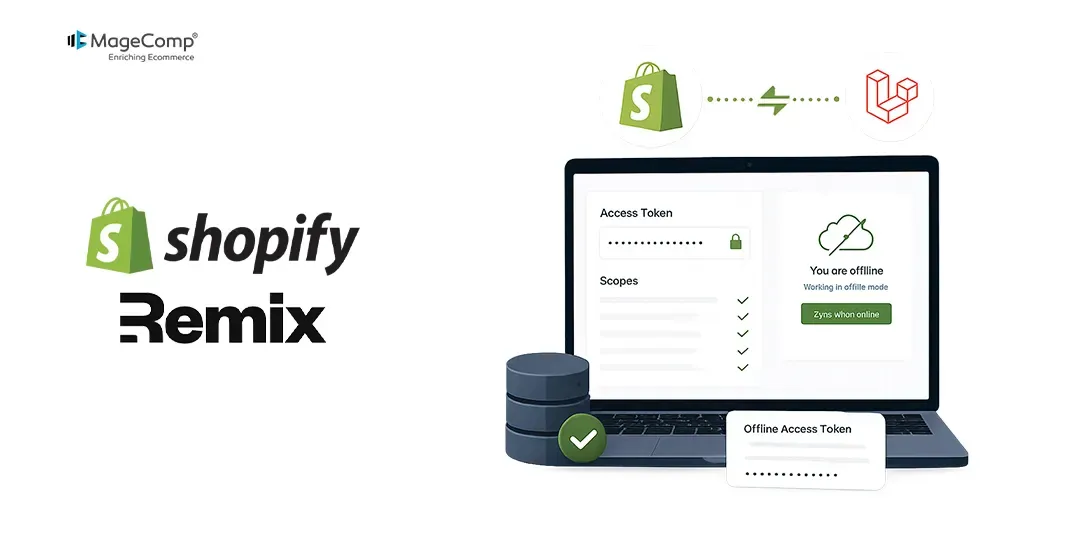
- Offline tokens – For when no human is involved. Webhooks, nightly syncs, inventory updates, queue workers. These keep your backend running while merchants sleep.
The Old Way (Simple but Risky)
You used to do the classic OAuth dance: send the merchant to the auth page, they approve the scopes, you exchange the code for a token, and store it forever. That token never expired unless the app was uninstalled or the scopes changed. Simple, but a token that never dies is a security risk you carry indefinitely.
What Changed
Around late 2025, Shopify introduced expiring offline tokens. You now get:
- An access token that expires after a set time
- A refresh token to get new ones
- Token rotation (every refresh gives you brand new tokens)
More secure, but you can’t just store a token and forget it.
The New Flow (Step by Step)
For an embedded app:
- Frontend gets a session token using Shopify App Bridge.
- Send it to your backend – never expose your client secret on the frontend.
- Exchange for an offline token by calling POST https://store.myshopify.com/admin/oauth/access_token with grant_type=urn:ietf:params:oauth:grant-type:token-exchange, subject_token = session token, requested_token_type=…offline-access-token, and expiring=1.
You’ll get back an access_token, expires_in, refresh_token, and refresh_token_expires_in.
How Refreshing Works
When the access token expires, call the same endpoint with grant_type=refresh_token and refresh_token=your_current_refresh_token. Shopify returns a new access token and a new refresh token. The old refresh token stops working immediately. If your refresh token expires completely (say, after 90 days), the merchant must reopen your app to reauthorize.
What to Store in Your Database
Your tokens table should include: shop (store domain), access_token (current token), expires_at (when it expires), refresh_token (to get a new one), refresh_token_expires_at (when the refresh token expires), and scopes (granted permissions).
Practical Tips You’ll Thank Me For
- Use offline tokens for background jobs. Never use online tokens for cron jobs or webhooks. They’ll randomly fail when a user logs out.
- Refresh before you need to. Before an API call, check if your token expires soon. If yes, refresh it right then.
- Encrypt tokens at rest. These credentials can read/write a merchant’s entire store. Treat them like passwords.
- Handle 401s gracefully. If you get a 401, attempt a refresh once. If that fails, log it and alert yourself.
- Use Shopify CLI starter apps. They have all this auth logic built correctly. Saves days of debugging.
Where Developers Get Stuck
Shopify didn’t flip a switch overnight. Old apps can still use permanent tokens. The dashboard still shows static tokens for older apps. Documentation has been updated gradually.
The mental model you need: Shopify is moving to short-lived, refreshable credentials across the board. Plan for that future.
Wrapping Up
Offline tokens are still the backbone of serious Shopify integrations, but how you use them has changed. The old “set it and forget it” model is being replaced with expiring tokens, refresh rotation, and token exchange.
If you’re building a production app today, token refresh handling isn’t optional anymore. It’s just part of the job. A little more work up front, but your app stays secure without bothering merchants to reinstall every few months.
You’ve got this.

FAQ
1. What is the difference between online and offline access tokens in Shopify?
Online tokens are temporary and tied to a logged-in user session, while offline tokens are permanent and store-specific.
2. Does the Shopify offline access token expire?
No, offline access tokens do not expire automatically. They remain active until the app is uninstalled or scopes are changed.
3. Can I use offline tokens for cron jobs?
Yes, offline access tokens are ideal for scheduled tasks, cron jobs, and background processing.