

Waiting for order updates can be frustrating for online shoppers. After placing an order, customers want to know whether their purchase has been confirmed, invoiced, shipped, or refunded. If they don’t receive timely updates, they may contact customer support repeatedly to check their order status.
For e-commerce businesses, manually communicating every order update can become a time-consuming task, especially when handling multiple orders daily.
What if your Adobe Commerce store could automatically send important order updates directly to customers’ WhatsApp accounts?
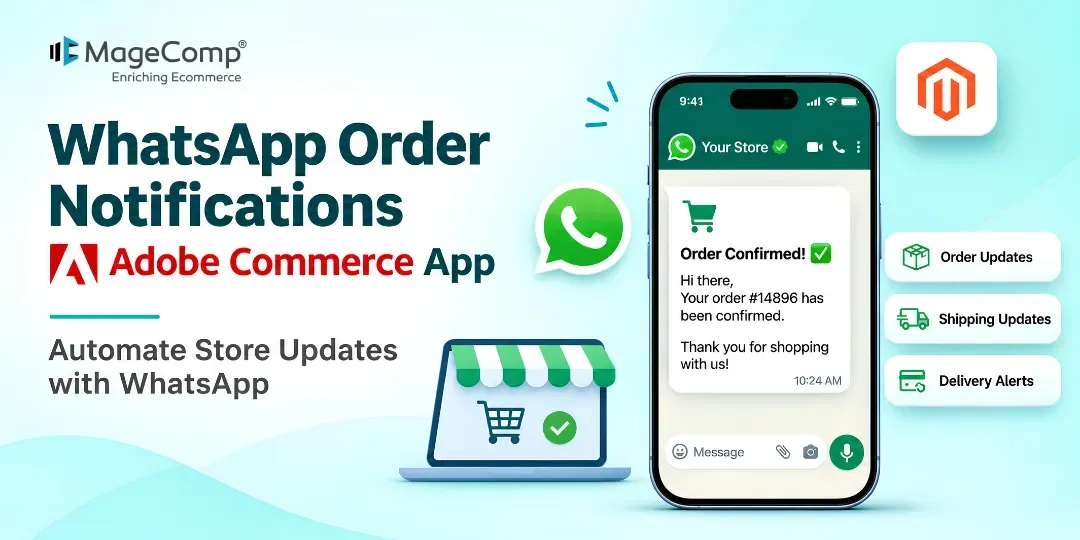
Introducing MageComp’s WhatsApp Order Notifications Adobe Commerce App – a smart communication solution that automates order-related notifications through WhatsApp using Twilio integration.
From order placement to shipment and credit memo updates, this app helps merchants keep customers informed while simplifying store communication.
Let’s explore its features and discover how it can improve your ecommerce notification workflow.
What Is MageComp’s WhatsApp Order Notifications Adobe Commerce App?
MageComp’s WhatsApp Order Notifications App is an Adobe Commerce integration that automatically sends order-related notifications to customers and store administrators through WhatsApp.
Powered by the Twilio WhatsApp Business Messaging API, the app keeps customers informed about important order events without requiring store administrators to send individual messages manually.
It supports notifications for:
- New order placement
- Invoice generation
- Order shipment
- Credit memo updates
The app also allows merchants to configure administrator notifications, customize message templates, and manage notification settings from its control panel.
By automating these communication activities, merchants can provide a more transparent post-purchase experience and reduce repetitive customer support inquiries.
Why Should You Automate WhatsApp Order Notifications?
Customers expect timely communication after making an online purchase. Sending order updates through WhatsApp provides a familiar and convenient way to keep them informed.
Here are some reasons to automate your Adobe Commerce store notifications.
1. Keep Customers Informed
Customers don’t need to repeatedly visit your website to check whether their orders have been processed or shipped.
Automated WhatsApp notifications provide updates directly through their messaging application, keeping them informed about important order activities.
2. Reduce Where-Is-My-Order Inquiries
One of the common customer support questions in ecommerce is, “Where is my order?”
When customers receive automatic notifications about order placement, invoicing, and shipment, they have better visibility into their purchase journey.
This can help reduce repetitive order-status inquiries and allow your support team to focus on other customer concerns.
3. Improve Customer Communication
WhatsApp is a familiar communication platform for many customers. Sending transactional order updates through this channel creates a convenient communication experience.
You can also customize notification messages to maintain your brand’s communication style.
4. Save Time with Automation
Manually sending order updates for every purchase requires additional effort from store administrators.
The app automates configured notifications based on order events, reducing repetitive communication tasks and helping your team manage store operations more efficiently.
Key Features of MageComp’s WhatsApp Order Notifications App
MageComp’s WhatsApp Order Notifications App includes useful features that make automated store communication easier to manage.
1. Automated WhatsApp Order Notifications
Keep customers informed about their purchases without manually sending order updates.
The app automatically sends WhatsApp notifications when configured order-related events occur in your Adobe Commerce store.
Customers can receive updates about:
- Order Placement: Notify customers when their orders are successfully placed.
- Invoice Generation: Inform customers when an invoice is generated for their purchase.
- Order Shipment: Send shipment-related updates to keep customers informed about order fulfillment.
- Credit Memo: Notify customers when a credit memo is created for their order.
These automated notifications improve order transparency and help customers stay updated throughout the post-purchase journey.
2. Twilio WhatsApp API Integration
Reliable messaging integration is essential for automated customer communication.
MageComp’s WhatsApp Order Notifications App uses Twilio as its WhatsApp Business Messaging API provider to send notifications directly to customers’ WhatsApp accounts.
To configure the integration, merchants need their Twilio account credentials and a WhatsApp-enabled phone number.
Required Twilio credentials:
- Twilio Account SID
- Twilio Auth Token
- Twilio WhatsApp-enabled phone number
Once the required details are configured, the app can use the Twilio messaging gateway to send notifications based on the enabled events and configured templates.
3. Customizable WhatsApp Message Templates
Every brand has its own communication style. Sending the same generic message to every customer may not always create the desired customer experience.
The app allows store administrators to customize notification templates for different order events.
You can create separate message templates for:
- Order notifications
- Invoice notifications
- Shipment notifications
- Credit memo notifications
Customize the message content to match your brand voice and provide relevant information to customers.
4. WhatsApp Notifications for Store Administrators
Customer communication is important, but store administrators also need to stay informed about store activities.
The app supports WhatsApp notifications for administrators, helping them receive important store updates directly on their WhatsApp accounts.
Admin notifications are available for:
- New order placement
- Invoice generation
- Shipment updates
- Credit memo updates
This helps administrators stay informed without continuously monitoring the Adobe Commerce backend.
5. Separate Notification Templates for Customers and Admins
Customers and administrators have different communication requirements.
For example, customers need information about their purchases, while administrators may need notifications about important store activities.
The app provides customizable message templates for both audiences.
This allows merchants to create customer-friendly messages and informative internal alerts according to their business requirements.
6. Easy Notification Management
Managing multiple notification events should not require complicated configuration.
The app provides a control panel where administrators can manage notification settings conveniently.
You can enable or disable the app’s notification functionality according to your requirements.
The Reset App feature also allows administrators to restore the app settings to their default configuration when required.
This makes notification management more convenient and provides greater control over automated communication.
How Does the WhatsApp Order Notifications App Work?
Setting up automated WhatsApp notifications involves configuring the app and connecting it with your Twilio account.
Follow these steps to get started:
Step 1: Install the App
Get MageComp’s WhatsApp Order Notifications Adobe Commerce App from Adobe Exchange and complete the installation in your Adobe Commerce environment.
Step 2: Create a Twilio Account
Register for a Twilio account and configure the WhatsApp Business Messaging service.
Step 3: Get Your Twilio Credentials
Collect the required credentials:
- Account SID
- Auth Token
- WhatsApp-enabled phone number
Step 4: Configure the App
Enter the required Twilio credentials in the app configuration and complete the messaging gateway setup.
Step 5: Customize Notification Templates
Configure separate message templates for order placement, invoice generation, shipment, and credit memo events.
You can also customize the templates used for administrator notifications.
Step 6: Enable Notifications
Enable the notification functionality and configure the required notification events.
Once the setup is complete, the app automatically sends WhatsApp notifications based on the configured events.
Who Should Use the WhatsApp Order Notifications App?
The app is suitable for Adobe Commerce businesses that want to automate transactional communication through WhatsApp.
- Fashion & Apparel Stores: Keep customers updated when clothing, footwear, and accessories orders are placed, invoiced, and shipped.
- Electronics Stores: Provide timely updates for gadget, appliance, and electronic accessory purchases.
- Beauty & Cosmetics Businesses: Keep customers informed about their beauty and skincare product orders.
- Furniture & Home Decor Stores: Share order processing and shipment updates for furniture and home improvement products.
- Multi-Category Ecommerce Stores: Automate notifications across different product categories and simplify customer communication.
Regardless of your ecommerce industry, automated WhatsApp order notifications can help create a more convenient post-purchase experience.
Why Choose MageComp’s WhatsApp Order Notifications App?
Managing customer communication manually can become difficult as your ecommerce business grows.
MageComp’s WhatsApp Order Notifications App simplifies this process with automated notifications, customizable templates, and Twilio integration.
Here’s why it is a useful addition to your Adobe Commerce store:
- Automated Order Updates: Send notifications for order placement, invoice generation, shipment, and credit memo events.
- Twilio Integration: Use Twilio’s WhatsApp Business Messaging API for notification delivery.
- Custom Message Templates: Personalize messages for customers and administrators.
- Admin Alerts: Receive important store activity updates through WhatsApp.
- Easy Configuration: Manage notification settings through the app’s control panel.
- Reset Functionality: Restore default app settings whenever required.
With these capabilities, you can simplify transactional communication while keeping customers and administrators informed.
Final Thoughts
Customer communication doesn’t end when someone places an order. Keeping shoppers informed about their purchase journey is equally important for building trust and delivering a positive ecommerce experience.
MageComp’s WhatsApp Order Notifications Adobe Commerce App helps automate this process through Twilio-powered WhatsApp messaging.
With notifications for order placement, invoice generation, shipment, and credit memo events, customizable message templates, administrator alerts, and easy notification management, the app makes post-purchase communication more convenient.
Instead of manually updating customers about every order event, let automation handle your store notifications.
FAQ
1. What is the WhatsApp Order Notifications Adobe Commerce App?
It is an integration by MageComp that automatically sends order-related notifications to customers and administrators through WhatsApp using the Twilio WhatsApp Business Messaging API.
2. Which order events trigger WhatsApp notifications?
The app supports notifications for order placement, invoice generation, shipment, and credit memo events.
3. Does the app support notifications for store administrators?
Yes. Administrators can receive WhatsApp notifications about new orders, invoices, shipments, and credit memo updates.
4. Can I customize WhatsApp notification messages?
Yes. The app allows you to create and customize separate message templates for customers and administrators for different order events.
5. Which API does the app use to send WhatsApp notifications?
The app uses Twilio as its WhatsApp Business Messaging API provider.