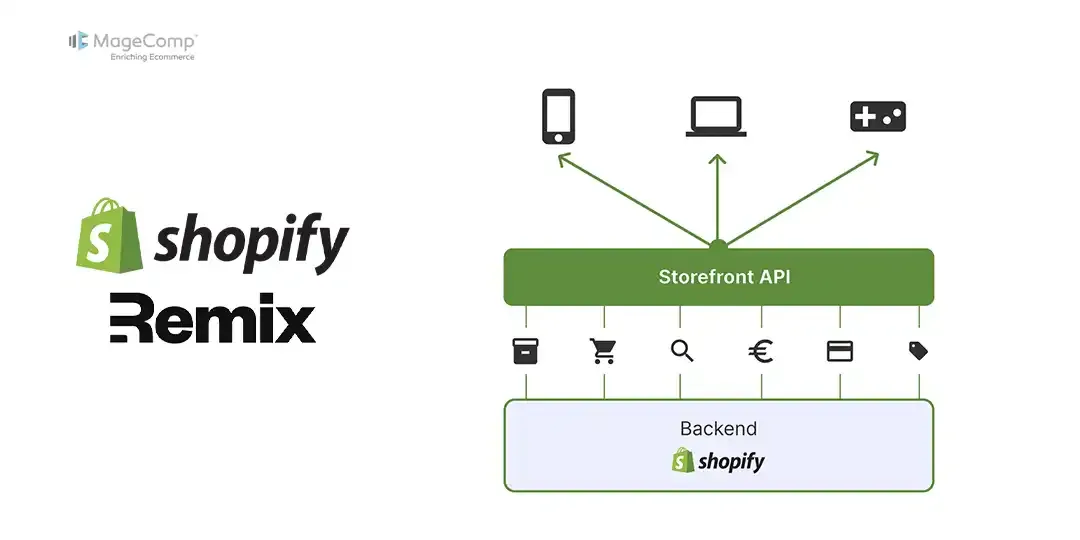
For most companies that want to provide a modern eCommerce experience for their customers, accessing real-time product, collection, and customer data directly from Shopify will often require the Storefront API to function properly. You can leverage the power of the Storefront API along with a Shopify Remix App to build fast, efficient, and highly interactive storefronts.

In this blog post, we will learn how to use the storefront API in the Shopify Remix app.
Steps to Use Storefront API in Shopify Remix App:
Step 1: Code for storefront API
Here is the code example for the storefront API, which you can use.
export const loader = async ({ request }) => {
  const { storefront } = await authenticate.public.appProxy(request);
  if (!storefront) {
    return null;
  }

  const response = await storefront.graphql(
    `#graphql
    query productTitle {
      products(first: 1) {
        nodes {
          title
        }
      }
    }`,
  );
  return null;
}
You can now use this Storefront API in your application.
Conclusion:
In conclusion, the GraphQL Admin API does not have certain endpoints (available in the REST version) that I can use to query Shopify’s Online Store resources like Pages/Blogs/Articles/Collections. So you can use the storefront API instead of GraphQL and REST.

FAQ
1. What is the difference between Storefront API and Admin API?
The Storefront API is used for customer-facing storefronts, while the Admin API is used for backend operations like managing products, orders, and customers.
2. Can I use Storefront API for mobile apps?
Yes, it is widely used for mobile and headless commerce applications.