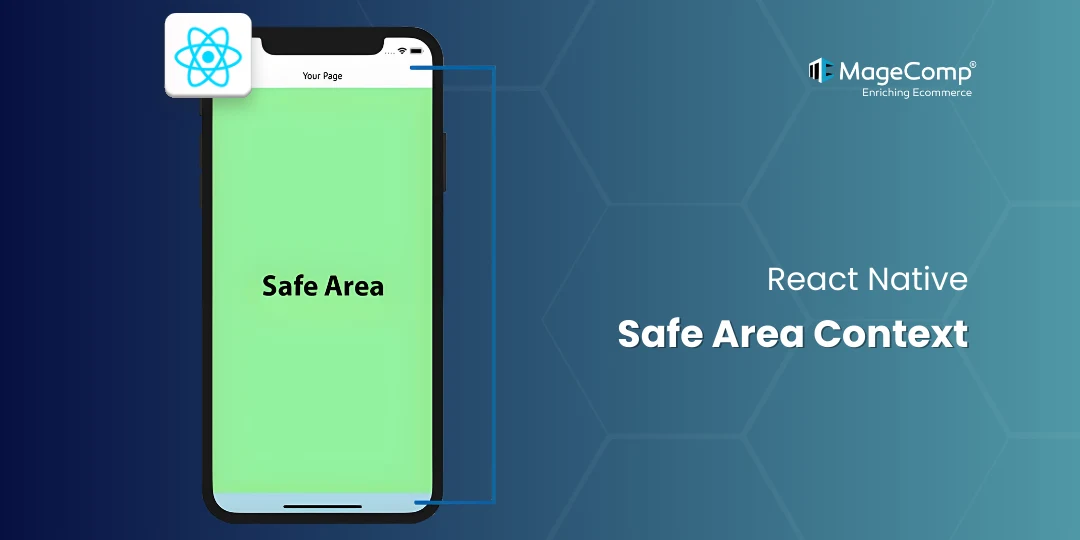
One of the most common UI issues encountered when using React Native to develop mobile applications is how to deal with notches, rounded corners, system gestures, and status bars across a variety of devices, including both iPhones with Face ID and Android devices with immersive displays. React Native Safe Area Context is designed to help developers solve these problems.

This blog will discuss the definition of Safe Area Context, the importance of Safe Area Context, and some ways to implement Safe Area Context in your React Native applications.
What is a Safe Area?
The safe area is defined as the area of the screen where the content can be displayed without overlapping system UI elements. Examples of system UI elements are;
- Notches
- Status bars
- Home indicator
- Rounded screen corners
Apple introduced the safe area concept with the launch of the iPhone X. Safe Area is now a very important component of mobile UI design across multiple platforms.
Why Use react-native-safe-area-context?
The react-native-safe-area-context is a popular library that provides a flexible and reliable way to access safe area insets for iOS, Android, and web applications.
It gives you:
- Accurate measurements of safe area insets
- Hooks and components for dynamically applying margins/padding
- Greater control when compared to the built-in SafeAreaView
Installation
yarn add react-native-safe-area-contextBasic Usage
To avoid overlapping your user interface elements, wrap your screen around a SafeAreaView.
Example
import { SafeAreaView } from 'react-native-safe-area-context';
import { Text } from 'react-native';
export default function App() {

  return (
    <SafeAreaView style={{ flex: 1 }}>
      <Text>Hello Safe Area!</Text>
    </SafeAreaView>
  );
}
Using Hooks
useSafeAreaInsets allows dynamic padding for custom layouts like headers and footers.
Using Insets with Hooks
import { useSafeAreaInsets } from 'react-native-safe-area-context';
import { View } from 'react-native';

export default function Screen() {
  const insets = useSafeAreaInsets();
  return (
    <View style={{
      paddingTop: insets.top,
      paddingBottom: insets.bottom,
      flex: 1
    }}>
      {/* Your content */}
    </View>
  );
}
Best Practices
- Wrap root screens
- Avoid hardcoded padding
- Use insets for spacing
- Combine with navigation layouts
Conclusion
Understanding how to work with safe areas is crucial to developing correctly and consistently designed, professional-quality React Native Applications. The React Native Safe Area Context gives you everything you need to help develop beautiful layouts that will look exactly the same across all devices without required ‘hack-like’ modifications or guesswork.
If you’re working on modern applications with a custom user interface, the React Native Safe Area Context is a library that you should definitely include as part of your development toolset.

FAQ
1. What is Safe Area Context in React Native?
The SafeAreaContext library allows you to keep your app’s user interface (UI) within the visible and usable area of your device’s display. It does this by providing a way to avoid issues with overlapping content in areas where devices have features such as notches, status bars, home indicators, and system gestures.
2. Is Safe Area Context required for every app?
Not strictly required, but highly recommended for any modern, production-ready app.
3. What happens if I don’t use Safe Area handling?
When Safe Area handling is not used, UI elements can potentially overlap with notches, status bar, and gesture areas causing layout problems and poor usability on newer devices.