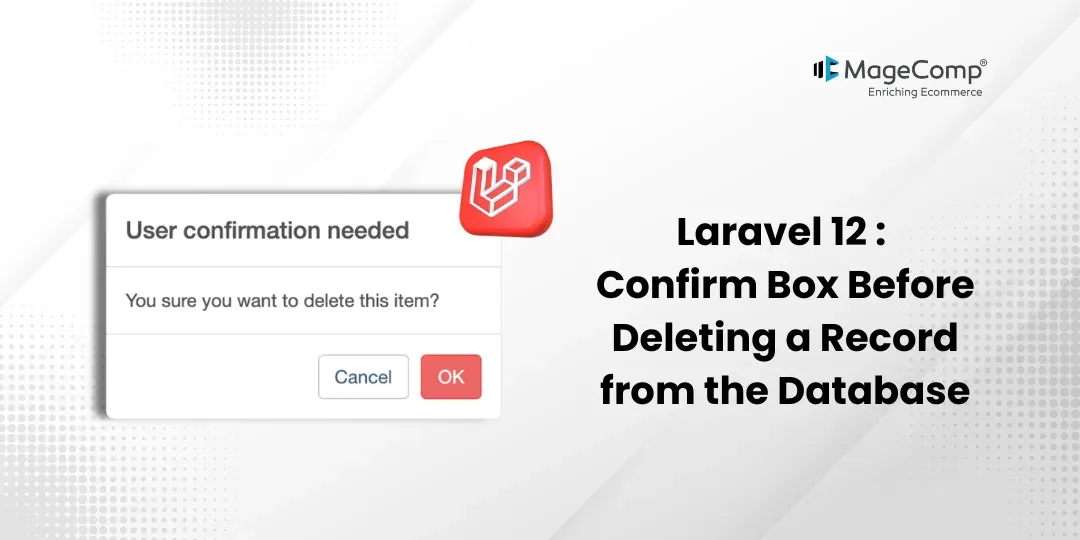
When building web applications, deleting records is a sensitive action. A single accidental click can remove important data permanently. That’s why adding a confirmation box before deletion is a best practice in modern applications.

In this blog, I will show you how to add a confirmation box before deleting a record from the database in the Laravel 12 application.
Steps for Laravel 12 Confirm Box Before Deleting a Record from the Database
In this example, we will show a list of users with a delete button next to each one. We will create a route to delete a user from the database. When the user clicks the delete button, a confirmation message will pop up using SweetAlert JS, asking if they really want to delete the user. Let’s go through the simple code step by step.
- Step 1: Install Laravel 12
- Step 2: Add Dummy Users
- Step 3: Create Route
- Step 4: Create Controller
- Step 5: Create Blade File
- Step 6: Run Laravel App
Step 1: Install Laravel 12
This step is not required if you have already created the Laravel app; however, if you have not created the Laravel app, then you may go ahead and execute the command below:
composer create-project laravel/laravel example-appStep 2: Add Dummy Users
In this step, we need to create and add some dummy users using the factory.
php artisan tinker User::factory()->count(10)->create()Step 3: Create Route
In this step, we need to create some routes for the add to cart function.
routes/web.php
<?php

use Illuminate\Support\Facades\Route;
use App\Http\Controllers\UserController;

Route::get('/', function () {
    return view('welcome');
});

Route::get("users", [UserController::class, 'index']);
Route::delete("users/{id}", [UserController::class, 'destroy'])->name("users.destroy");
Step 4: Create Controller
In this step, we need to create the UserController and add following code on that file:
app/Http/Controllers/UserController.php
<?php
namespace App\Http\Controllers;
use Illuminate\Http\Request;
use App\Models\User;
class UserController extends Controller
{
    /**
     * Write code on Method
     *
     * @return response()
     */
    public function index()
    {
        $users = User::select("*")->get();

        return view("users", compact('users'));
    }
    /**
     * Write code on Method
     *
     * @return response()
     */
    public function destroy($id)
    {
        User::find($id)->delete();

        return redirect()->back();
    }
}
Step 5: Create Blade File
Here, we need to create blade files for users, products and cart page. So let’s create one-by-one files:
resources/views/users.blade.php
<!DOCTYPE html>
<html>
<head>
    <meta charset="utf-8">
    <meta name="viewport" content="width=device-width, initial-scale=1">
    <title>Laravel Confirm Box Before Delete</title>
    <link href="https://cdn.jsdelivr.net/npm/bootstrap@5.0.2/dist/css/bootstrap.min.css" rel="stylesheet" integrity="sha384-EVSTQN3/azprG1Anm3QDgpJLIm9Nao0Yz1ztcQTwFspd3yD65VohhpuuCOmLASjC" crossorigin="anonymous">
    <script src="https://cdnjs.cloudflare.com/ajax/libs/jquery/3.7.1/jquery.min.js" integrity="sha512-v2CJ7UaYy4JwqLDIrZUI/4hqeoQieOmAZNXBeQyjo21dadnwR+8ZaIJVT8EE2iyI61OV8e6M8PP2/4hpQINQ/g==" crossorigin="anonymous" referrerpolicy="no-referrer"></script>
    <script src="https://cdn.jsdelivr.net/npm/sweetalert2@11"></script>
</head>
<body>
<div class="container">
    <div class="card mt-5">
        <div class="card-header"><h4>Laravel Confirm Before Delete Record</h4></div>
        <div class="card-body">
            <table class="table table-bordered">
                <thead>
                    <tr>
                        <th>ID</th>
                        <th>Name</th>
                        <th>Email</th>
                        <th>Action</th>
                    </tr>
                </thead>
                <tbody>
                    @foreach($users as $user)
                    <tr>
                        <td>{{ $user->id }}</td>
                        <td>{{ $user->name }}</td>
                        <td>{{ $user->email }}</td>
                        <td>
                            <form method="POST" action="{{ route('users.destroy', $user->id) }}">
                                @csrf
                                @method('DELETE')
                                <button type="submit" class="btn btn-danger btn-sm btn-delete">Delete</button>
                            </form>
                        </td>
                    </tr>
                    @endforeach
                </tbody>
            </table>
        </div>
    </div>
</div>
<script type="text/javascript">
    $(".btn-delete").click(function(e){
        e.preventDefault();
        var form = $(this).parents("form");

        Swal.fire({
          title: "Are you sure?",
          text: "You won't be able to revert this!",
          icon: "warning",
          showCancelButton: true,
          confirmButtonColor: "#3085d6",
          cancelButtonColor: "#d33",
          confirmButtonText: "Yes, delete it!"
        }).then((result) => {
          if (result.isConfirmed) {
            form.submit();
          }
        });
    });
</script>
</body>
</html>
Step 6: Run Laravel App
All the required steps have been done, now you have to type the command given below and hit enter to run the Laravel app:
php artisan serveNow, go to your web browser, type the given URL and view the app output:
Conclusion:
Adding a confirmation box before deleting records in Laravel 12 is simple but highly effective. This small feature can significantly improve user safety and experience.

FAQ
1. What is a confirm box in web applications?
A confirm box is a pop-up dialog that asks users to confirm or cancel an action before it is executed, commonly used for sensitive operations like deleting records.
2. Why should I add a confirm box before deleting data?
Including a confirmation dialogue will help prevent users from deleting something unintentionally and will help them see that they really want to delete the record.
3. What happens if a user cancels the confirmation?
If the delete button is cancelled by the user, the delete action will not be carried out, and no request will be sent to the server to delete the record.
4. Will using a confirmation dialogue affect performance?
Confirmation dialogues are very lightweight and will have minimal impact on application performance, making them a perfect choice for your application.