Step 1: Log in to Twilio using the below URL.
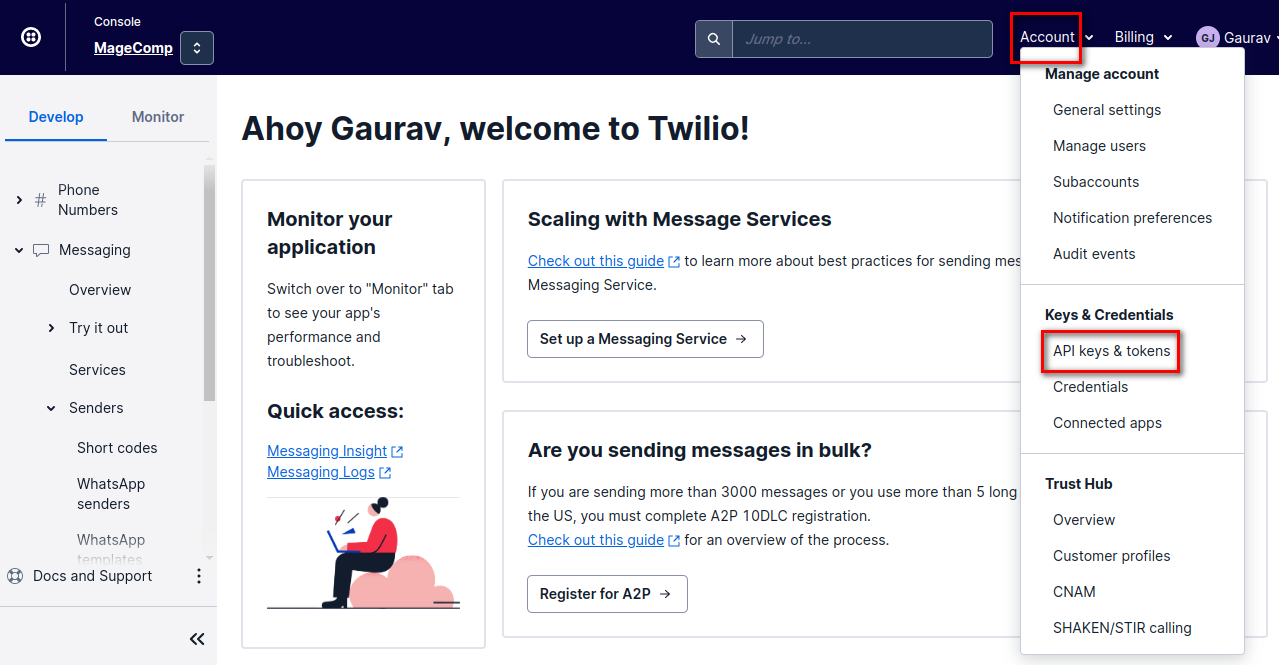
Step 2: Click on Account and select API keys & Tokens.
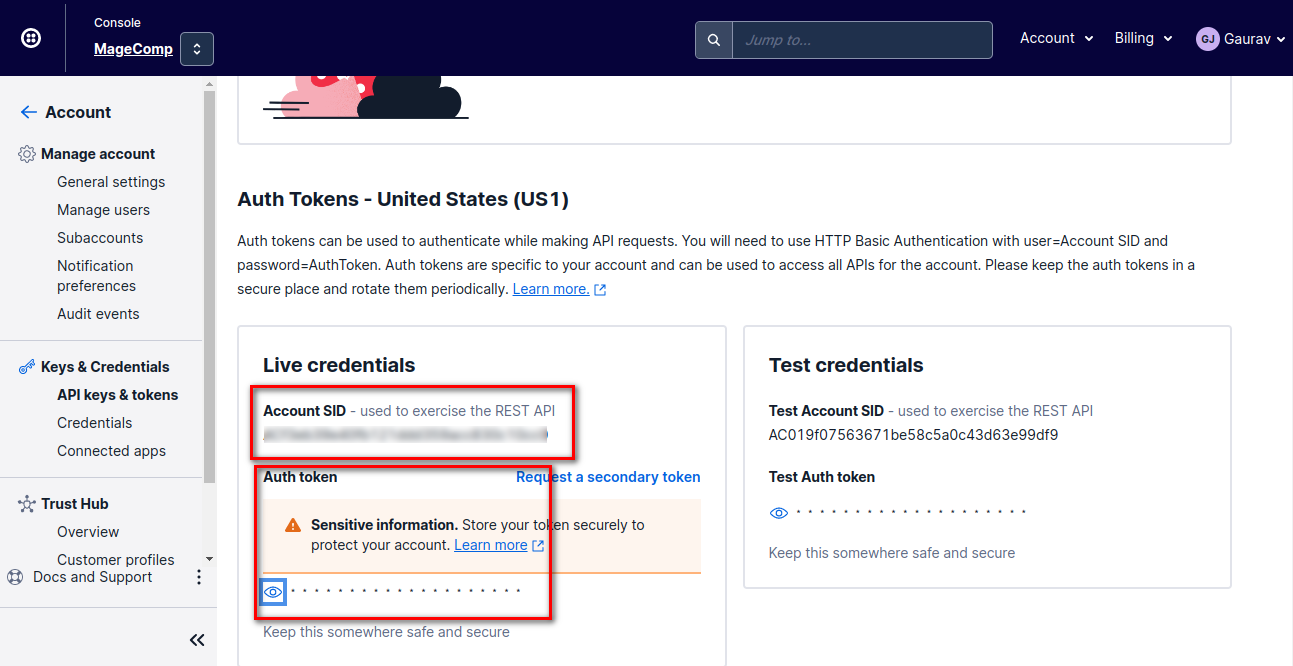
Step 3: Copy Account SID and Auth Token and use them for extension configuration.
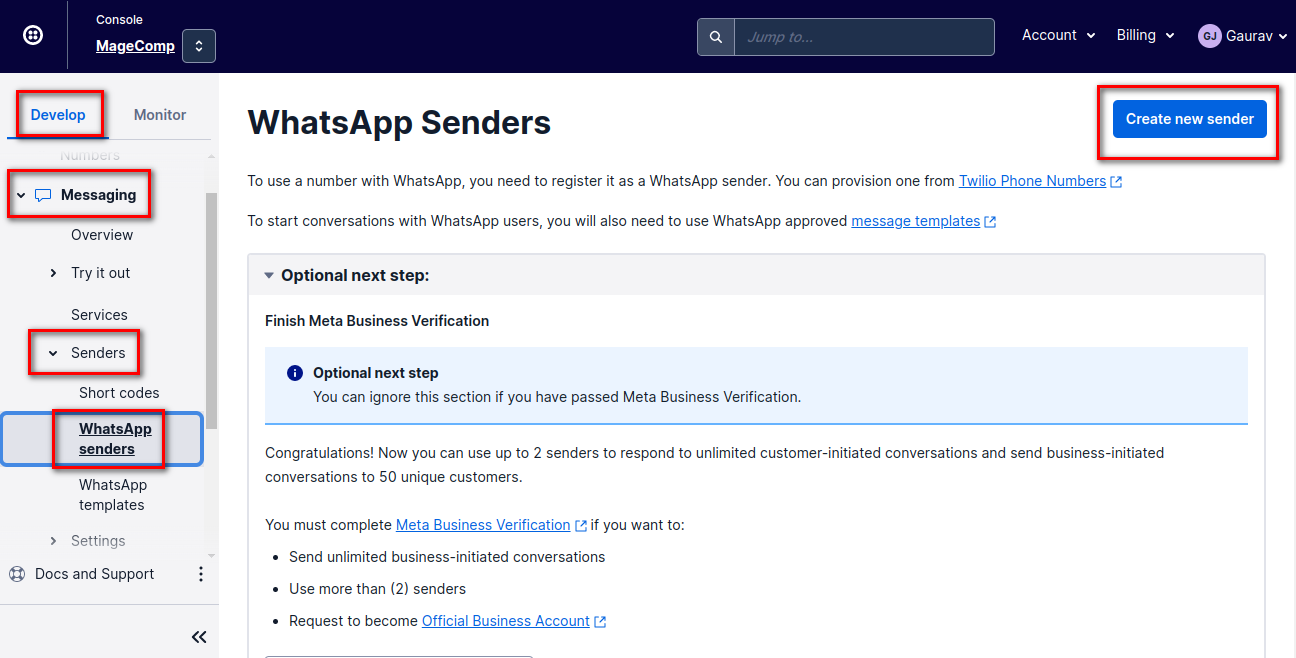
Step 4: After that, click on Account Dashboard > Develop > Messaging Section > Senders
Select Whatsapp Senders and click on Create new sender.
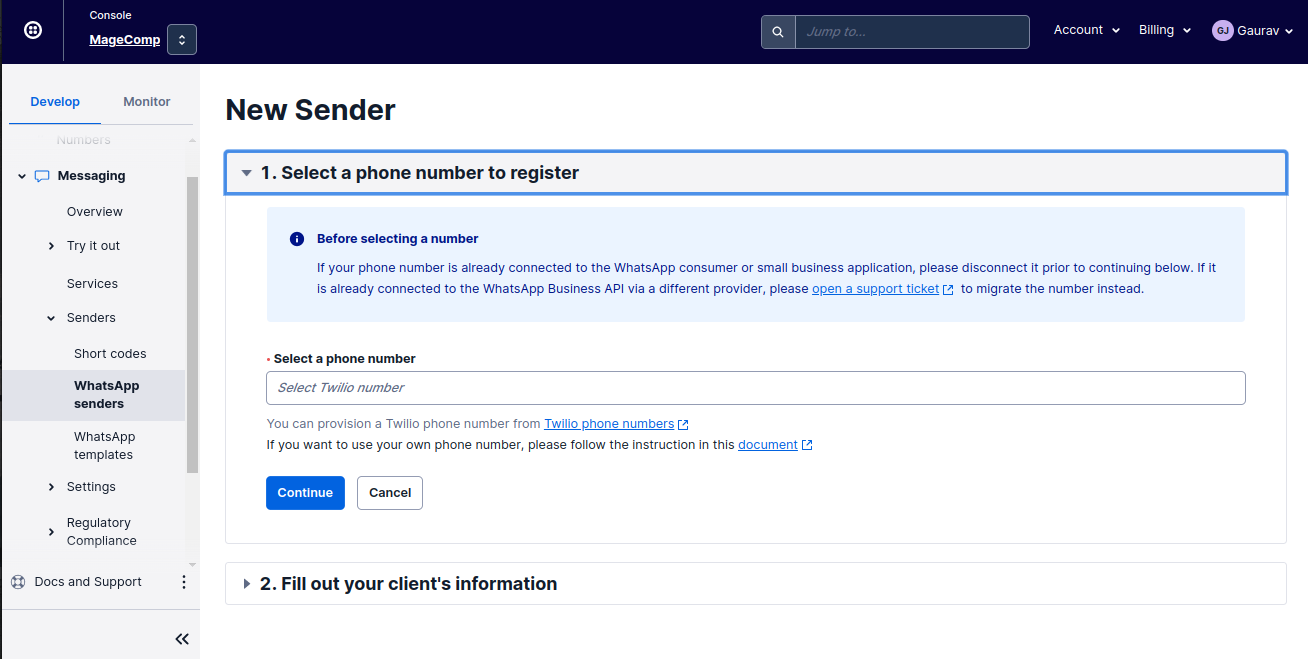
Step 5: Fill up all the required information and click on the Submit request.
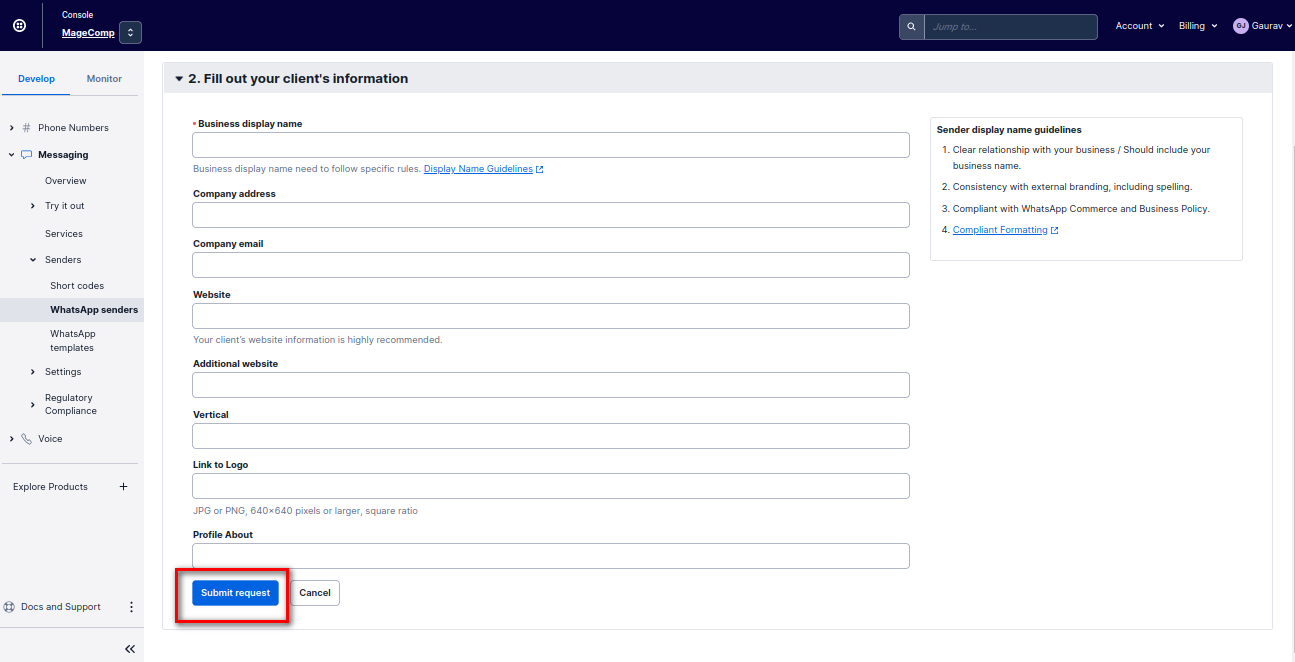
Step 6: After Submit request you will get the Twilio WhatsApp Number. Copy and use it for extension configuration.
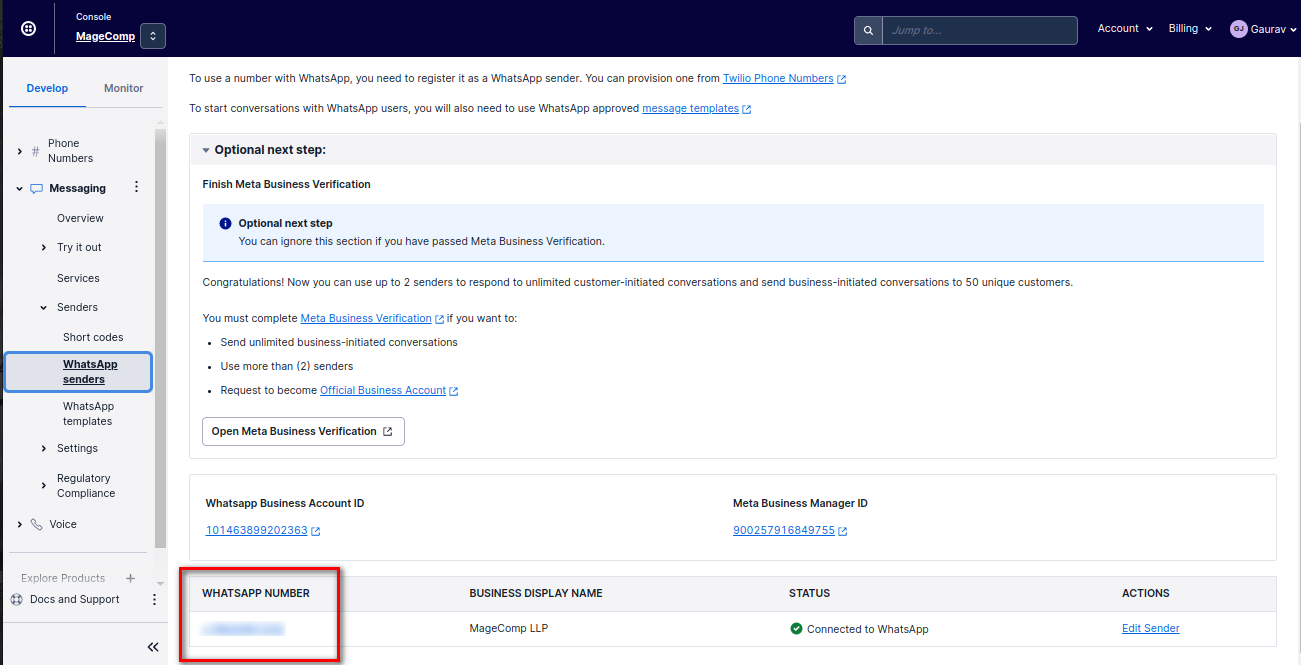
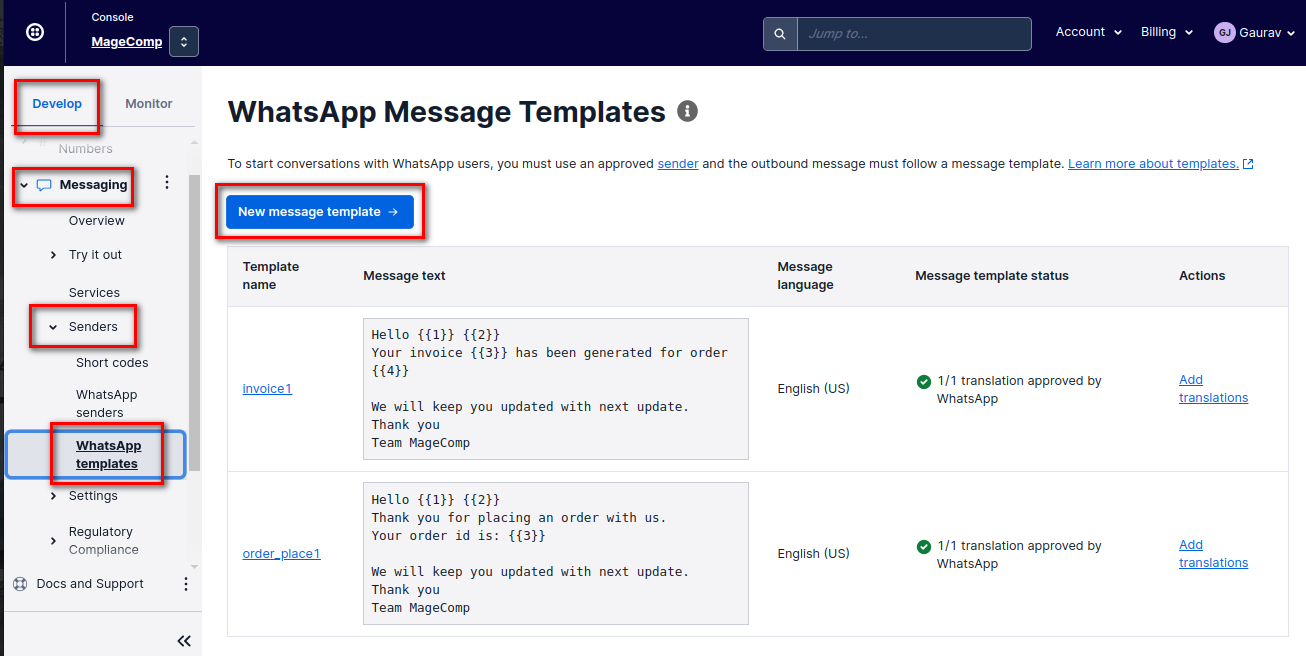
Step 7: Now, create New Whatsapp Template to send Notifications.
Go to Dashboard > Develop > Messaging Section > Senders > Whatsapp Templates
Click on the New message template
Step 8: Set the message as per your requirement and Save template for WhatsApp approval.
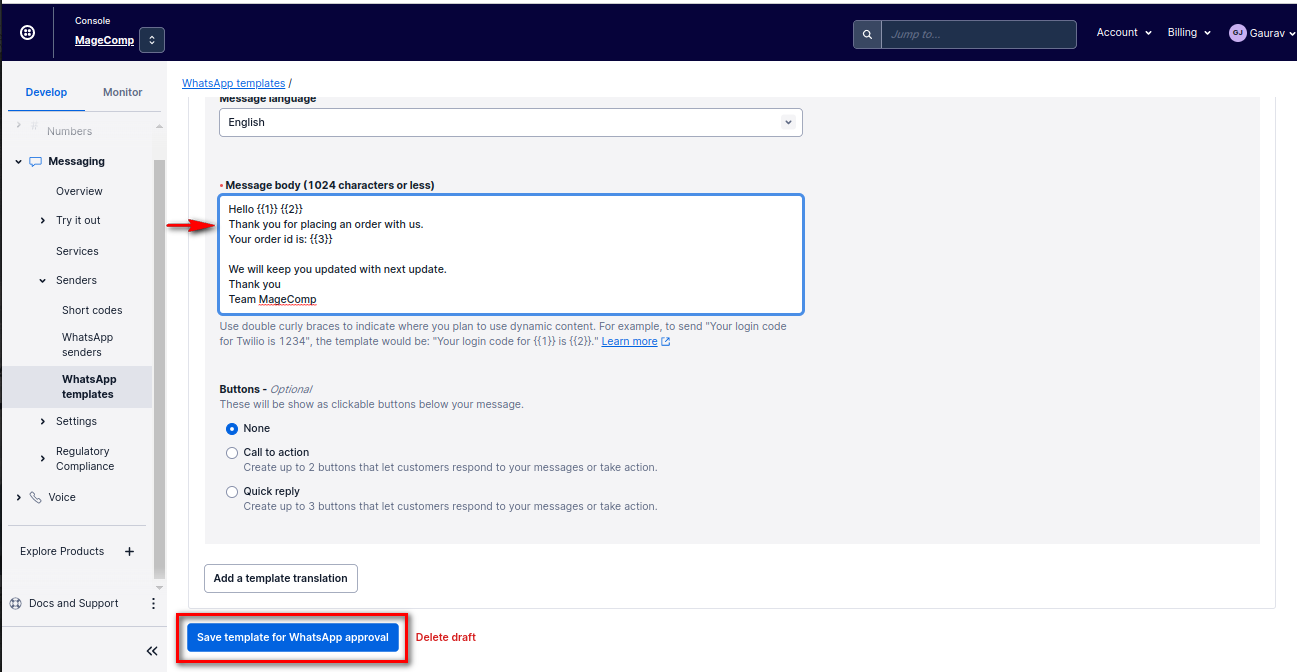
Step 9: Once templates are approved, you can use them in the extension.
If anything goes wrong, please contact us at support@magecomp.com