---
title: "How to Open Hyvä Popup Modal in Magento 2?"
url: "https://magecomp.com/blog/open-hyva-popup-modal-magento-2/"
date: "2023-10-23T16:15:42+00:00"
modified: "2025-02-12T12:12:00+00:00"
author:
  name: "Dhiren Vasoya"
  url: "https://magecomp.com/"
categories:
  - "How To"
  - "Magento 2"
word_count: 1140
reading_time: "6 min read"
summary: "Hello Magento Friends,
In today’s blog, I will explain How to Open Hyvä Popup Modal in Magento 2.
Popup modals in Magento 2 can be utilized for various purposes, such as displaying promotional o..."
description: "This guide helps you successfully integrate the Hyvä Popup Modal into your Magento 2 store. Check it out"
keywords: "How To, Magento 2"
language: "en"
schema_type: "Article"
related_posts:
  - title: "How to Add WYSIWYG Editor in Magento 2 Frontend?"
    url: "https://magecomp.com/blog/add-wysiwyg-editor-in-magento-2-frontend/"
  - title: "How to Hide Price for Guest Users in Magento 2"
    url: "https://magecomp.com/blog/hide-price-for-guest-visitors-magento-2/"
  - title: "Magento 2: How to Check if Customer is Logged in or Not?"
    url: "https://magecomp.com/blog/magento-2-check-if-customer-is-logged-in-or-not/"
---

# How to Open Hyvä Popup Modal in Magento 2?

_Published: October 23, 2023_  
_Author: Dhiren Vasoya_  
![How to Open Hyvä Popup Modal in Magento 2](https://magecomp.com/blog/wp-content/uploads/2023/10/How-to-Open-Hyva-Popup-Modal-in-Magento-2-1024x512.webp)

**Hello Magento Friends,**

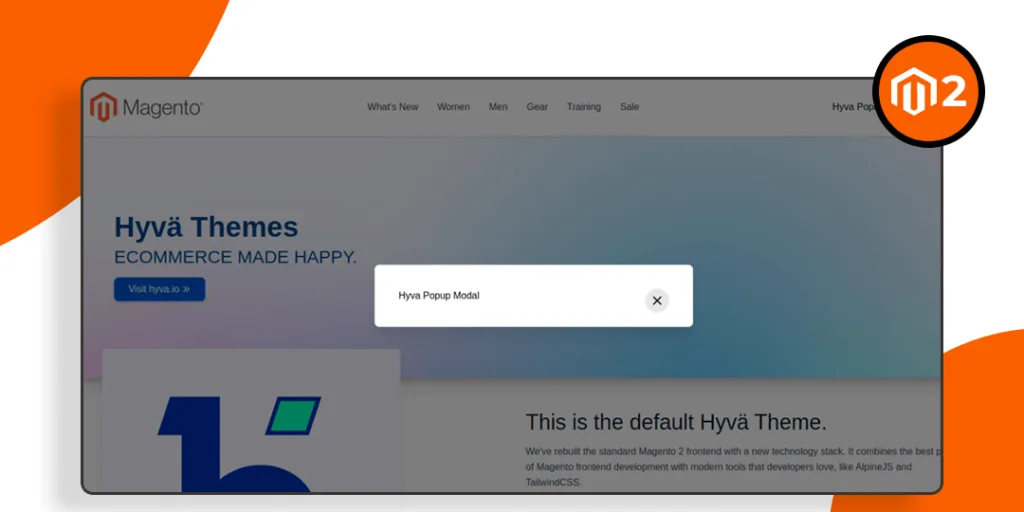
In today’s blog, I will explain How to Open Hyvä Popup Modal in Magento 2.
Popup modals in Magento 2 can be utilized for various purposes, such as displaying promotional offers, subscription forms, product information, login forms, cart summaries, or any other important information that requires immediate attention from the user. They are often used to enhance the user experience, improve engagement, and encourage users to interact with the website or perform specific actions without disrupting their current browsing session.
Hyvä Themes for Magento 2 is a popular open-source theme that aims to provide a more modern and user-friendly frontend experience for Magento 2 stores. Check out [**Hyvä Compatible Magento 2 Extensions**](https://magecomp.com/hyva-compatible.html).
[![Hyva-Compatible-Extensions](https://magecomp.com/blog/wp-content/uploads/2023/10/Hyva-Compatible-Extensions.webp)](https://magecomp.com/hyva-compatible.html)
Let’s find out How to Open Hyvä Popup Modal in Magento 2.
## Steps to Open Hyvä Popup Modal in Magento 2:
**Step 1:** First, we need to create a **default.xml** file
**app/code/Vendor/Extension/view/frontend/layout/**

And add the code as follows
```
<?xml version="1.0"?>
<page xmlns:xsi="http://www.w3.org/2001/XMLSchema-instance" xsi:noNamespaceSchemaLocation="urn:magento:framework:View/Layout/etc/page_configuration.xsd">
    <update handle="hyva_modal"/>
    <body>
       <referenceBlock name="header-content">
             <action method="setTemplate">
                <argument name="template" xsi:type="string">Vendor_Extension::hyva/header.phtml</argument>
            </action>
        </referenceBlock>
        <referenceContainer name="header-wrapper">
            <block class="MagentoFrameworkViewElementTemplate" template="Vendor_Extension::hyva/popup.phtml" name="hyva_popup"> </block>
        </referenceContainer>
    </body>
</page>
```

**Step 2:** After that, create a **header.phtml** file
**app/code/Vendor/Extension/view/frontend/templates/hyva/**

Then add the code as below
```
<?php
/**
 * Hyvä Themes - https://hyva.io
 * Copyright © Hyvä Themes 2020-present. All rights reserved.
 * This product is licensed per Magento install
 * See https://hyva.io/license
 */

declare(strict_types=1);

use HyvaThemeModelViewModelRegistry;
use HyvaThemeViewModelHeroiconsOutline;
use MagentoFrameworkEscaper;
use MagentoFrameworkViewElementTemplate;

/** @var Escaper $escaper */
/** @var Template $block */
/** @var ViewModelRegistry $viewModels */
/** @var HeroiconsOutline $heroicons */

$heroicons = $viewModels->require(HeroiconsOutline::class);

/** @var HyvaThemeViewModelStoreConfig $storeConfig */

$storeConfig = $viewModels->require(HyvaThemeViewModelStoreConfig::class);
$showMiniCart = $storeConfig->getStoreConfig(MagentoCheckoutBlockCartSidebar::XML_PATH_CHECKOUT_SIDEBAR_DISPLAY);
$baseurl=$block->getBaseUrl();
?>
<script>
    function initHeader () {
        return {
            searchOpen: false,
            cart: {},
            getData(data) {
                if (data.cart) { this.cart = data.cart }
            }
        }
    }
    function initCompareHeader() {
        return {
            compareProducts: null,
            itemCount: 0,
            receiveCompareData(data) {
                if (data['compare-products']) {
                    this.compareProducts = data['compare-products'];
                    this.itemCount = this.compareProducts.count;
                }
            }
        }
    }
</script>
            <!--Logo-->
        <?= $block->getChildHtml('logo'); ?>

        <!--Main Navigation-->
        <?= $block->getChildHtml('topmenu') ?>

                    <!--Compare Icon-->
            <a id="compare-link"
               class="relative invisible inline-block mx-1 no-underline sm:ml-3 hover:text-black"
               :class="{ 'invisible': !(itemCount > 0) }"
               href="<?= $escaper->escapeUrl($block->getUrl('catalog/product_compare/index')) ?>"
               title="<?= $escaper->escapeHtml(__('Compare Products')) ?>"
               x-data="initCompareHeader()"
               @private-content-loaded.window="receiveCompareData($event.detail.data)"
            >
                <?= $heroicons->scaleHtml(
                    "w-8 h-8 md:h-6 md:w-6 hover:text-black",
                    25,
                    25
                ) ?>

                                   <?= $escaper->escapeHtml(__('Compare Products')) ?>

                                                                                <?= $escaper->escapeHtml(__('item')) ?>
                                         1" class="sr-only">
                        <?= $escaper->escapeHtml(__('items')) ?>
                                                </a>

  <button id="hyva-popup-modal" onclick="openHyvaModal()">Hyva Popup Modal</button>

            <!--Search Icon-->
            <button id="menu-search-icon"
                    class="inline-block ml-1 no-underline sm:ml-3 hover:text-black"
                    @click.prevent="
                        searchOpen = !searchOpen;
                        $nextTick(() => {
                         const searchInput = document.querySelector('#search');
                         searchInput.focus();
                         searchInput.select();
                     });
                    "
            >
                                    <?= $escaper->escapeHtml(__('Search')) ?>

                <?= $heroicons->searchHtml(
                    "w-8 h-8 md:h-6 md:w-6 hover:text-black",
                    25,
                    25
                ) ?>
            </button>

            <!--Customer Icon & Dropdown-->
            <?= $block->getChildHtml('customer') ?>

            <!--Cart Icon-->
            <a id="menu-cart-icon"
               <?php if ($showMiniCart): ?>@click.prevent.stop="$dispatch('toggle-cart',{});"<?php endif ?>
               class="relative inline-block ml-1 no-underline sm:ml-3 hover:text-black"
               href="<?= $escaper->escapeUrl($block->getUrl('checkout/cart/index')) ?>"
            >
                                    <?= $escaper->escapeHtml(__('Cart')) ?>

                <?= $heroicons->shoppingCartHtml(
                    "w-8 h-8 md:h-6 md:w-6 hover:text-black",
                    25,
                    25
                ) ?>

                            </a>

                <!--Search-->
            <?= $block->getChildHtml('header-search'); ?>

    <!--Cart Drawer-->
    <?= $block->getChildHtml('cart-drawer'); ?>

    <!--Authentication Pop-Up-->
    <?= $block->getChildHtml('authentication-popup'); ?>
```

[![Hire Magento Programmer](https://magecomp.com/blog/wp-content/uploads/2025/02/Hire-Magento-Programmer-CTA-3.webp)](https://magecomp.com/services/hire-magento-programmer/)

**Step 3:** After that, we need to create a **popup.phtml** file.
**app/code/Vendor/Extension/view/frontend/templates/hyva/**

And add the code as follows
```
<?php
$heroicons = $viewModels->require(HyvaThemeViewModelHeroiconsOutline::class);
$modal = $viewModels->require(HyvaThemeViewModelModal::class)
   ->createModal()
   ->withDialogRefName('popup-dialog')
   ->withContent('
                      <button @click="hide" type="button" class="h-10 w-10 rounded-full bg-gray-200 p-2">'.$heroicons->renderHtml('x').'</button>

    <!-- Modal body -->
                   '."<h1>Hyva Popup Modal</h1>".'
           '
   )->addDialogClass('sm:w-1/2 md:w-1/2 lg:w-1/3 xl:1/3 2xl:1/3','m-2');
?>
    <?= $modal ?>
```

[![Magento version upgrade](https://magecomp.com/blog/wp-content/uploads/2025/02/Magento-2-Version-Upgrade-CTA-3.webp)](https://magecomp.com/services/magento-upgrade-services/)

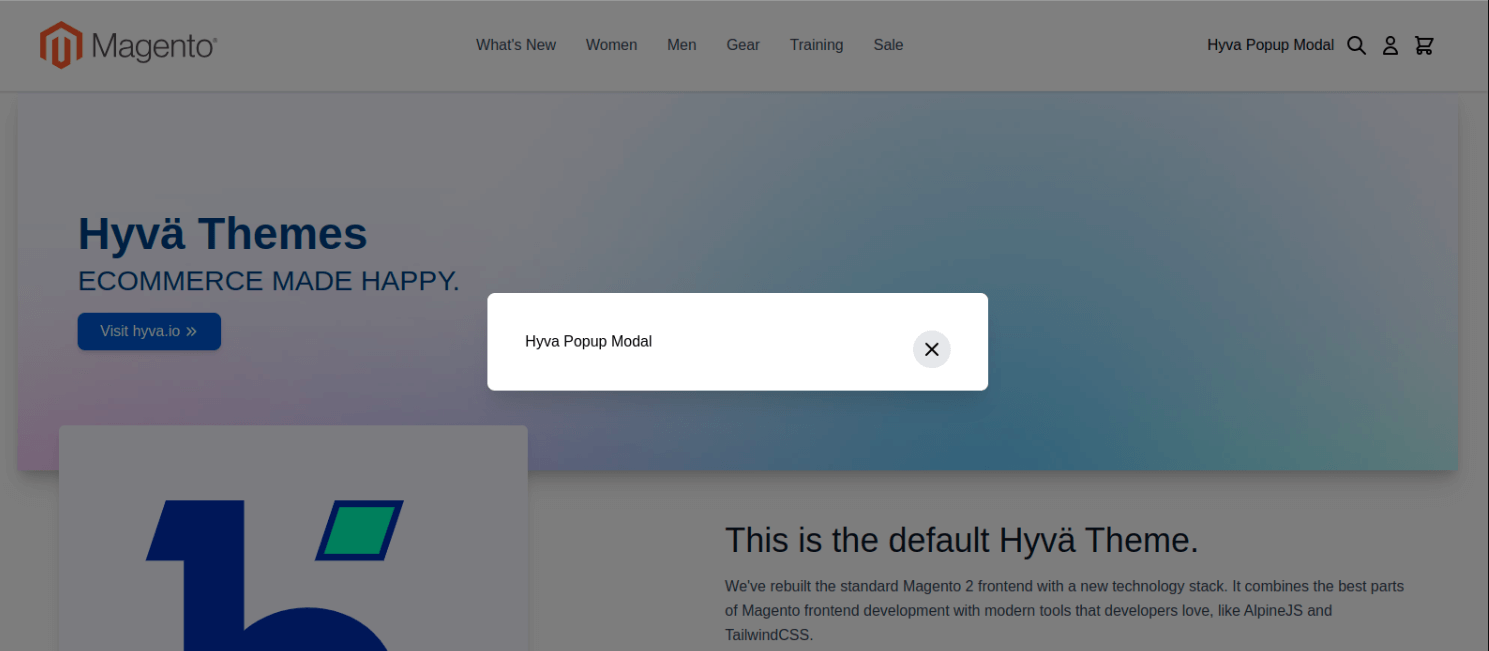
**Output:**
![Hyva Popup Modal](https://magecomp.com/blog/wp-content/uploads/2023/10/Hyva-Popup-Modal.png)

## Conclusion:
I hope this guide helps you successfully integrate the Hyvä Popup Modal into your Magento 2 store and improves your overall user engagement and sales. If you find difficulty in performing the above steps, you can connect with me through the comment section.
Share the tutorial with your friends to help them with Popup Modal for Hyvä Themes in Magento 2.
**Happy Coding!**

[![Hyva-Development-2](https://magecomp.com/blog/wp-content/uploads/2023/10/Hyva-Development-2.webp)](https://magecomp.com/services/hyva-theme-development/)

</body>


---

_View the original post at: [https://magecomp.com/blog/open-hyva-popup-modal-magento-2/](https://magecomp.com/blog/open-hyva-popup-modal-magento-2/)_  
_Served as markdown by [Third Audience](https://github.com/third-audience) v3.5.3_  
_Generated: 2026-10-01 12:57:32 UTC_  
