---
title: "MAGENTO 2: How to Use INPUT MASK In Checkout Telephone Field"
url: "https://magecomp.com/blog/magento-2-use-input-mask-checkout-telephone-field/"
date: "2020-03-02T19:41:53+00:00"
modified: "2025-02-21T08:50:10+00:00"
author:
name: "Dhiren Vasoya"
url: "https://magecomp.com/"
categories:
- "How To"
- "Magento 2"
word_count: 404
reading_time: "3 min read"
summary: "Hello, Magento Pals, ?♂️"
description: "Know how you can use the inputmask in the checkout telephone field in Magento 2. You are free to use and implement these codes as per your needs"
keywords: "How To, Magento 2"
language: "en"
schema_type: "Article"
related_posts:
- title: "How to Reorder Product Tabs in Magento 2?"
url: "https://magecomp.com/blog/reorder-product-tabs-magento-2/"
- title: "Replace downloadable products radio buttons with dropdown options on Product Page in Magento"
url: "https://magecomp.com/blog/replace-downloadable-products-radio-buttons-with-dropdown-options-in-magento/"
- title: "Magento 2: How to Update Specific Product Quantities using SOAP API?"
url: "https://magecomp.com/blog/magento-2-update-specific-product-quantities-using-soap-api/"
---
# MAGENTO 2: How to Use INPUT MASK In Checkout Telephone Field
_Published: March 2, 2020_
_Author: Dhiren Vasoya_
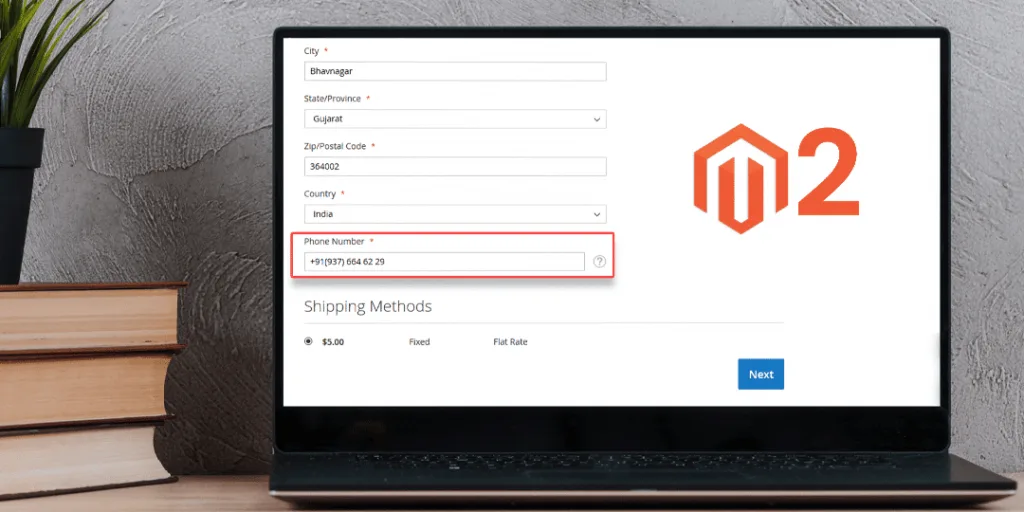
Hello, Magento Pals, ?♂️
Last time we learned [**how you can add a new custom action in the sales order grid of the Magento 2**](https://magecomp.com/blog/magento-2-add-new-custom-action-sales-order-grid/). Today, I am going to explain to you how you can use the inputmask in the checkout telephone field.
[](https://magecomp.com/services/hire-magento-programmer/)
Inputmasks are the expression of regularity that identifies and allows the valid formats in Magento. With the inputmask, you can change and validate the input format of ZIP, telephone, and address fields. When a user enters the above-mentioned details, Magento runs a background check to ensure that the entered values are valid or not for a specified format or for any specified country.
By default, Magento 2 Provides format on the checkout page for all inputs. e.g., telephone field, for shipping address, as well as billing address. But what if you want to update some input field’s format as per your requirements? No worries. There is one concept known as “inputmask,” and with the help of that, you can set format for your input fields using the below code as per your requirement.
So, here we have taken one example for the checkout page to add “inputmask” functionality on the telephone field, you can use on any Magento page as per your requirements.
So, Let’s do that,?
### **Step 1:** First, create **checkout_index_index.xml** file inside **app\code\Vendor\Extension\view\frontend\layout\** folder and add this code:
```
```
### **Step 2:** Next, create **inputmask.phtml** file inside **app\code\Vendor\Extension\view\frontend\templates\** folder and add this code:
```
```
### [](https://magecomp.com/services/magento-upgrade-services/)
### **Step 3:** Finally refresh the cache.
This is it. Today, we learned how you can use the inputmask in the checkout telephone field in Magento 2. You are free to use and implement these codes as per your needs. ?
It will encourage us to write more blogs and articles, if you like, comment and share this article. ❤️
[](https://magecomp.com/magento-malware-removal.html)
Happy Coding!?
---
_View the original post at: [https://magecomp.com/blog/magento-2-use-input-mask-checkout-telephone-field/](https://magecomp.com/blog/magento-2-use-input-mask-checkout-telephone-field/)_
_Served as markdown by [Third Audience](https://github.com/third-audience) v3.5.3_
_Generated: 2026-08-19 07:31:19 UTC_