---
title: "Magento 2: Add Custom Field and Save Value in Product Attribute Add Form"
url: "https://magecomp.com/blog/magento-2-add-custom-field-and-save-value-in-product-attribute-add-form/"
date: "2022-08-26T12:35:11+00:00"
modified: "2025-02-14T07:06:15+00:00"
author:
name: "Dhiren Vasoya"
url: "https://magecomp.com/"
categories:
- "How To"
- "Magento 2"
word_count: 417
reading_time: "3 min read"
summary: "Hello Magento Friends,"
description: "Add Custom Field and Save Value in Product Attribute Add Form in Magento 2. Learn more"
keywords: "How To, Magento 2"
language: "en"
schema_type: "Article"
related_posts:
- title: "How to Generate an Amazon S3 Bucket and Obtain AWS Access Key ID and Secret Access Key for Accessing It?"
url: "https://magecomp.com/blog/create-an-amazon-s3-bucket-and-aws-access-key-id-and-secret-access-key/"
- title: "How to Generate Sitemap in Magento"
url: "https://magecomp.com/blog/generate-sitemap-magento/"
- title: "How to Implement Queue in Laravel 8?"
url: "https://magecomp.com/blog/implement-queue-laravel-8/"
---
# Magento 2: Add Custom Field and Save Value in Product Attribute Add Form
_Published: August 26, 2022_
_Author: Dhiren Vasoya_
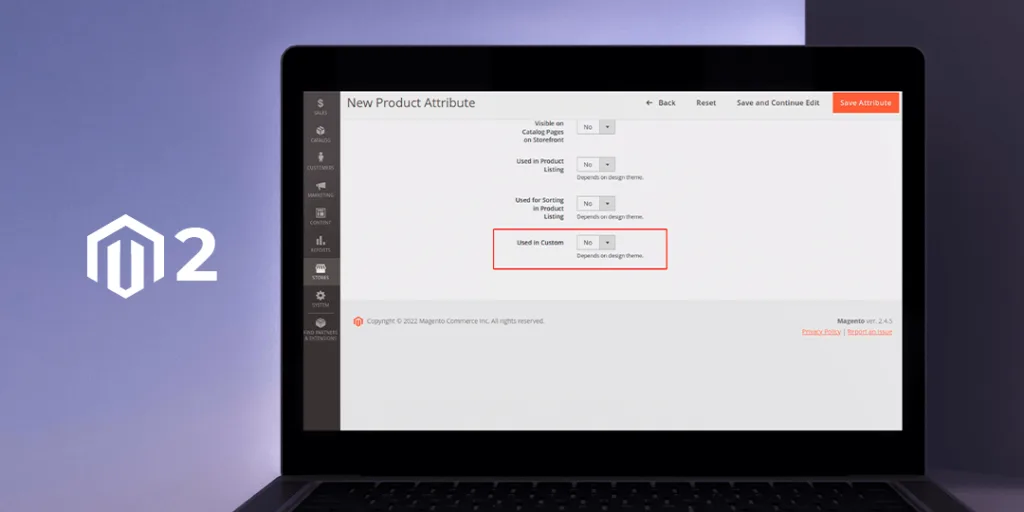
**Hello Magento Friends,**
Today we will get the solution for Magento 2: Add Custom Field and Save Value in Product Attribute Add Form.
[](https://magecomp.com/magento-performance-optimization.html)
Customization is the biggest advantage of the Magento eCommerce platform. You can customize every aspect of your Magento 2 website. Product attributes determine the characteristics of a product. You can add a custom field in the product attribute form in Magento 2.
## Steps to Add Custom Field and Save Value in Product Attribute Add Form in Magento 2:
**Step 1:** First we need to create a **“di.xml”** file inside the etc folder
**app\\code\\Vendor\\Extension\\etc\\adminhtml**
Now, add the code as follows
```
```
**Step 2:** In the next step, we will create the **“Front.php”** file inside the Plugin folder
**app\\code\\Vendor\\Extension\\Plugin\\Block\\Adminhtml\\Product\\Attribute\\Edit\\Tab**
Then append the below-mentioned code snippet
```
custom = $custom;
}
public function aroundGetFormHtml(
\Magento\Catalog\Block\Adminhtml\Product\Attribute\Edit\Tab\Front $subject,
\Closure $proceed
)
{
$customSource = $this->custom->toOptionArray();
$form = $subject->getForm();
$fieldset = $form->getElement('front_fieldset');
$fieldset->addField(
'used_in_custom',
'select',
[
'name' => 'used_in_custom',
'label' => __('Used in Custom'),
'title' => __('Used in Custom'),
'values' => $customSource,
]
);
return $proceed();
}
}
```
[](https://magecomp.com/services/hyva-theme-development/)
**Step 3:** Then we will create the **“db\_schema.xml”** file inside the etc folder
**app\\code\\Vendor\\Extension\\etc**
Finally, add the following code
```
```
**Output:**
[](https://magecomp.com/blog/wp-content/uploads/2022/08/custom-product-field.png)
## Conclusion:
This way you can Add Custom Field and Save Value in Product Attribute Add Form in Magento 2. If you have any doubt let me know through the comment box. Share the article and stay in touch for further Magento 2 solutions.
[](https://magecomp.com/services/hire-magento-programmer/)
**Happy Coding!**
---
_View the original post at: [https://magecomp.com/blog/magento-2-add-custom-field-and-save-value-in-product-attribute-add-form/](https://magecomp.com/blog/magento-2-add-custom-field-and-save-value-in-product-attribute-add-form/)_
_Served as markdown by [Third Audience](https://github.com/third-audience) v3.5.3_
_Generated: 2026-03-07 13:59:51 UTC_