---
title: "Magento 2: How to Add Additional Text based on Selected Shipping Methods in the Checkout"
url: "https://magecomp.com/blog/magento-2-add-additional-text-based-on-selected-shipping-methods-in-checkout/"
date: "2023-06-26T14:51:04+00:00"
modified: "2025-02-13T11:53:24+00:00"
author:
name: "Dhiren Vasoya"
url: "https://magecomp.com/"
categories:
- "How To"
- "Magento 2"
word_count: 719
reading_time: "4 min read"
summary: "Hello Magento Friends,"
description: "Learn the steps about Magento 2: How to Add Additional Text based on Selected Shipping Methods in the Checkout"
keywords: "How To, Magento 2"
language: "en"
schema_type: "Article"
related_posts:
- title: "MAGENTO 2: How to Change Default Active Tab on Admin Order View Page"
url: "https://magecomp.com/blog/how-to-change-default-active-tab-on-admin-order-view-page-magento-2/"
- title: "7 Easy Steps to Setup Your Instagram Shop (The Ultimate Guide 2026)"
url: "https://magecomp.com/blog/how-to-setup-instagram-shop/"
- title: "How to Send Magento 2 Shipping Mail to Customers Using Order ID Programmatically"
url: "https://magecomp.com/blog/send-magento-2-shipping-mail-to-customers-using-order-id-programmatically/"
---
# Magento 2: How to Add Additional Text based on Selected Shipping Methods in the Checkout
_Published: June 26, 2023_
_Author: Dhiren Vasoya_
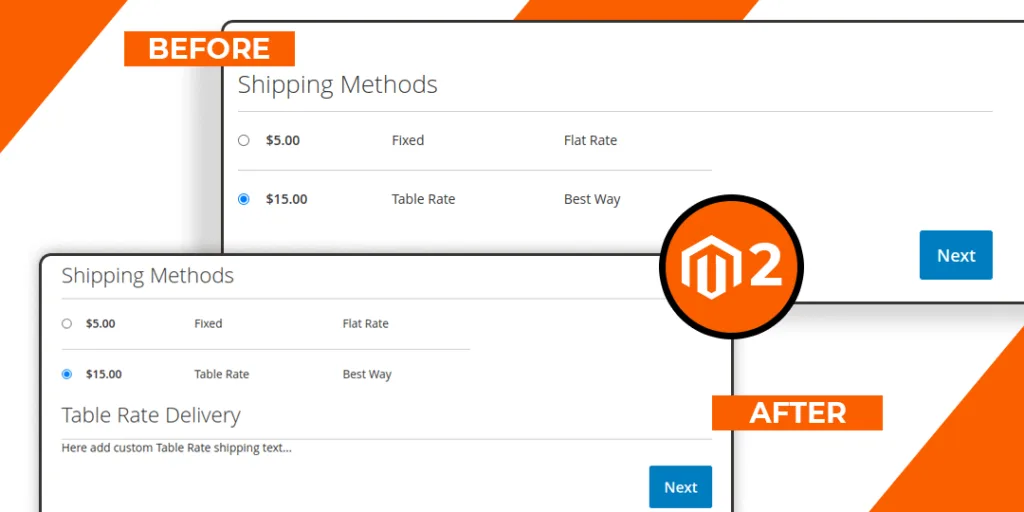
**Hello Magento Friends,**
In today’s blog, I will explain How to Add Additional Text based on Selected Shipping Methods in the Checkout in Magento 2.
[](https://magecomp.com/services/hyva-theme-development/)
Sometimes you need to [**add a custom shipping method to your Magento 2 store**](https://magecomp.com/blog/create-custom-shipping-method-in-magento-2/). When a customer selects the shipping method at the checkout page, it looks as below.
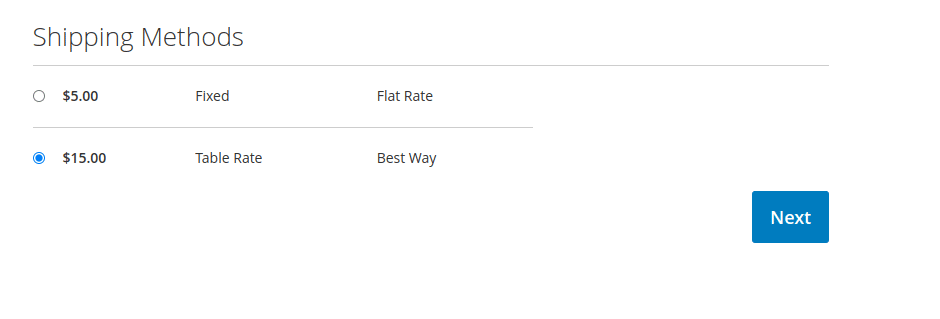
You might prefer to show additional text for the custom shipping method. When a customer selects a particular shipping method, you can show additional text at the checkout page in Magento 2 using the following method.
## Steps to Add Additional Text Based on Selected Shipping Methods in the Checkout in Magento 2:
**Step 1:** Create a Template file in the path given below.
**{{magento_root}}\app\code\Vendor\Extension\view\frontend\web\template\shipping-info.html**
And add the code as follows.
```
```
**Step 2:** Create a Layout file in the following path.
**{{magento_root}}\app\code\Vendor\Extension\view\frontend\layout\checkout_index_index.xml**
Then add the code as given below.
```
-
-
-
-
-
-
-
-
-
-
- uiComponent
- shippingAdditional
-
-
- Vendor_Extension/js/view/shipping-info
- checkoutProvider
- 0
```
[](https://magecomp.com/services/hire-magento-programmer/)
**Step 3:** Create a Javascript file at the below-mentioned file
**{{magento_root}}\app\code\Vendor\Extension\view\frontend\web\js\view\shipping-info.js**
Now add the following code snippet
```
define([
'uiComponent',
'ko',
'Magento_Checkout/js/model/quote'
], function (Component, ko, quote) {
'use strict';
return Component.extend({
defaults: {
template: 'Vendor_Extension/shipping-info'
},
initObservable: function () {
var self = this._super();
this.showFreeShippingInfo = ko.computed(function() {
var method = quote.shippingMethod();
if(method && method['carrier_code'] !== undefined) {
if(method['carrier_code'] === 'freeshipping') {
return true;
}
}
return false;
}, this);
this.showTableRateShippingInfo = ko.computed(function() {
var method = quote.shippingMethod();
if(method && method['carrier_code'] !== undefined) {
if(method['carrier_code'] === 'tablerate') {
return true;
}
}
return false;
}, this);
return this;
}
});
});
```
**Step 4:** After that, run the below commands in terminal
```
php bin/magento setup:static-content:deploy -f
php bin/magento setup:di:compile
php bin/magento cache:flush
```
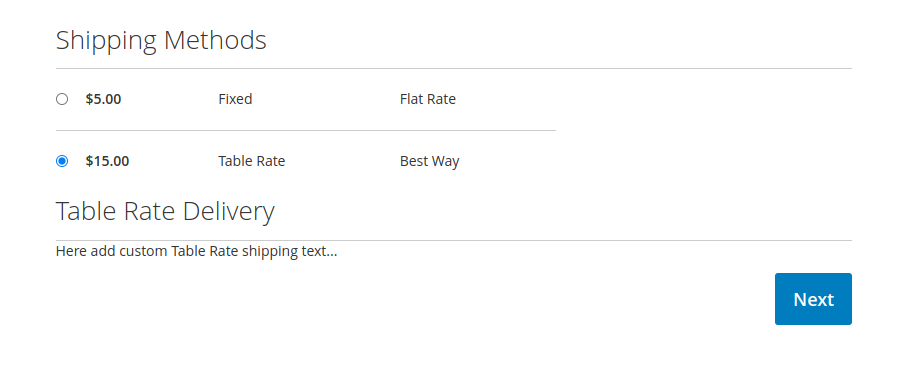
After implementing the above steps, you can see that the custom text is displayed based on the selected shipping method at the checkout page in Magento 2.
## [](https://magecomp.com/services/magento-upgrade-services/)
## Conclusion:
Hopefully, you will be able to show additional text based on selected shipping methods at the checkout of your Magento 2 store. Share the tutorial with your friends, and be in touch with us for more Magento solutions.
**Happy Coding!**
---
_View the original post at: [https://magecomp.com/blog/magento-2-add-additional-text-based-on-selected-shipping-methods-in-checkout/](https://magecomp.com/blog/magento-2-add-additional-text-based-on-selected-shipping-methods-in-checkout/)_
_Served as markdown by [Third Audience](https://github.com/third-audience) v3.5.3_
_Generated: 2026-10-23 05:14:27 UTC_