---
title: "How to Generate Barcode in Laravel 10?"
url: "https://magecomp.com/blog/generate-barcode-laravel-10/"
date: "2023-09-06T13:02:19+00:00"
modified: "2025-01-06T09:12:46+00:00"
author:
name: "Bharat Desai"
url: "https://magecomp.com"
categories:
- "Laravel"
word_count: 436
reading_time: "3 min read"
summary: "Hello Laravel friends,"
description: "A complete step-by-step guide to help you easily generate barcode in Laravel 10. Learn more"
keywords: "Laravel"
language: "en"
schema_type: "Article"
related_posts:
- title: "Laravel Reverb Real-Time Notifications Example"
url: "https://magecomp.com/blog/laravel-reverb-real-time-notifications-example/"
- title: "Conditional Validation Rules in Laravel 10x"
url: "https://magecomp.com/blog/conditional-validation-rules-laravel-10x/"
- title: "API Authentication Using JSON Web Tokens (JWT) in Laravel"
url: "https://magecomp.com/blog/api-authentication-using-json-web-tokens-laravel/"
---
# How to Generate Barcode in Laravel 10?
_Published: September 6, 2023_
_Author: Bharat Desai_

**Hello Laravel friends,**
In today’s Laravel tutorial, I will provide a step-by-step process to Generate a Barcode in Laravel 10.
[](https://magecomp.com/services/laravel-development-services/)
Barcodes help businesses manage inventories since they enable organizations to track commodities, properties, and almost everything else. This technology eases the work and improves efficiency while tracking inventory. Here in this tutorial, we will see the process of creating (or generating) a barcode into your Laravel 10 application so that it can be used efficiently.
## Steps to Generate Barcode in Laravel 10:
**Step 1:** **Install Laravel** using the below command.
```
composer create-project laravel/laravel laravel-blog
```
**Step 2:** **Install composer** for barcode using the below command.
```
composer require picqer/php-barcode-generator
```
**Step 3:** Create a controller and create a function in the controller. For that, add the below code in the **web.php** file.
```
Route::get('/barcode-index', [BarcodeController::class, 'barcodeIndex']);
```
Now, add the below code to your **controller**.
```
getBarcode('081331723987', $generator::TYPE_CODE_128);
return response($image)->header('Content-type','image/png');
}
}
```
**Output:**

[](https://magecomp.com/services/hire-laravel-developer/)
**Step 4:** You can also **save your barcode image in storage** using the below code.
```
getBarcode('081331723987', $generator::TYPE_CODE_128);
Storage::put('barcodes/barcode.png', $image);
return response($image)->header('Content-type','image/png');
}
}
```
**Output:**
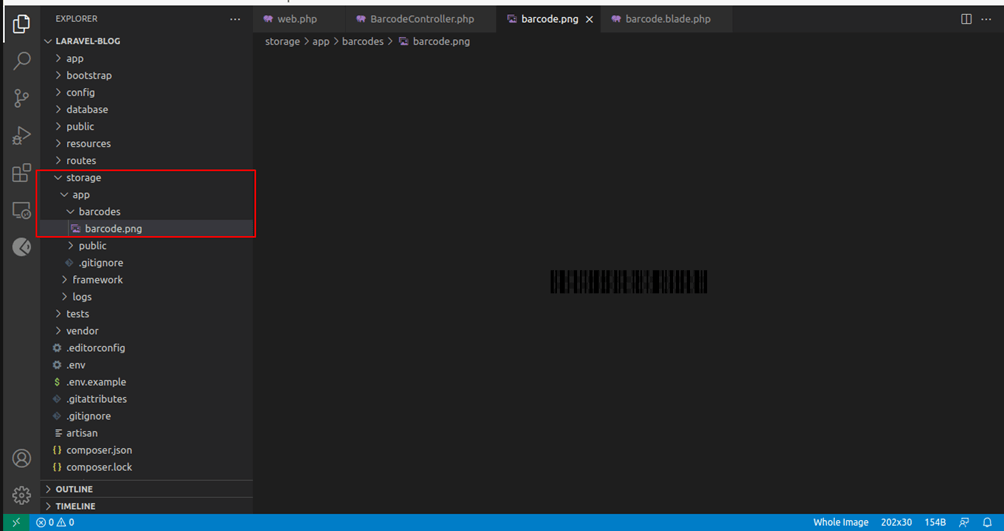
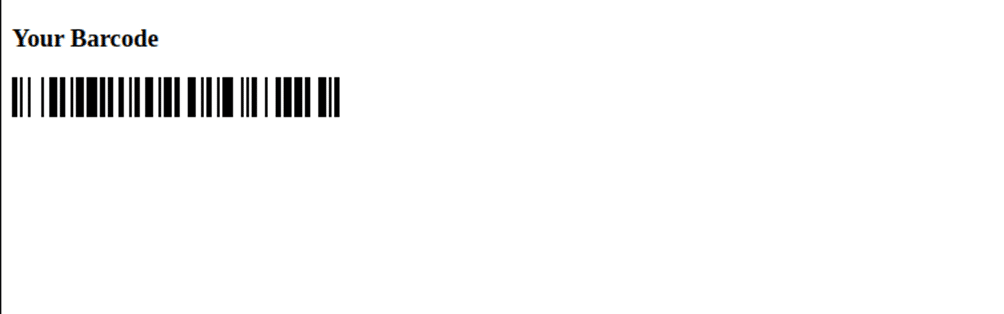
**Step 5:** You can also show your barcode in the **blade file**. For that, add the code below to your **controller**.
```
getBarcode('0001245786925', $generator::TYPE_CODE_128);
return view('barcode', compact('barcode'));
}
}
```
Now, add the below code in the **blade file**.
```
Barcode Generate
Your Barcode
{!! $barcode !!}
```
**Output:**
## Conclusion:
With this process, you can integrate barcode generation into your Laravel applications, enhancing your inventory management or any other barcode-related functionalities. Share the tutorial with your friends to help them generate barcodes for their Laravel application. If you come across any difficulty, leave a comment or get in touch with [**Laravel developers**](https://magecomp.com/hire-laravel-developer.html).
[](https://magecomp.com/contact)
**Happy Coding!**