---
title: "How to Create Custom jQuery Widget in Magento 2?"
url: "https://magecomp.com/blog/create-custom-jquery-widget-magento-2/"
date: "2023-08-28T18:35:02+00:00"
modified: "2025-02-12T12:31:26+00:00"
author:
name: "Dhiren Vasoya"
url: "https://magecomp.com/"
categories:
- "How To"
- "Magento 2"
word_count: 577
reading_time: "3 min read"
summary: "Hello Magento Friends,"
description: "Check out the process of building a custom jQuery widget in Magento 2 for creating dynamic and engaging user experiences."
keywords: "How To, Magento 2"
language: "en"
schema_type: "Article"
related_posts:
- title: "How to Get Instagram Client ID and Client Secret for Magento Instagram Extension"
url: "https://magecomp.com/blog/get-instagram-client-id-client-secret-magento-instagram-extension/"
- title: "How to Fix Checkout Infinite Loop Detected Issue in Magento 2?"
url: "https://magecomp.com/blog/fix-checkout-infinite-loop-detected-issue-magento-2/"
- title: "Magento 2: How to Fix Customer Name Prefix/Suffix Showing as Numbers in Address"
url: "https://magecomp.com/blog/magento-2-fix-customer-name-prefix-suffix-showing-as-numbers-in-address/"
---
# How to Create Custom jQuery Widget in Magento 2?
_Published: August 28, 2023_
_Author: Dhiren Vasoya_

**Hello Magento Friends,**
In today’s blog, we will learn How to Create a Custom jQuery Widget in Magento 2.
[](https://magecomp.com/services/hire-magento-programmer/)
In Magento 2, a jQuery widget is a modular and reusable JavaScript component that encapsulates a specific behavior or functionality. Creating custom jQuery widgets enhances the user experience and adds interactive elements to your storefront.
Let’s learn How to Create a Custom jQuery Widget in Magento 2.
## Steps to Create Custom jQuery Widget in Magento 2:
**Step 1:** Create one front action to call the template. Create one **routes.xml** file at the below path.
**{{magento_root}}/app/code/Vendor/Module/etc/frontend/routes.xml**
Then add the code as follows
```
```
**Note –** In our routes.xml file, we have set frontname as demo. So we can access our template using storeUlr/demo/ControllerfoldeName/actionPhp
**Step 2:** Now create Controller action file called **Index.php** file at the following path
**{{magento_root}}/app/code/Vendor/Module/Controller/Index/Index.php**
Then add the below-mentioned code
```
_view->loadLayout();
$this->_view->getLayout()->getBlock('page.main.title')->setPageTitle('DemoWidget');
$this->_view->renderLayout();
}
}
```
[](https://magecomp.com/services/magento-upgrade-services/)
**Step 3:** Create an action handle in the layout folder.
**{{magento_root}}/app/code/Vendor/Module/view/frontend/layout/demo_index_index.xml**
And add the code as given below
```
```
**Step 4:** Create a **requirejs-config.js** file for js declaration.
**{{magento_root}}/app/code/Vendor/Module/view/frontend/requirejs-config.js**
Then add the below-mentioned code
```
var config = {
"map": {
"*": {
"myCustomWidget": "Vendor_Module/js/my-custom-widget"
}
}
};
```
Our widget name is myCustomWidget.
**Step 5:** Create a **my-custom-widget.js** file for declaring widget.
**{{magento_root}}/app/code/Vendor/Module/view/frontend/web/js/my-custom-widget.js**
Use the code mentioned below
```
define([
'jquery',
'jquery/ui'
], function($){
$.widget('mage.myCustomWidget', {
options: {
abcd: 1,
passvalue:'test'
},
/**
* Widget initialization
* @private
*/
_create: function() {
}
});
return $.mage.myCustomWidget;
});
```
**Step 6:** Create a template **magento-widget.phtml** file.
**{{magento_root}}/app/code/Vendor/Module/view/frontend/templates/magento-widget.phtml**
And finally, add the below code-snippet
```
Widget Example using Magento 2
```
**Output:**
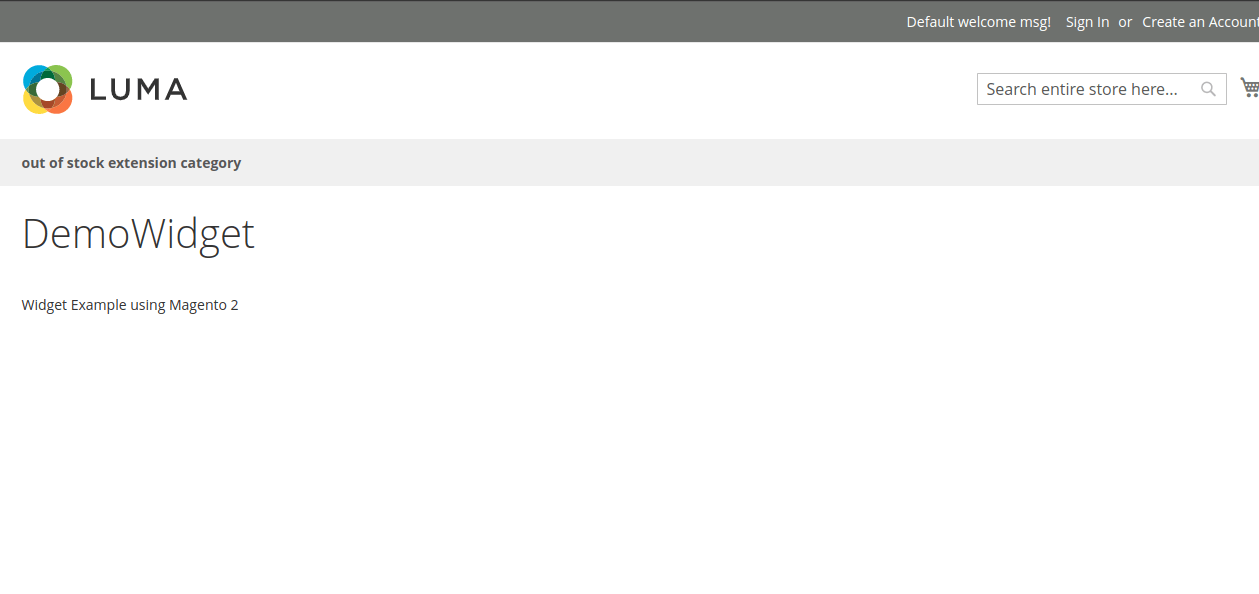
## Conclusion:
Hence, using the above method, you can successfully create and integrate your own custom jQuery widgets into your Magento 2 website. Experiment with different widget functionalities to enhance the user experience and make your online store more dynamic and user-friendly.
[](https://magecomp.com/magento-malware-removal.html)
Also Learn [**How to Create a Widget Programmatically in Magento 2**](https://magecomp.com/blog/create-widget-programmatically-magento-2/).
If you come across any error while performing the above steps, you can easily connect with me through the comment section and I will quickly provide you with the solution for it.
**Happy Coding!**
---
_View the original post at: [https://magecomp.com/blog/create-custom-jquery-widget-magento-2/](https://magecomp.com/blog/create-custom-jquery-widget-magento-2/)_
_Served as markdown by [Third Audience](https://github.com/third-audience) v3.5.3_
_Generated: 2026-09-25 22:58:11 UTC_