---
title: "How to add custom CMS page layout in Magento 2?"
url: "https://magecomp.com/blog/add-custom-cms-page-layout-magento-2/"
date: "2019-02-01T18:48:41+00:00"
modified: "2025-05-29T05:41:03+00:00"
author:
name: "Dhiren Vasoya"
url: "https://magecomp.com/"
categories:
- "How To"
- "Magento 2"
word_count: 353
reading_time: "2 min read"
summary: "Good Design makes Business good too, and that\'s how Magento customization comes in! Everyone storeowner wishes to customize their store layout the way they love that\'s the reason why design and lay..."
description: "How to add custom CMS page layout programmatically in Magento 2. We\'ll cover process to create a custom page layout, define its structure, and integrate it"
keywords: "How To, Magento 2"
language: "en"
schema_type: "Article"
related_posts:
- title: "How To Get Last Executed Cron List Programmatically in Magento 2"
url: "https://magecomp.com/blog/get-last-executed-cron-list-programmatically-magento-2/"
- title: "Magento 2: How to Write Translatable String in Email, PHTML, UiComponents,Js"
url: "https://magecomp.com/blog/write-translatable-string-email-phtml-uicomponents-js-in-magento-2/"
- title: "How to Pre-select Default Payment Method at the Checkout Page in Magento 2?"
url: "https://magecomp.com/blog/pre-select-default-payment-method-at-the-checkout-page-magento-2/"
---
# How to add custom CMS page layout in Magento 2?
_Published: February 1, 2019_
_Author: Dhiren Vasoya_
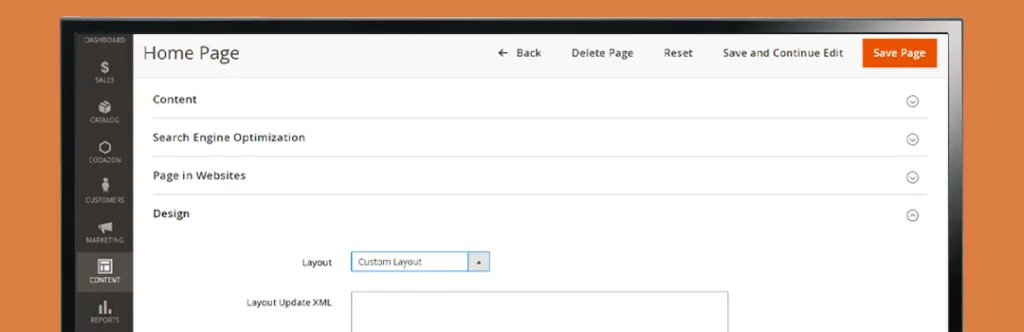
Good Design makes Business good too, and that’s how Magento customization comes in! Everyone storeowner wishes to customize their store layout the way they love that’s the reason why design and layout vary from business to business. Layouts represent the structure of all pages and technically, the layout is a .xml file which contains declarations and different instructions. And when you want to modify existing store layout you need to modify existing layout but we never recommend you to make changes in Magento core. The overriding layout file is a safe and secure solution for customizing CMS page layout in Magento 2
Today, we are back again with a small piece of code that will help you to easily override custom CMS page layout in Magento 2.
[](https://magecomp.com/magento-malware-removal.html)
Step 1: First, we need to create **“custom-layout.xml”** file inside your theme at below directory.
**app\\design\\frontend\\Themes\\Yourtheme\\Magento\_Theme\\page\_layout**
```
```
[](https://magecomp.com/magento-performance-optimization.html)
**Step 2:** Lastly, Create **“layouts.xml”** file inside your theme below directory.
**app\\design\\frontend\\Themes\\Yourtheme\\Magento\_Theme\\layouts.xml**
```
```
That’s it. Simply clear cache and you are done with customizing CMS page layout.
That’s it for today, Let us know if you are facing an issue while implementing using this code by commenting below.
[](https://magecomp.com/services/hyva-theme-development/)
Happy Coding!
---
_View the original post at: [https://magecomp.com/blog/add-custom-cms-page-layout-magento-2/](https://magecomp.com/blog/add-custom-cms-page-layout-magento-2/)_
_Served as markdown by [Third Audience](https://github.com/third-audience) v3.5.3_
_Generated: 2026-03-10 19:22:05 UTC_